
Your clinic's first week on Morasel
Patients book, confirm and get reminders on WhatsApp only once Morasel knows your clinic: where you are, who your doctors are, what can be booked and when. You do this on Clinic → Setup and Clinic → Scheduling in the web app. Then connect your WhatsApp number and invite your team. WhatsApp'ta randevu, WhatsApp numarası bağlanır bağlanmaz her klinikte açıktır.
Morasel uygulaması ve mesaj şablonları İngilizce ve Arapçadır. Bu web sitesi Türkçe olarak da sunulmaktadır.
Bu makale yalnızca İngilizce olarak mevcut — İngilizce okuyun
Bu sayfayı uygulamada açın https://app.morasel.ai/clinic/setup
Adımlar
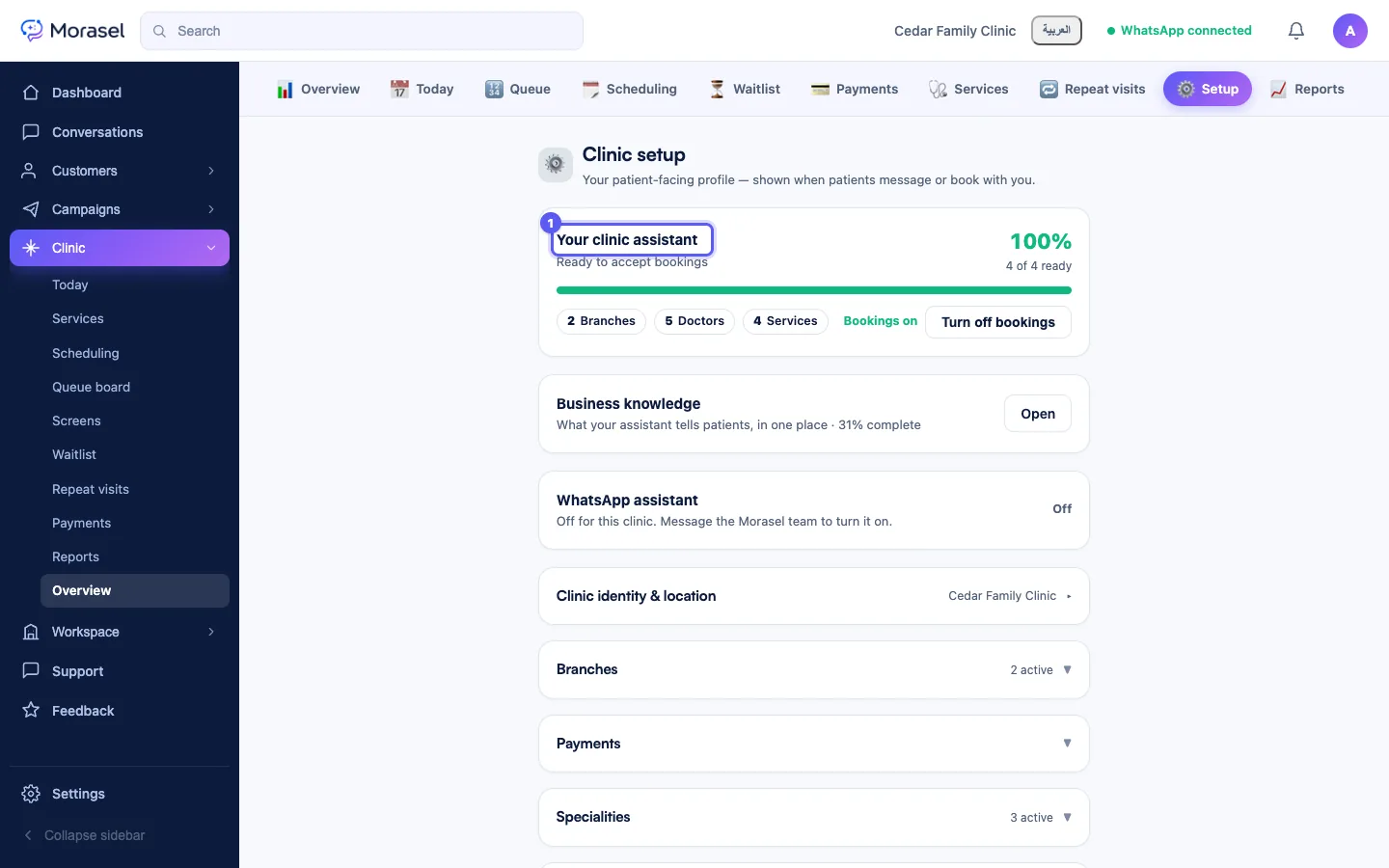
Open Clinic → Setup and check Your clinic assistant at the top.
Görmeniz gereken: It shows how many of the 4 setup items are ready: your clinic's name, an active branch, a doctor visible to patients and an active service. It says Ready to accept bookings once all 4 are in place, or Complete the steps below to go live.
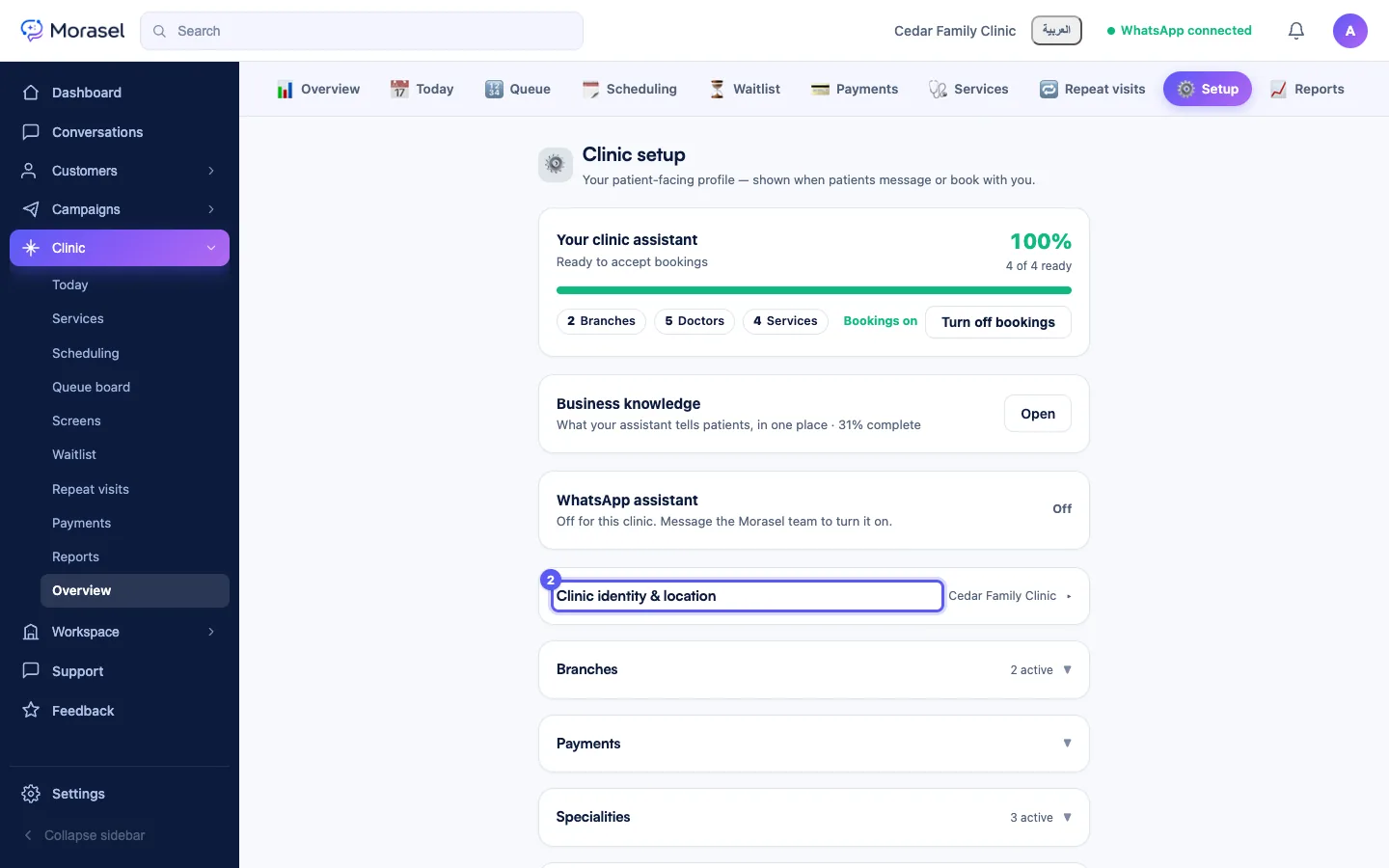
Open Clinic identity & location, fill in your clinic's name in English and Arabic, address, map link and phone, and save.
Görmeniz gereken: Your details are saved; patients see them when they message or book with you.
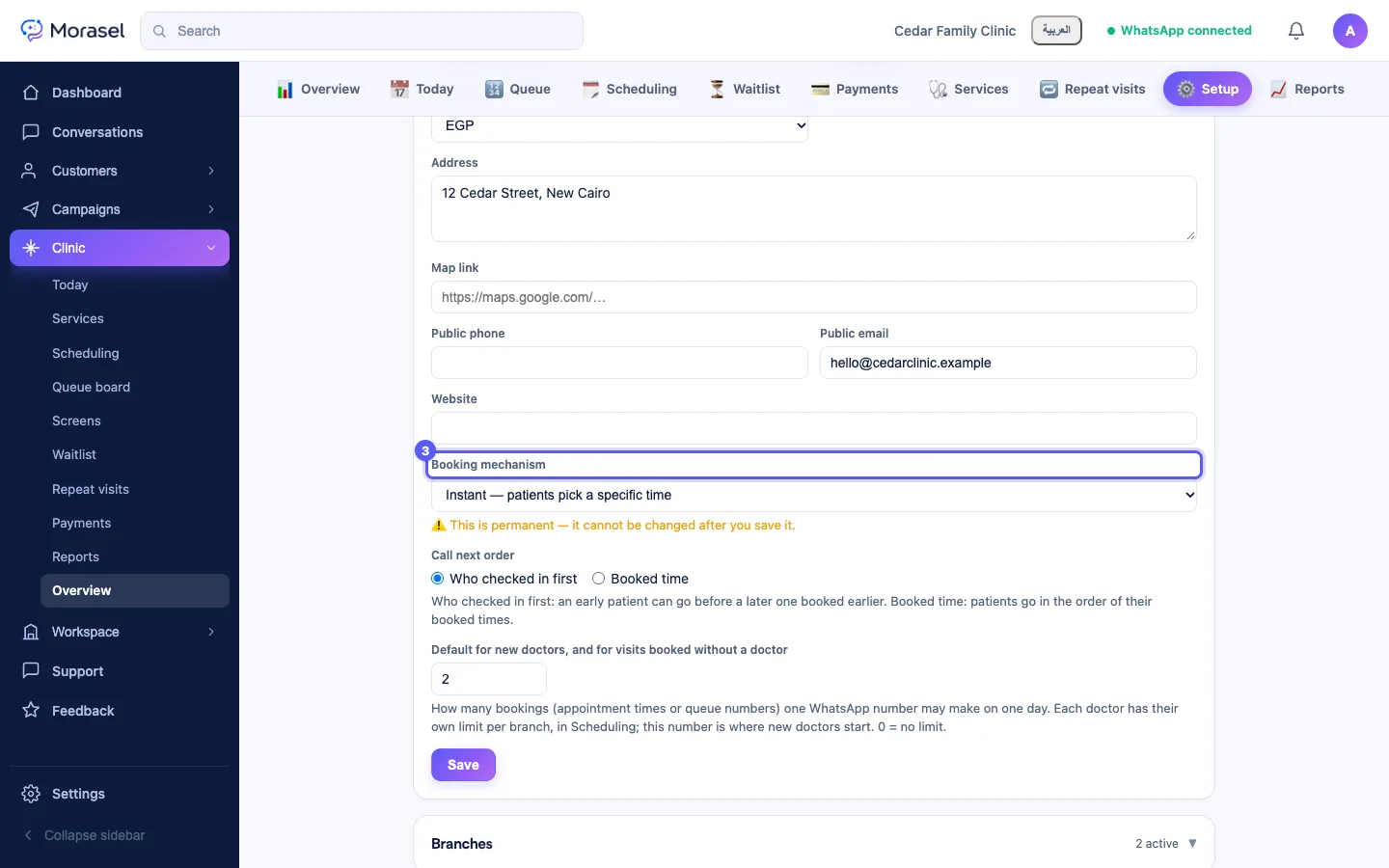
Choose the Booking mechanism carefully. This is permanent — it cannot be changed after you save it. Pick Instant (patients pick a specific time) or Queue (first come, first served, numbered), then save.
Görmeniz gereken: Your choice is saved. Choosing Queue locks it.
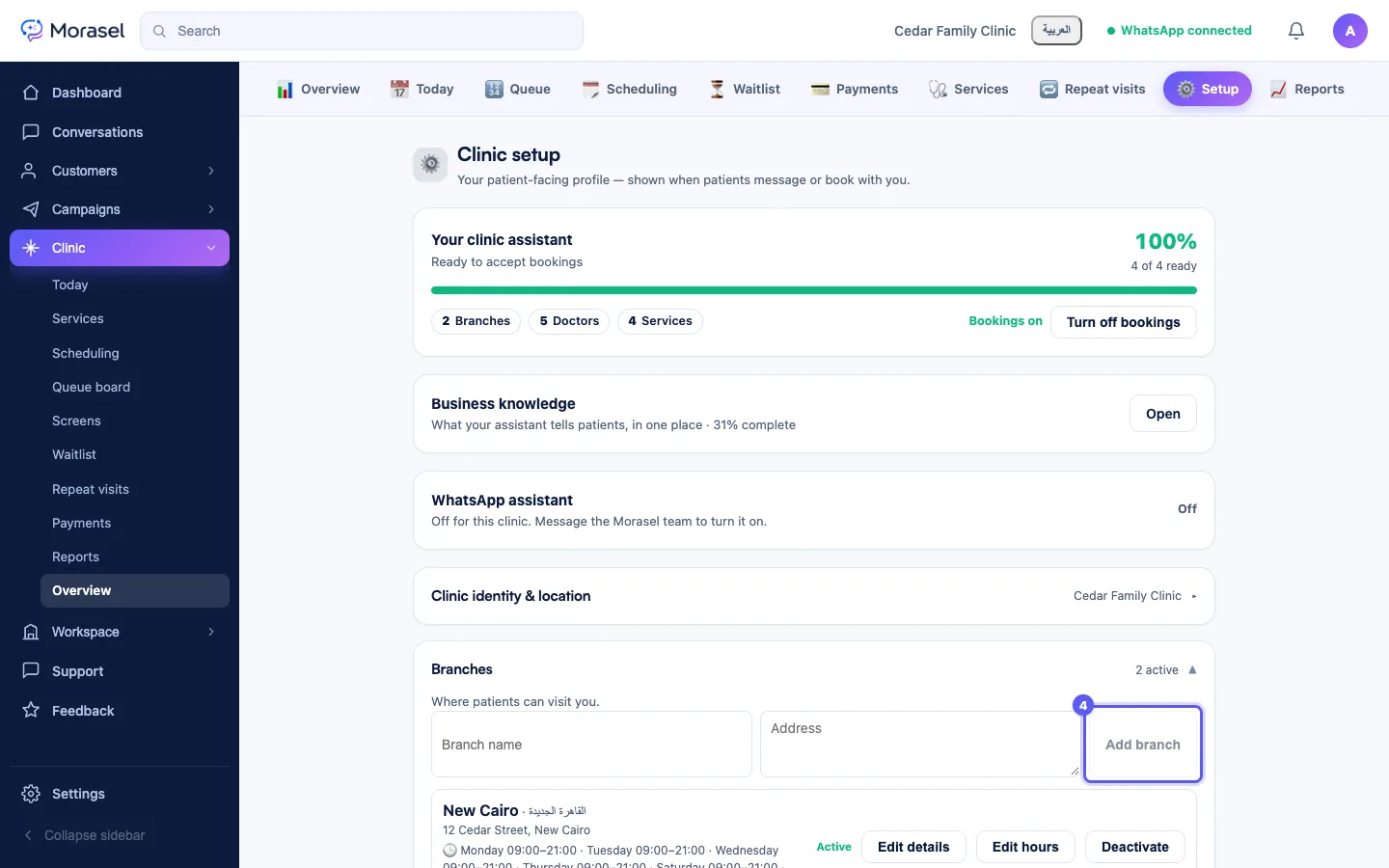
Open Branches and click Add branch for each place patients visit you.
Görmeniz gereken: Each branch appears in the list as active. You need at least one active branch to go live.
Open Doctors, type the Doctor name and Specialty title, then click Add doctor.
Görmeniz gereken: The doctor appears in the list. Keep Visible to patients on: only a doctor visible to patients counts towards going live and is offered when booking.
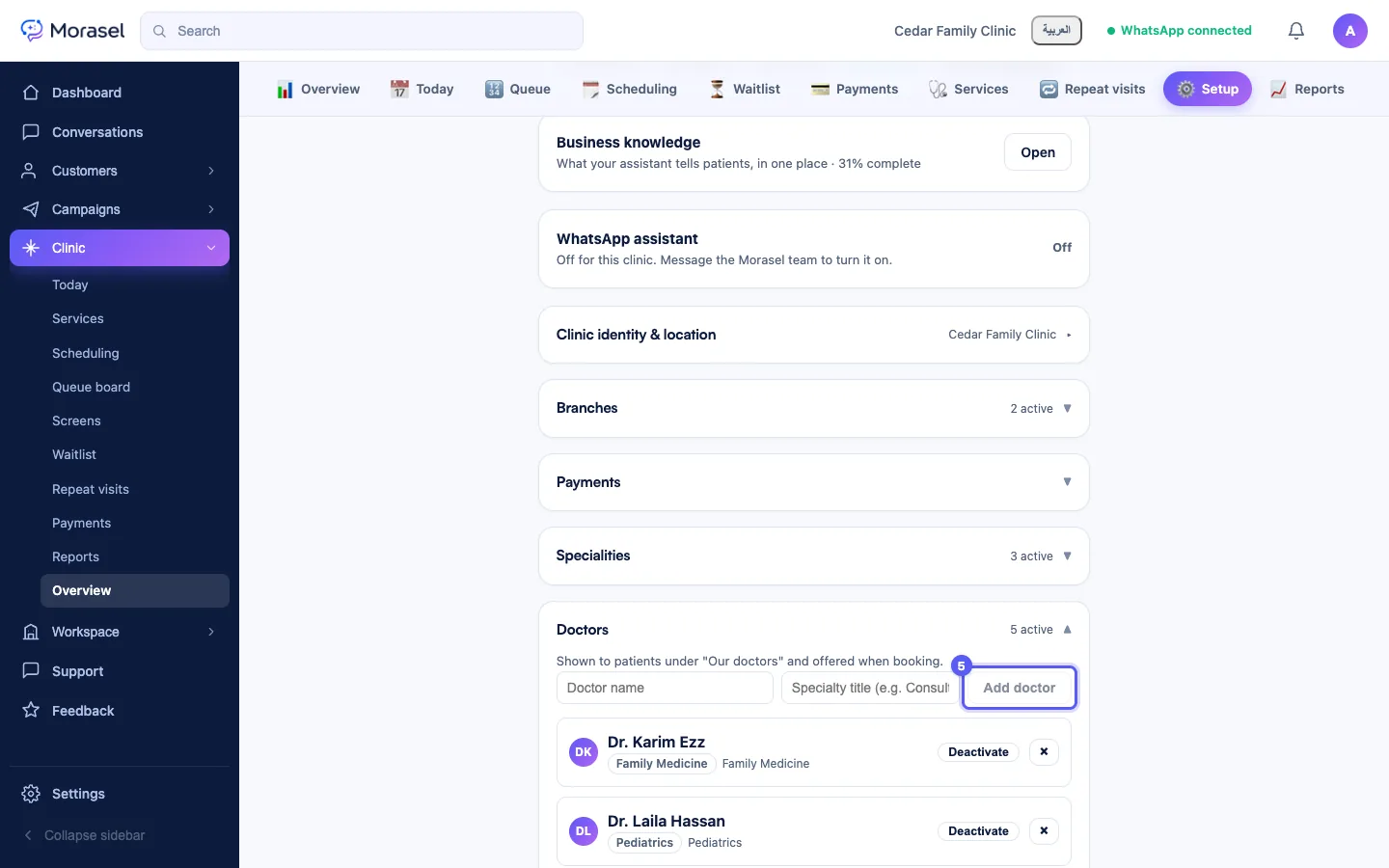
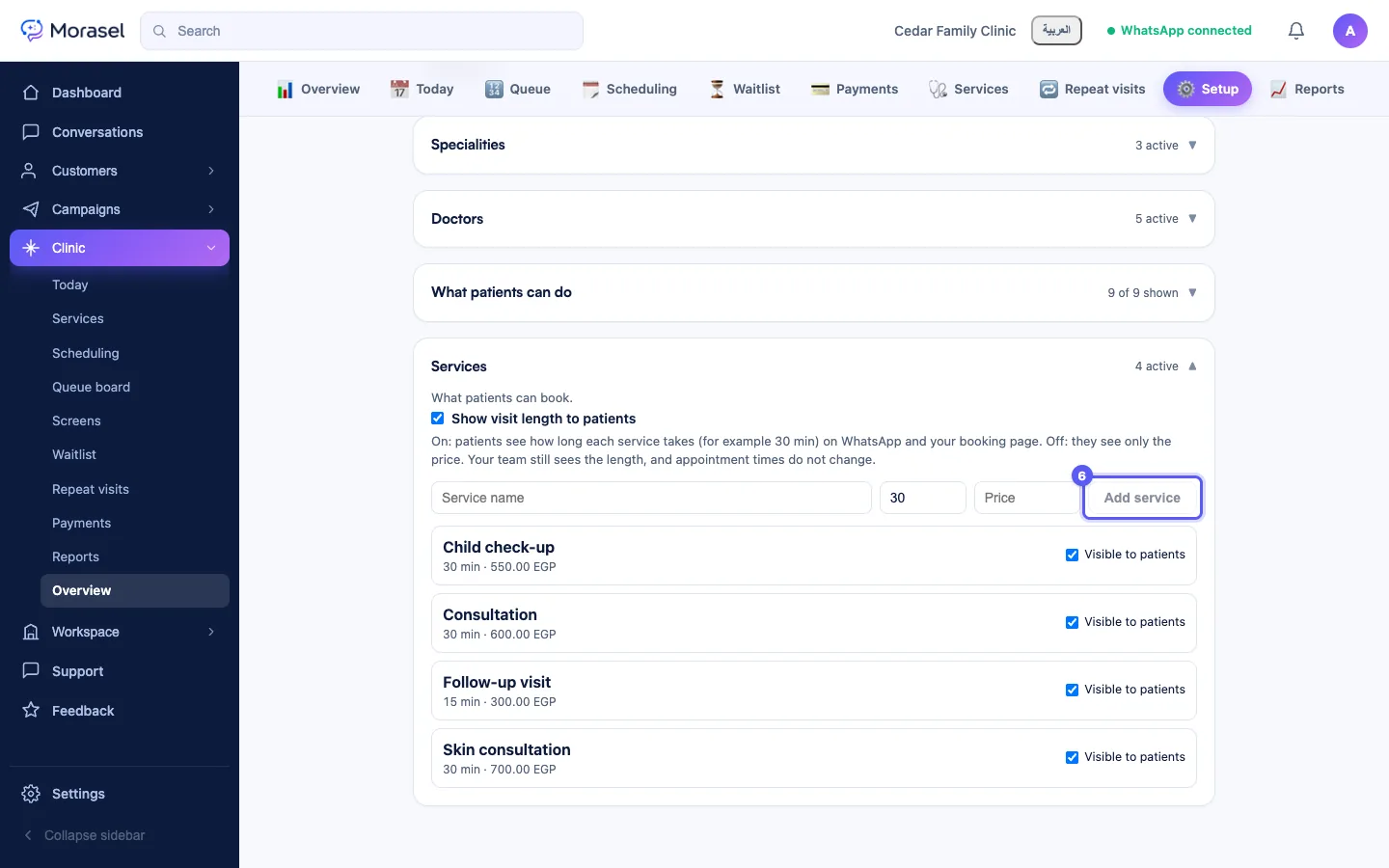
Open Services and click Add service for each thing patients can book, with its duration and price.
Görmeniz gereken: Each service appears in the list and can be booked. A visit booked for a service lasts that service's duration, also when the patient picks it on WhatsApp.
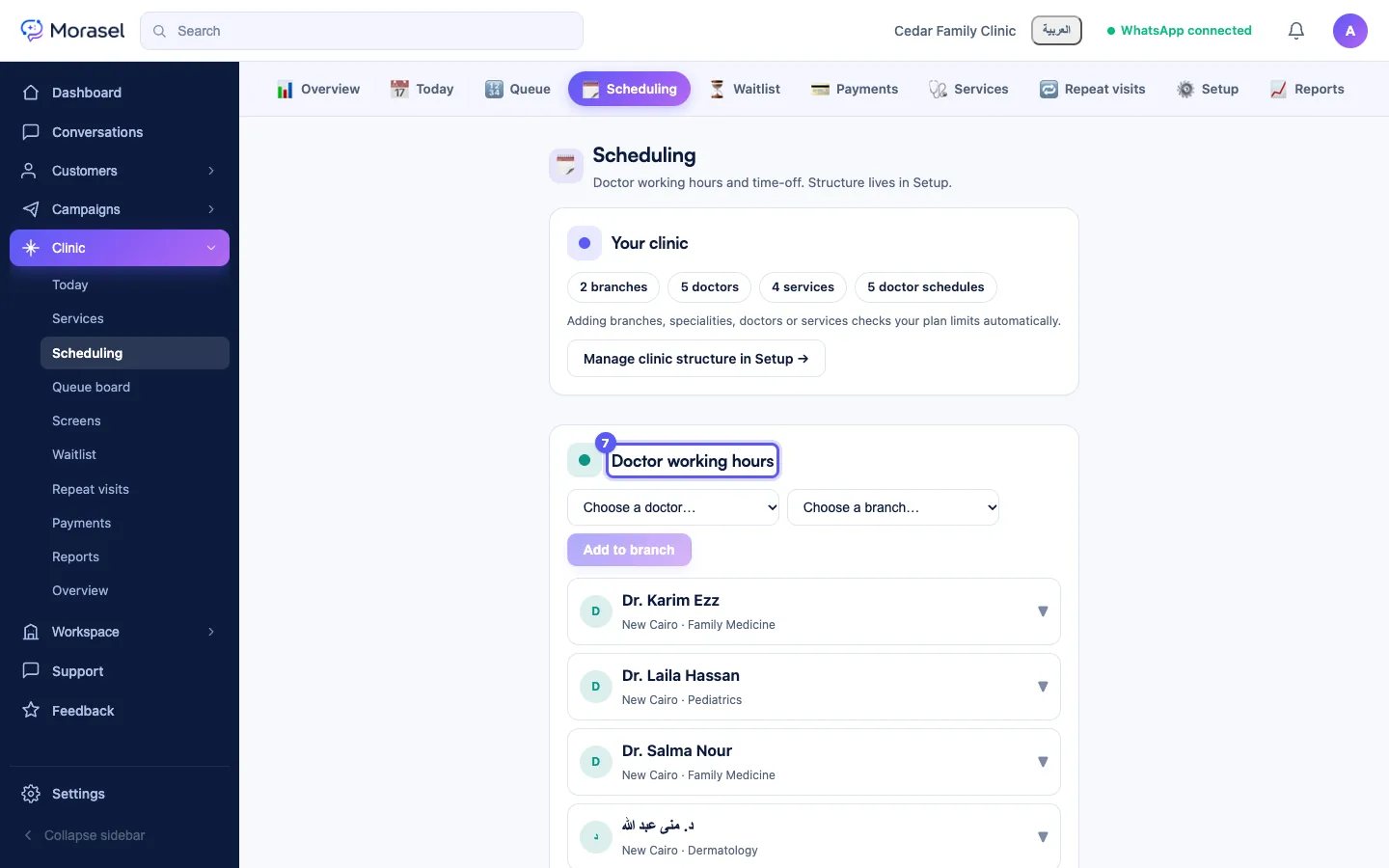
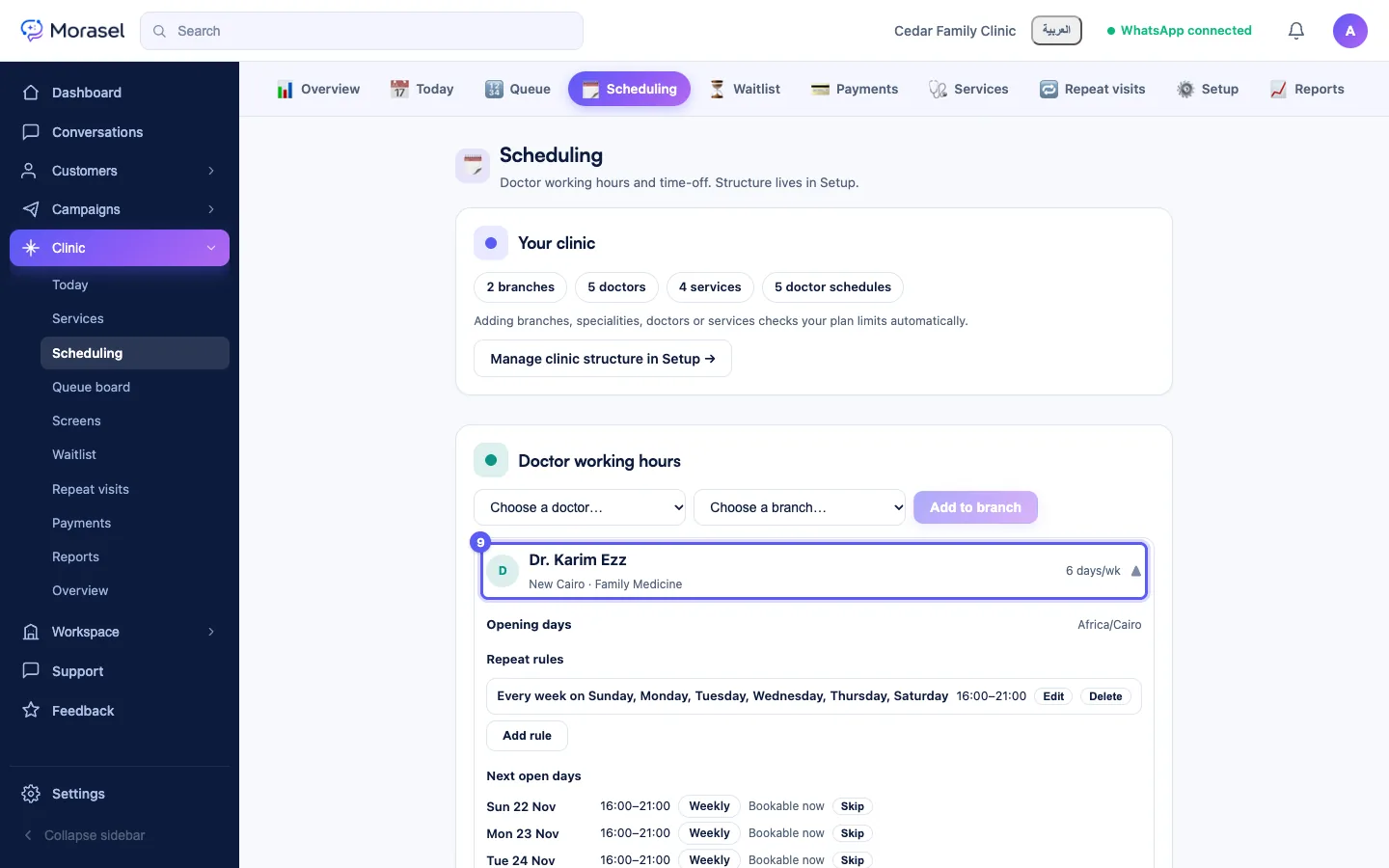
Open Clinic → Scheduling and, under Doctor working hours, choose a doctor and a branch.
Görmeniz gereken: Add to branch becomes clickable.
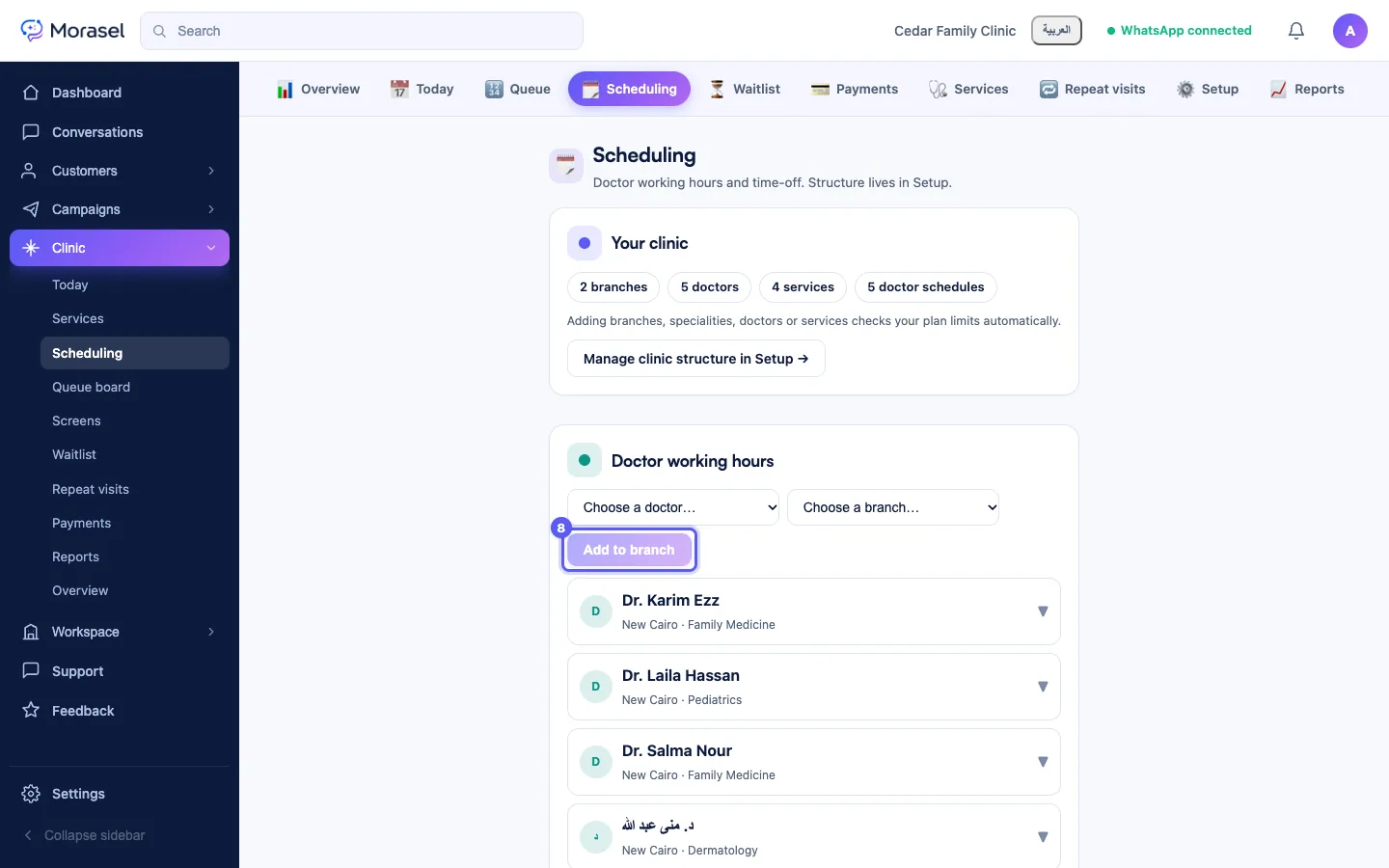
Click Add to branch.
Görmeniz gereken: The doctor is listed under Doctor working hours with that branch.
Click the doctor in the list and set their weekly hours.
Görmeniz gereken: The doctor's hours are saved, and patients are offered times only inside them. Add time-off here too.


İşe yaramadıysa
- Setup says Complete the steps below to go live.
- Check the four items: the clinic name in Clinic identity & location, at least one active branch, at least one doctor with Visible to patients on, and at least one active service.
- Patients are not offered any times.
- Check that the doctor has working hours at that branch on Scheduling, that no time-off covers the day, and that bookings are on in Setup.
- I can't edit Setup.
- Clinic setup needs the owner or admin role. Agents (your reception) can book, confirm, reschedule and cancel appointments and check patients in, but can't change the clinic's setup.
- The WhatsApp assistant says Off for this clinic.
- The WhatsApp assistant is on for every clinic, and patients reach it once your WhatsApp number is connected. If Setup says Off for this clinic, message us from Support in the web app and we'll turn it on. Your team can already book and message patients.
Sıkça sorulan sorular
What else should I do in the first week?
Connect your WhatsApp Business number on WhatsApp setup, and invite your receptionist and doctors from Team & Access, so the whole front desk works from the same inbox.
Do I need to write reminder messages?
No. Confirmations and reminders use Morasel's built-in WhatsApp templates, which Morasel submits to Meta for you.
Can I run more than one branch?
Yes. Add each branch in Setup and set each doctor's hours per branch on Scheduling. Adding branches, doctors or services checks your plan's limits automatically.
Can I pause online bookings?
Yes. In Setup, Turn off bookings stops new bookings until you turn them on again.
Which industry do I pick when I sign up?
Clinics is already selected if you came from a clinic page. If not, choose Clinics yourself before you continue.
How does reception fix a patient's name or hand the day's list to the doctor?
Click ✎ next to the name at the top of the patient's WhatsApp chat to fix a nickname or a number-only name; WhatsApp never changes it back. To hand over the day, open Today in the clinic tab and click Export for an Excel file of the day's visits. Click (or tap) a patient's name in Today to open their profile. All three work web uygulamasında ve iPhone ile Android uygulamalarında.
How does reception book a patient's first visit from WhatsApp?
Open the patient's WhatsApp chat and click Book appointment at the top: pick the person, branch, doctor and time, then Book. The patient gets one WhatsApp confirmation, and a card in the chat shows the visit to your team. The Patient panel beside the chat shows the person's visits and the staff notes about them. Both work on the web and in the iPhone and Android apps.
We have several doctors. Where do we see the whole day?
Open Clinic → Schedule: every doctor's day side by side, by speciality, with free times you can book in one click and a week view of how full each speciality is. The week starts on the day you choose in Clinic → Setup → Week starts on (by default it follows your clinic's country; you can change it). See "Clinic Schedule: every doctor's day side by side".
Can we also see patients online?
Yes, if you like: the online clinic is included for every clinic, so turn on Clinic → Setup → Online clinic to add an Online branch with its own meeting link. See "Run an online clinic with meeting links".
İlgili makaleler
Son güncelleme · Added: the Book appointment panel and the Patient panel for every clinic, and Clinic → Schedule for every clinic that books by time