
Check InstaPay receipts for online visits
At a branch that requires payment, a booked visit is held while the patient pays by InstaPay and sends the receipt screenshot (or PDF) on WhatsApp. Morasel checks the receipt and confirms the visit, or sends it to your team for a check. Every payment setting is in one place, Clinic → Payments → Receipt settings, on the web app; Clinic → Setup → Payments shows a summary and a link there. Reception still sees each branch's receiving details in Setup → Payments, read-only.
Open this page in the app https://app.morasel.ai/clinic/payments
The automatic check passes a receipt when it was paid to the clinic's account (the InstaPay address, mobile, account name or one of the other names), the amount covers the price, it is from the same day, and its reference is readable and wasn't used before. Otherwise the receipt goes to a check by staff.
Reports: the Online clinic card in Clinic → Reports shows visits booked, paid and expired, late receipts, refunded, kept as credit, the median time to pay and to review, and the amount collected via receipts.
Online visits themselves (the Online branch, its meeting link and the join link) are set up in Clinic → Setup → Online clinic: see "Run an online clinic with meeting links".
Each service can differ from its branch: in Clinic → Setup → Services, Payment for this service is Follow branch, Always or Never.
When the clinic cancels a visit the patient already paid for (a cancel by your team, a doctor's absence or a cancelled series), the amount is kept as credit for that patient at your clinic. The patient is told on WhatsApp while their 24-hour window is open, and the credit pays their next booking automatically: when it covers the whole fee, the visit is booked with nothing to pay and the patient reads “Paid from your credit”; when it covers part, the payment message asks the patient for the rest (by InstaPay or card) and says how much the credit covered, and the receipt check expects that amount; in Clinic → Payments the receipt shows "Credit paid" with the credit part. The credit counts as used only once the visit is confirmed: if the time to pay runs out, it goes back to the patient's credit. Owners and admins see the credit on the web app, in the Patient panel beside the chat and on the patient's profile, with the visit it came from and the visit it was used on; when they book for that patient, the booking panel says the credit will pay the visit. Other team members see only that the patient has credit, never the amount, and the iPhone and Android apps never show the patient's credit balance or history. Credit is only used on bookings paid in advance (a branch or service that requires payment); a visit paid at the clinic does not use it. If the patient does not come (No-show), the credit part of that visit goes back to their credit; what they paid follows your no-show rule.
While a place is held the patient can do anything else on WhatsApp: open the menu, ask another question, change the bot language, book another visit, ask for a person, or chat with your team. A receipt they send later is still checked against their held visits and, when it passes, confirms the visit and sends the confirmation (with the join link for an online visit) in the language they chose. With several held visits, the receipt pays the one whose amount it shows (the oldest when the amounts are the same), or all of them when it shows their total. This also works when the clinic's WhatsApp assistant is off, when the patient opted out of messages (nothing is sent back), when the assistant is paused because the message balance ran out (nothing is sent; staff are alerted as usual), and for a number your assistant number rules leave to your team (only the confirmation is sent). In these cases an image counts as a receipt only when the automatic check reads it as one, so other photos stay ordinary chat images. A card payment confirms the visit the same way, whatever the chat is doing. A card payment that arrives after the Time to pay, for a cancelled visit or for another amount is listed for your team (Needs check, or Late receipts when the place was released), the owner and admins are alerted, and the patient is told the clinic will check it; with "Give the place back if it is still free", a late card payment gets the same place back like a late receipt. When a payment confirms the visit, the confirmation is always sent, also during a staff chat set to "Check silently; staff reply"; that setting covers the other receipt replies. Card money for a visit that was already paid, refunded or kept as credit is recorded as its own receipt under Refund owed, and the owner and admins are alerted to refund it or keep it as credit.
Receipts can also be checked in the iPhone and Android apps. There the screen is called Receipts to check, for every clinic: tap Receipt OK or Not OK, decide what happens to the transfer of a late receipt, and open it from the chat's receipt chip with Open receipts. Receipt settings are on the web app and in the iPhone and Android apps; until a phone has them, its Receipt settings button shows "Set this up on the web" with Open on the web.
On iPhone and Android, open Clinic → Online clinic and tap Receipt settings (the gear). At the top, "Receipt needed at:" names the branches that ask for a receipt, with two buttons: Ask for a receipt at all branches that can receive transfers, and Turn off at all branches. Each asks you first and lists where it turns on or off; branches with no transfer details yet are skipped and named. Below are the clinic's receipt settings and one card per branch with its transfer details and how its receipts are checked. When receipts are waiting, Clinic → Today shows "Receipts to check · N" at the top (tap it to open Receipts to check on Needs check), and the Clinic tab shows the same number as a badge. Both show only to people who can check receipts, never to doctors.
On your device
Web
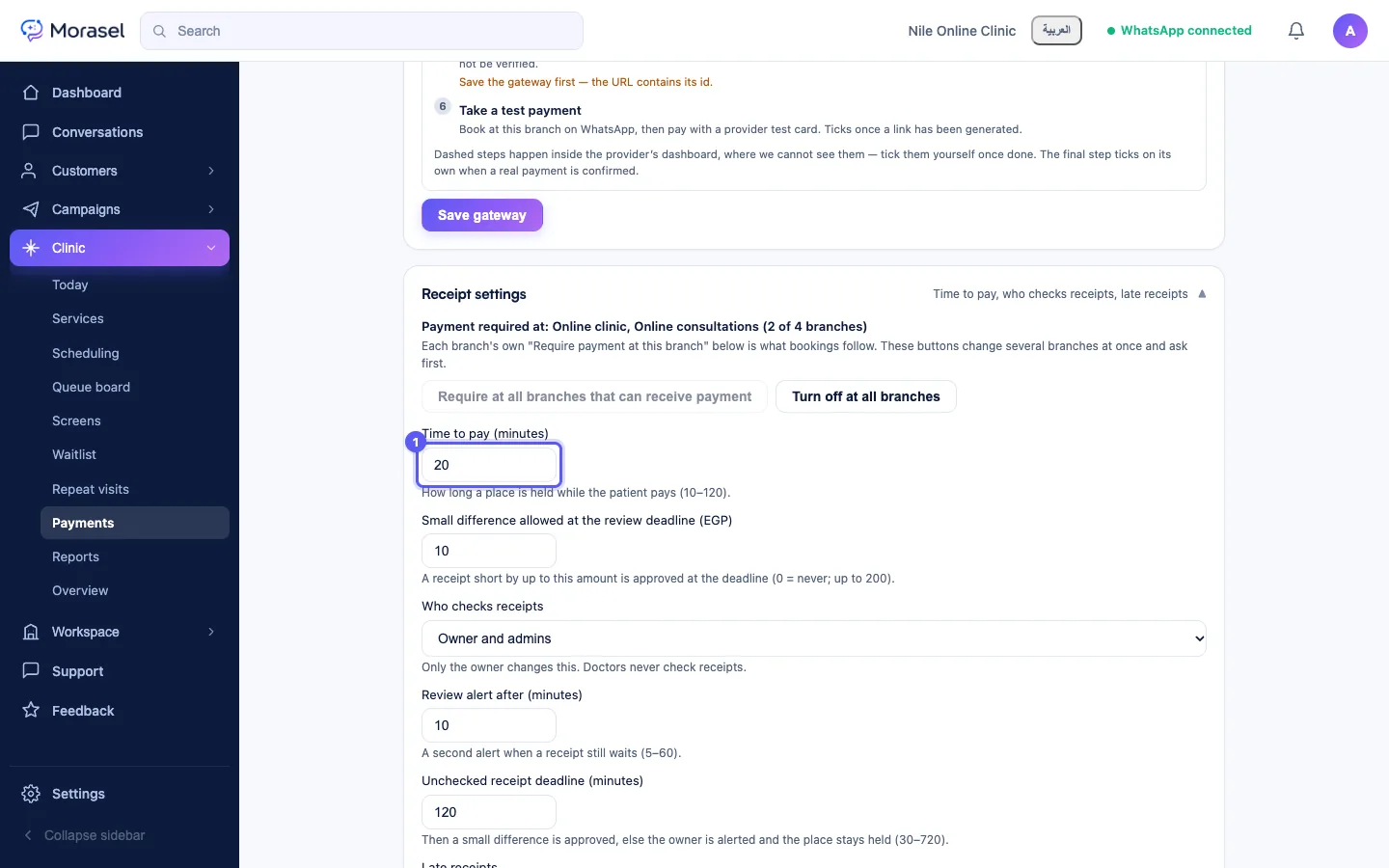
Open Clinic → Payments → Receipt settings and set Time to pay.
What you should see: A visit at a branch that requires payment is held this long while the patient pays: 20 minutes by default, 10–120. Each branch below can set its own "Time to pay at this branch" (empty uses the clinic's). On the Payments page, Receipt settings sits below the receipt list, folded: click it to open. At the top, "Payment required at:" names the branches that require payment, like "Online clinic (1 of 3 branches)". "Require at all branches that can receive payment" and "Turn off at all branches" change every branch at once: each asks first and names the branches that will change and, when turning on, the ones skipped because they have no way to receive payment yet.
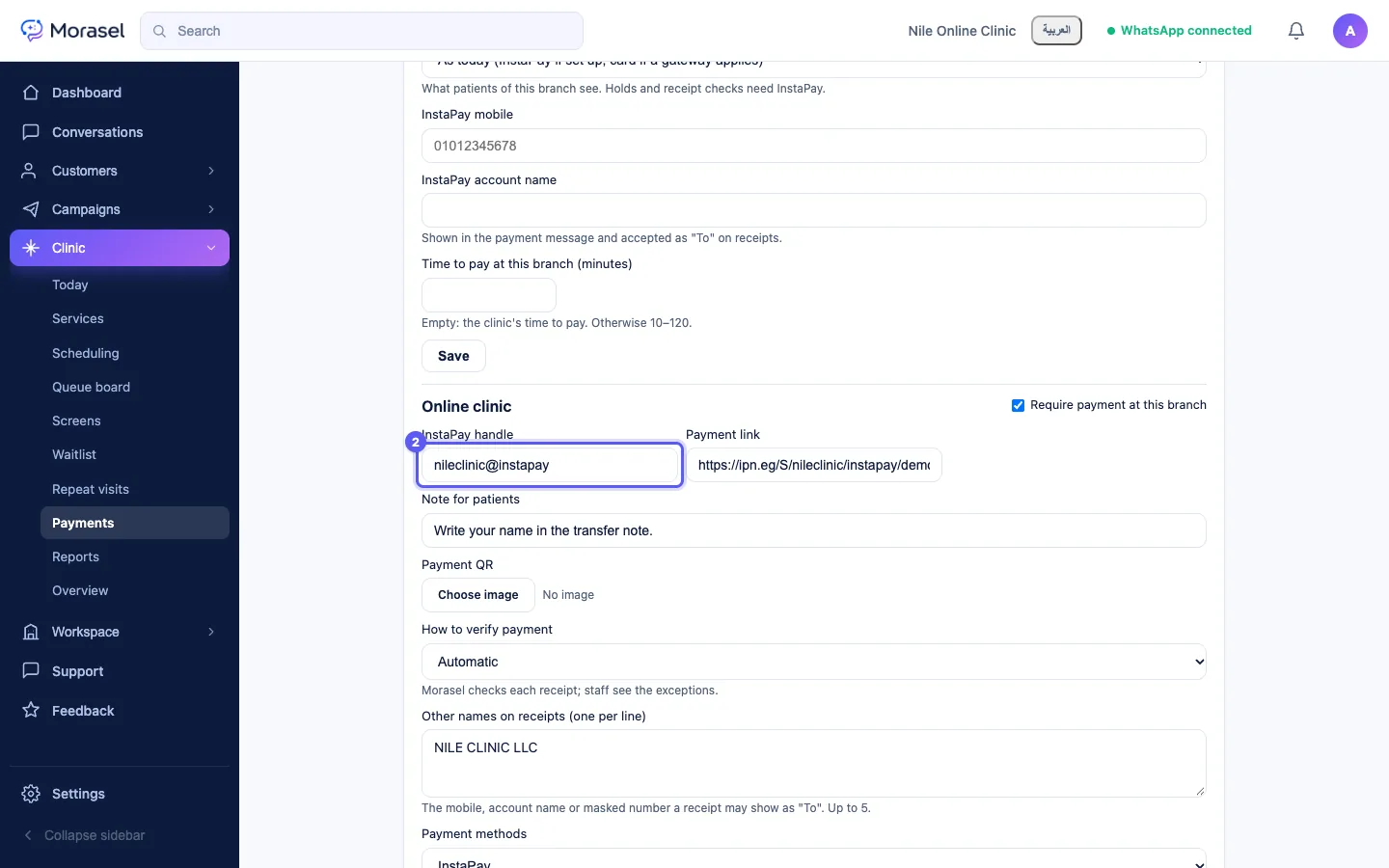
Under each branch, tick Require payment at this branch, enter the InstaPay handle, Payment link, Note for patients and Payment QR, then choose Payment methods and enter the InstaPay mobile and InstaPay account name.
What you should see: Every active branch is listed, also one that does not take payment yet; Require payment at this branch is saved at once. Payment methods is As today, InstaPay, Card link, Both or No payment; holds and receipt checks need InstaPay. The mobile and account name are shown in the payment message and accepted as "To" on receipts. Add up to 5 "Other names on receipts" (one per line) that a receipt may show as "To". The InstaPay mobile is an Egyptian mobile number, like 01012345678. Choose image uploads the QR.
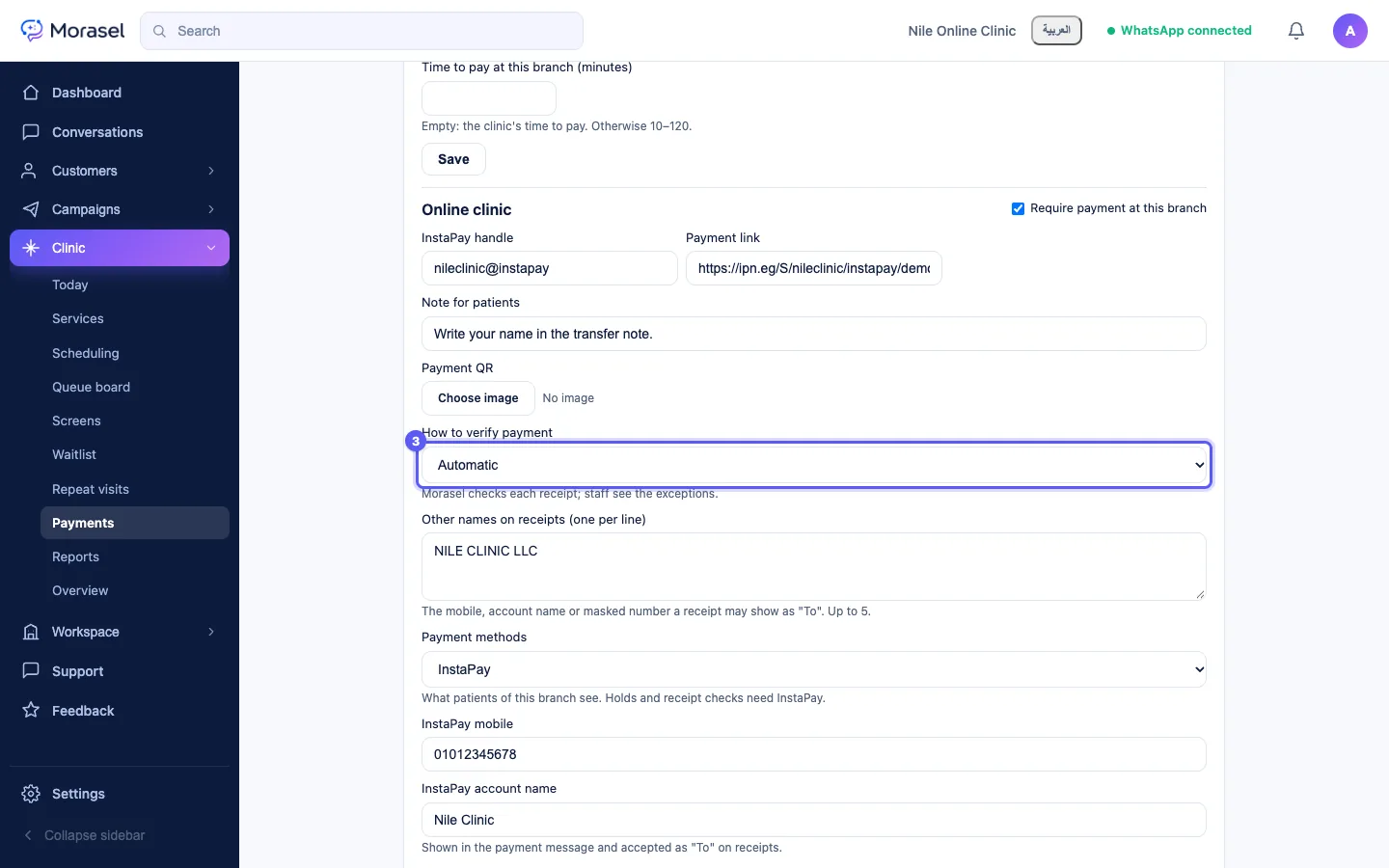
Choose How to verify payment for the branch, then click Save.
What you should see: Automatic: Morasel checks each receipt and staff see the exceptions. Staff only: every receipt is checked by a person. No check: any receipt screenshot confirms the visit at once, at the clinic's own risk.
Set Review alert after, Unchecked receipt deadline and the Small difference allowed at the review deadline.
What you should see: A receipt that needs a check alerts the owner and admins at once (also reception when Who checks receipts includes them; never doctors), and again after Review alert after (10 minutes by default, 5–60). The owner is alerted again at the Unchecked receipt deadline (120 minutes by default, 30–720, never later than 15 minutes before the visit). At the deadline, a receipt short by up to the small difference (10 Egyptian pounds by default; 0 = never, up to 200) is approved.
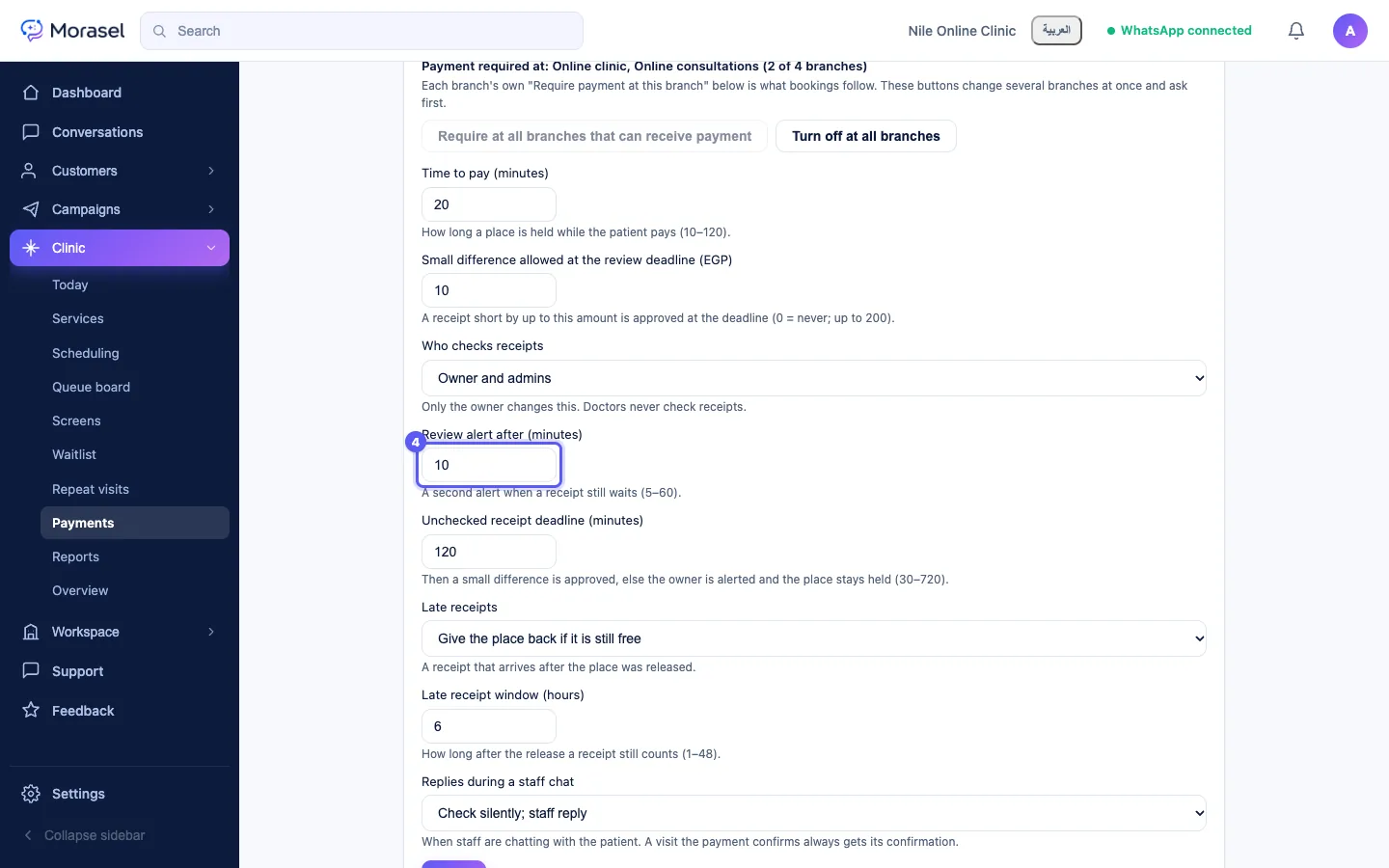
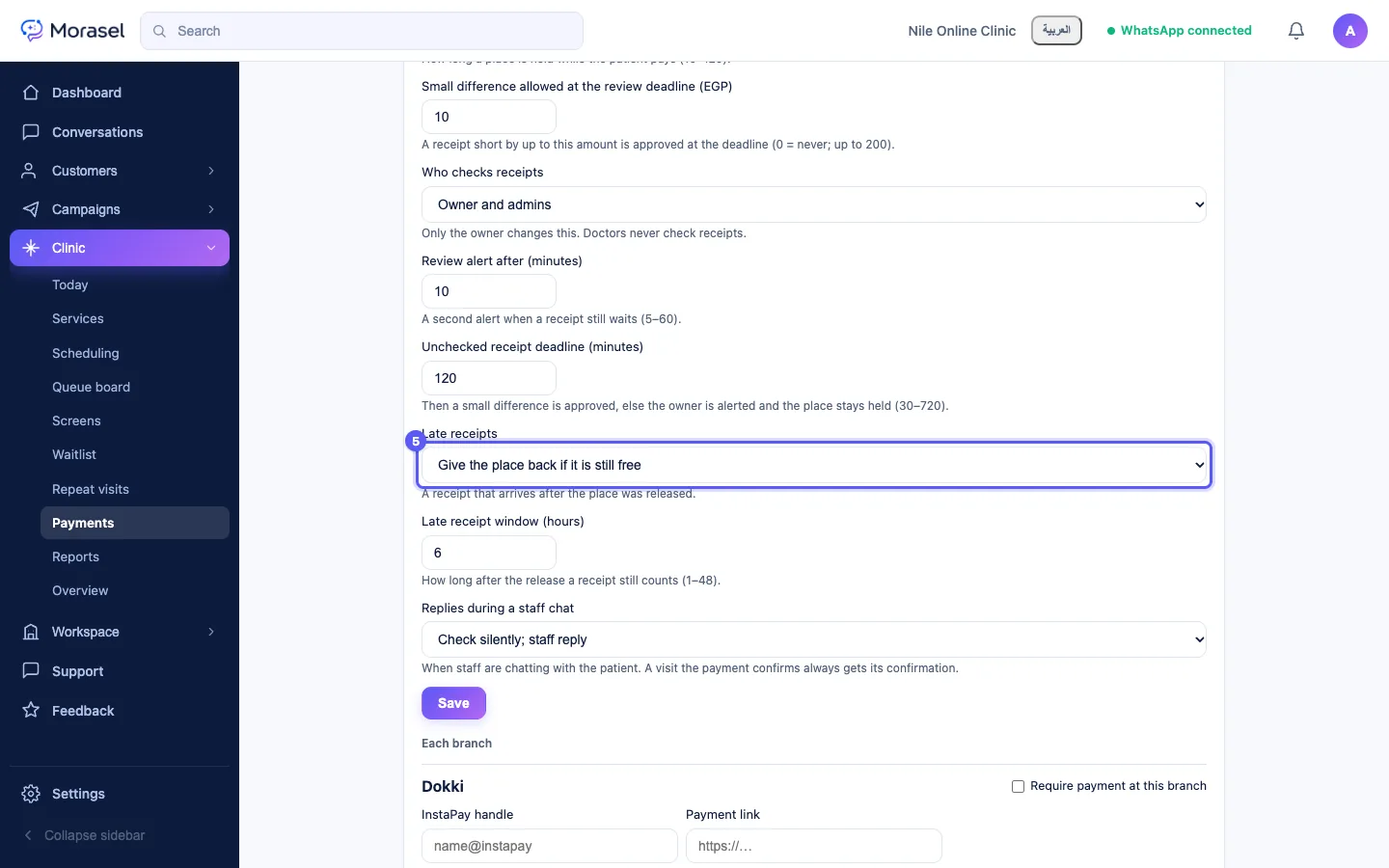
Set Late receipts, Late receipt window, Who checks receipts and Replies during a staff chat, then click Save.
What you should see: A late receipt arrives after the held place was released. Within the Late receipt window (6 hours by default, 1–48), "Give the place back if it is still free" rebooks it and "Always ask staff" sends it for a check; a late receipt after the visit's start always goes to staff. Who checks receipts is Owner and admins, or Owner, admins and reception: only the owner changes it, and doctors never check receipts. Replies during a staff chat is "Check silently; staff reply" or "Check and reply"; either way, a receipt that confirms the visit always sends the patient's confirmation (with the join link for an online visit).
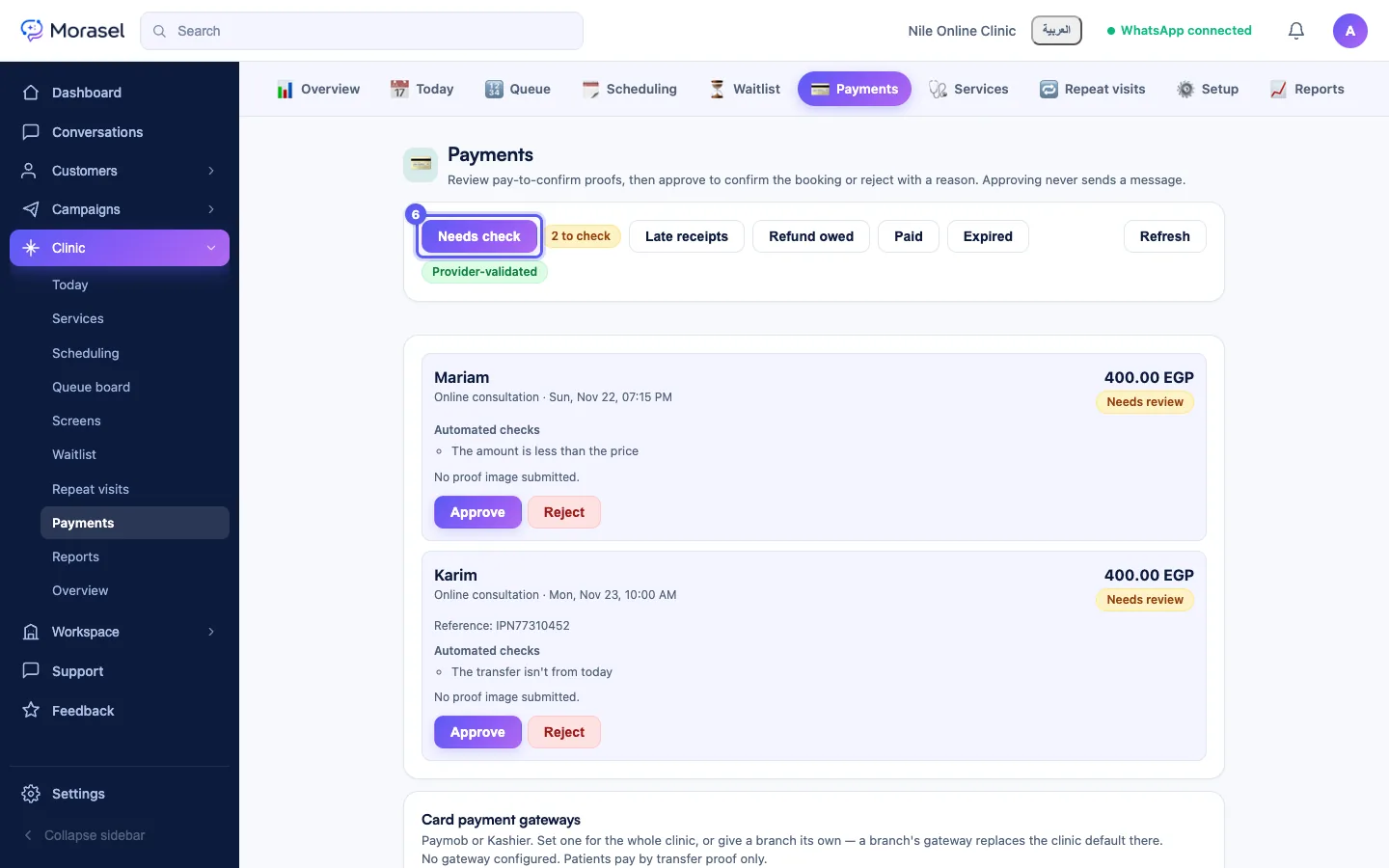
Open Clinic → Payments and pick a filter: Needs check, Late receipts, Refund owed, Paid or Expired.
What you should see: Open a receipt and click Approve to confirm the visit, or Reject and give the reason (a reason is required). Each receipt lists the automatic check's reasons in words, such as "The amount is less than the price".
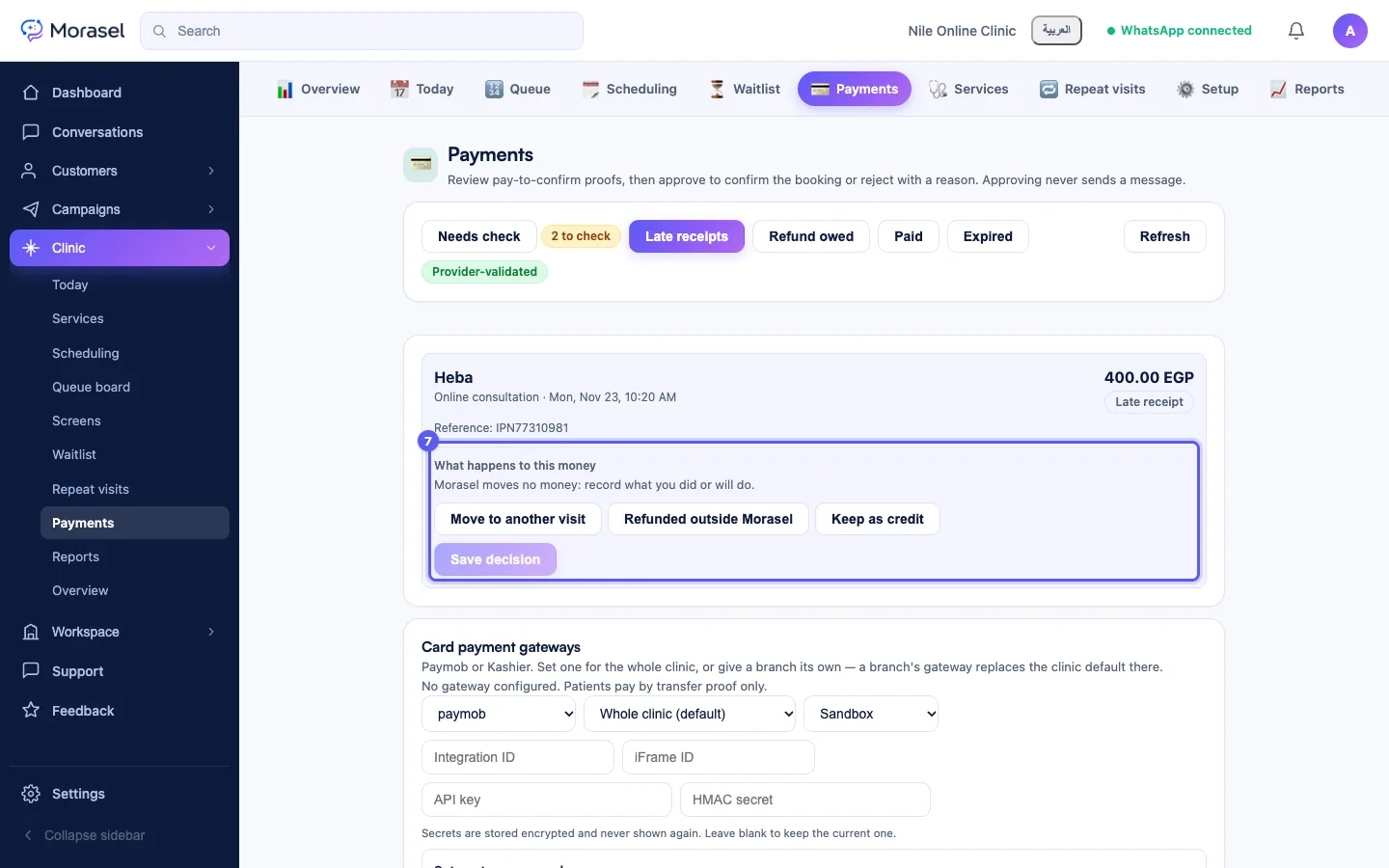
When the visit's place was given away, choose What happens to this money and click Save decision.
What you should see: Choose Move to another visit (the patient's upcoming visit), Refunded outside Morasel or Keep as credit, add a note if you like, and tick "Tell the patient on WhatsApp" to let them know. Morasel moves no money: it records what you did.
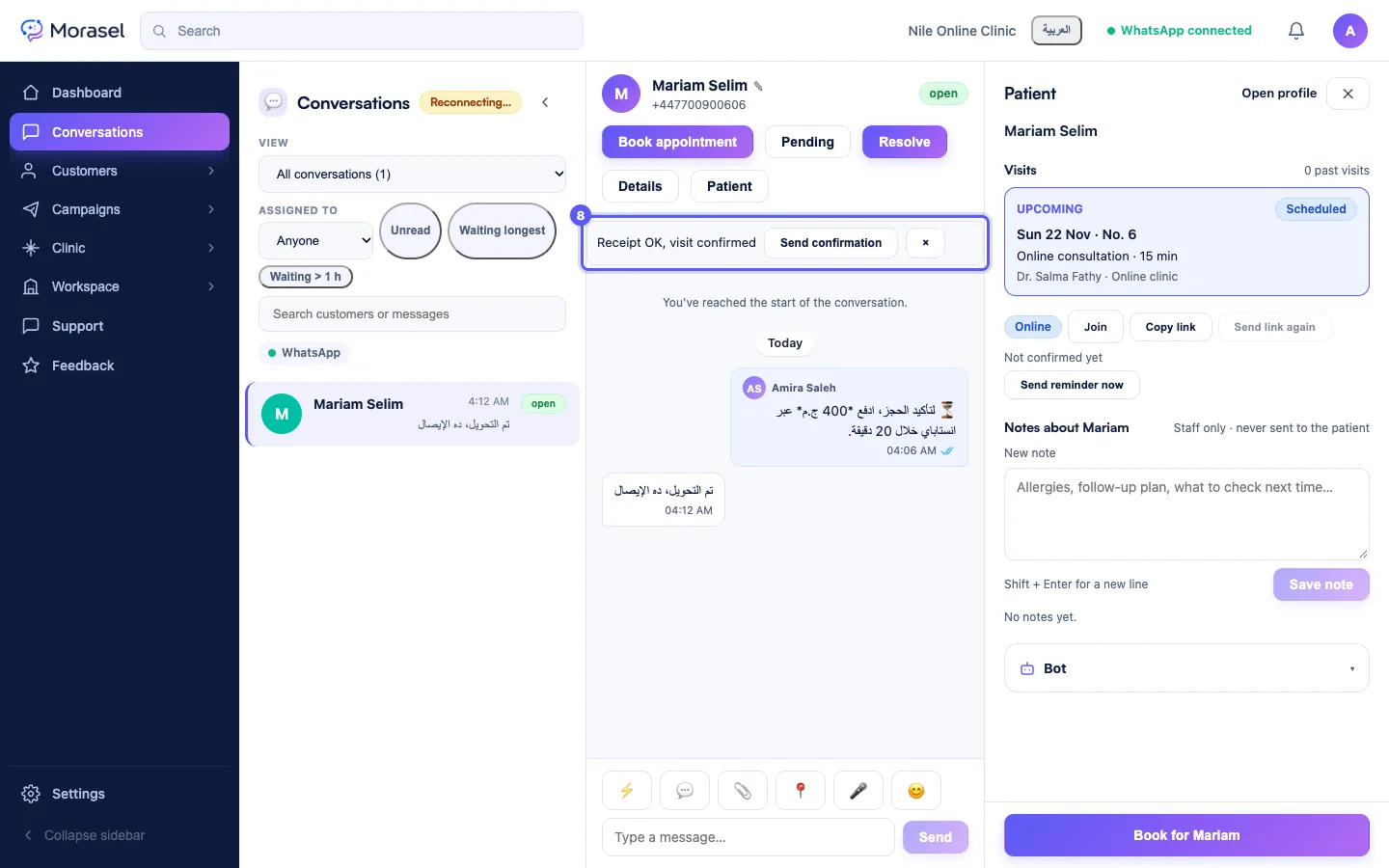
In the patient's chat, use the receipt chip.
What you should see: "Receipt OK, visit confirmed" offers Send confirmation when the patient's confirmation could not be sent (for example while the message balance has run out). "Receipt received: it needs a check" and "A late receipt arrived" offer Open payments.


If it didn't work
- A patient chose card but got the InstaPay details.
- The card payment page could not be opened, so the message says so and offers InstaPay instead. In Clinic → Payments → Card payment gateways, check the gateway's last error and that its merchant ID is filled in.
- A visit wasn't held while the patient paid.
- Holds and receipt checks need InstaPay: set the branch's Payment methods to InstaPay or Both and enter the InstaPay mobile.
- A correct receipt went for a check.
- Look at the receipt's "To": add the name or masked number it shows to Other names on receipts (up to 5). A receipt from another day, with an unreadable or already used reference, or short of the price also goes to staff.
- I can't change Who checks receipts.
- Only the owner changes it. Doctors never check receipts.
Frequently asked questions
How do patients pay for an online visit?
At a branch that requires payment, the patient gets the payment message with your InstaPay mobile and account name, pays, and sends the receipt screenshot (or PDF) on WhatsApp. The place is held for the Time to pay, 20 minutes by default.
Does Morasel refund patients?
No. Morasel moves no money. When a place was given away, record what you did in What happens to this money: Move to another visit, Refunded outside Morasel or Keep as credit.
Can reception approve receipts?
Yes, if the owner sets Who checks receipts to Owner, admins and reception. Doctors never check receipts.
What does No check do?
Any receipt screenshot confirms the visit at once, without a check, at the clinic's own risk.
What happens to a patient's payment when the clinic cancels the visit?
It is kept as credit for that patient at your clinic, and it pays their next booking paid in advance automatically. The patient is told on WhatsApp. Owners and admins see the credit, and where it came from, in the Patient panel on the web app.
What if the patient goes back to the menu or changes the language before paying?
Nothing is lost. The receipt or card payment is still matched to their held visit, checked and confirmed, and the confirmation is sent in the language they use now.
Related articles
Last updated · Updated: a receipt or card payment after the patient used the menu, changed language or chatted with your team still confirms the visit and always sends the confirmation; late card payments follow the late-receipt rules; extra card money is listed under Refund owed