
Work your leads: from New to Won
A lead is a customer who wants to buy but hasn't ordered yet. Each one moves through New, Qualified and Awaiting purchase, and ends as Won (their order is linked) or Lost. Leads are in online-store workspaces, on the web and in the iOS and Android apps. Leads are available on Commerce Pro and Max.
La aplicación de Morasel y sus plantillas de mensajes están en inglés y árabe. Este sitio web también está en español.
Este artículo solo está disponible en inglés: léelo en inglés
Abre esta página en la app https://app.morasel.ai/commerce/leads
Pasos
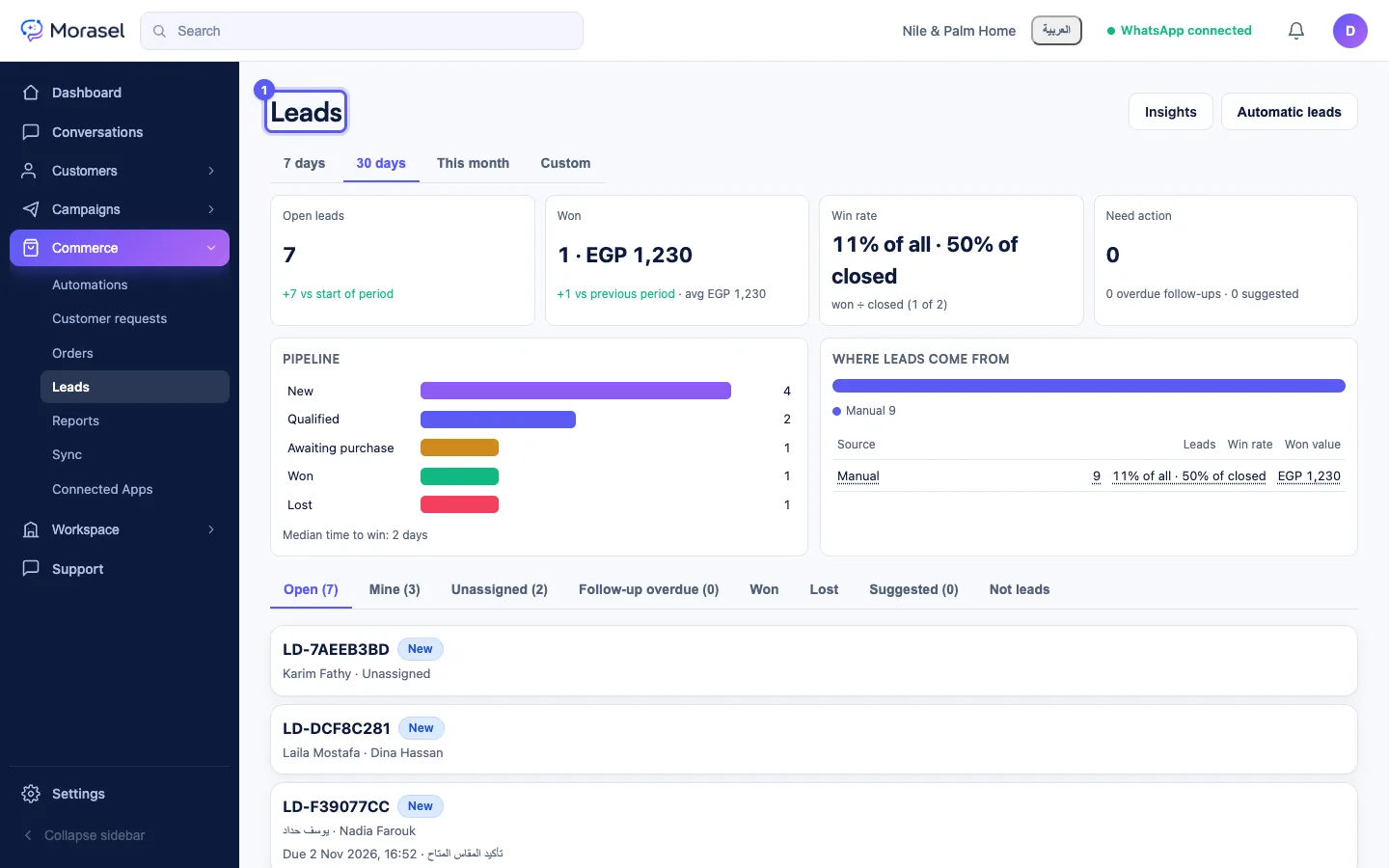
Open Commerce → Leads.
Lo que deberías ver: Your open leads are listed. Each row shows the lead number, its stage (New, Qualified or Awaiting purchase), the customer, the owner and the next follow-up, in red when it is overdue. The tabs switch between Open, Mine, Unassigned, Follow-up overdue, Won, Lost and Suggested; owners and admins also see Not leads.
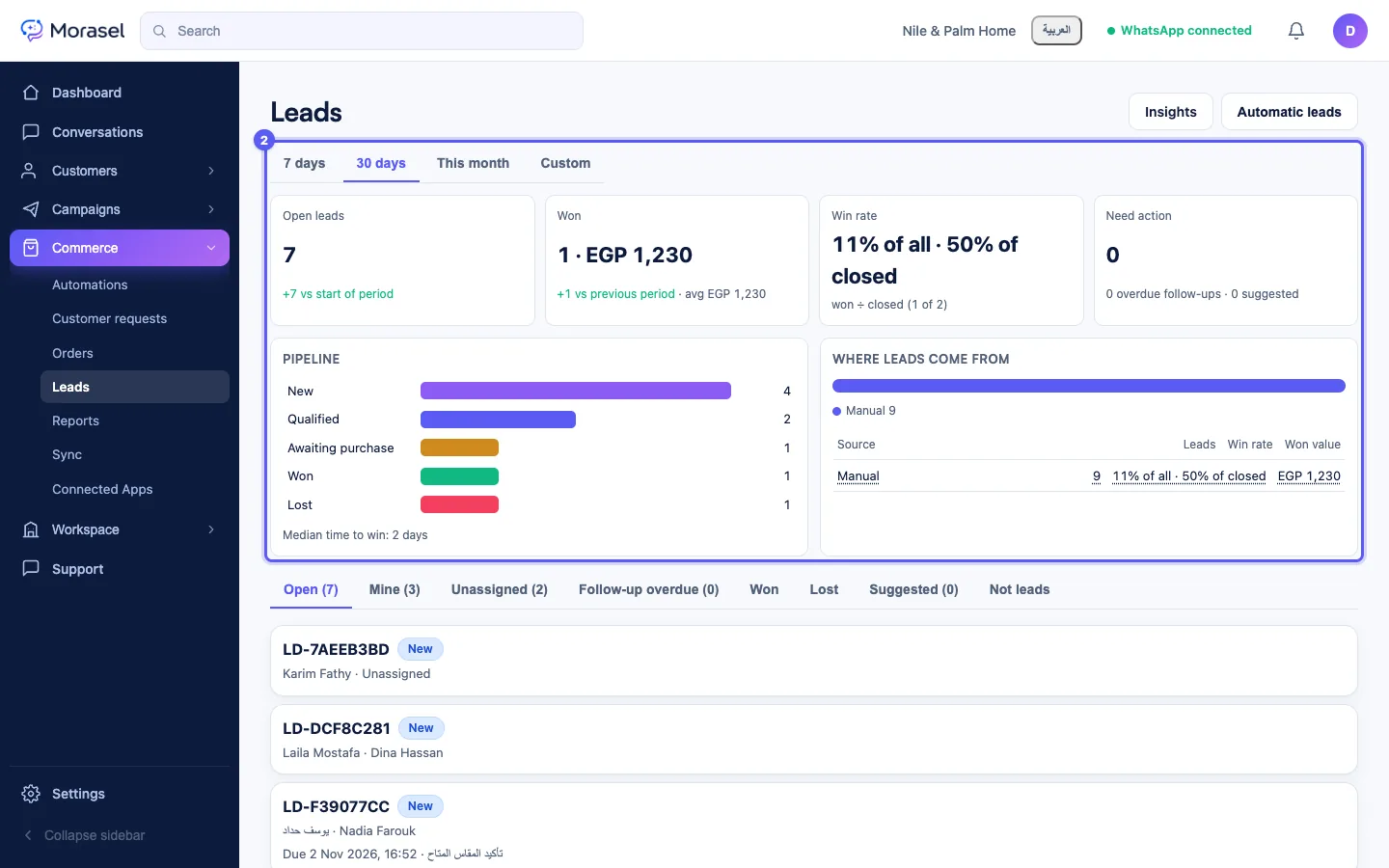
Read the insights above the list. Choose 7 days, 30 days, This month or Custom to change the period.
Lo que deberías ver: Four tiles show Open leads, Won, Win rate and Need action (overdue follow-ups and suggestions). Win rate reads two ways, for example "7% of all · 100% of closed": won leads out of all the period's leads, and out of the closed ones (won or lost; "— of closed" when none is closed yet). Pipeline shows how many leads are at each stage, and Where leads come from splits them by source with each source's win rate (the same two ways) and won value. Click any tile, bar or source to filter the list to those leads; × clears the filter. On a phone, tap Show insights.
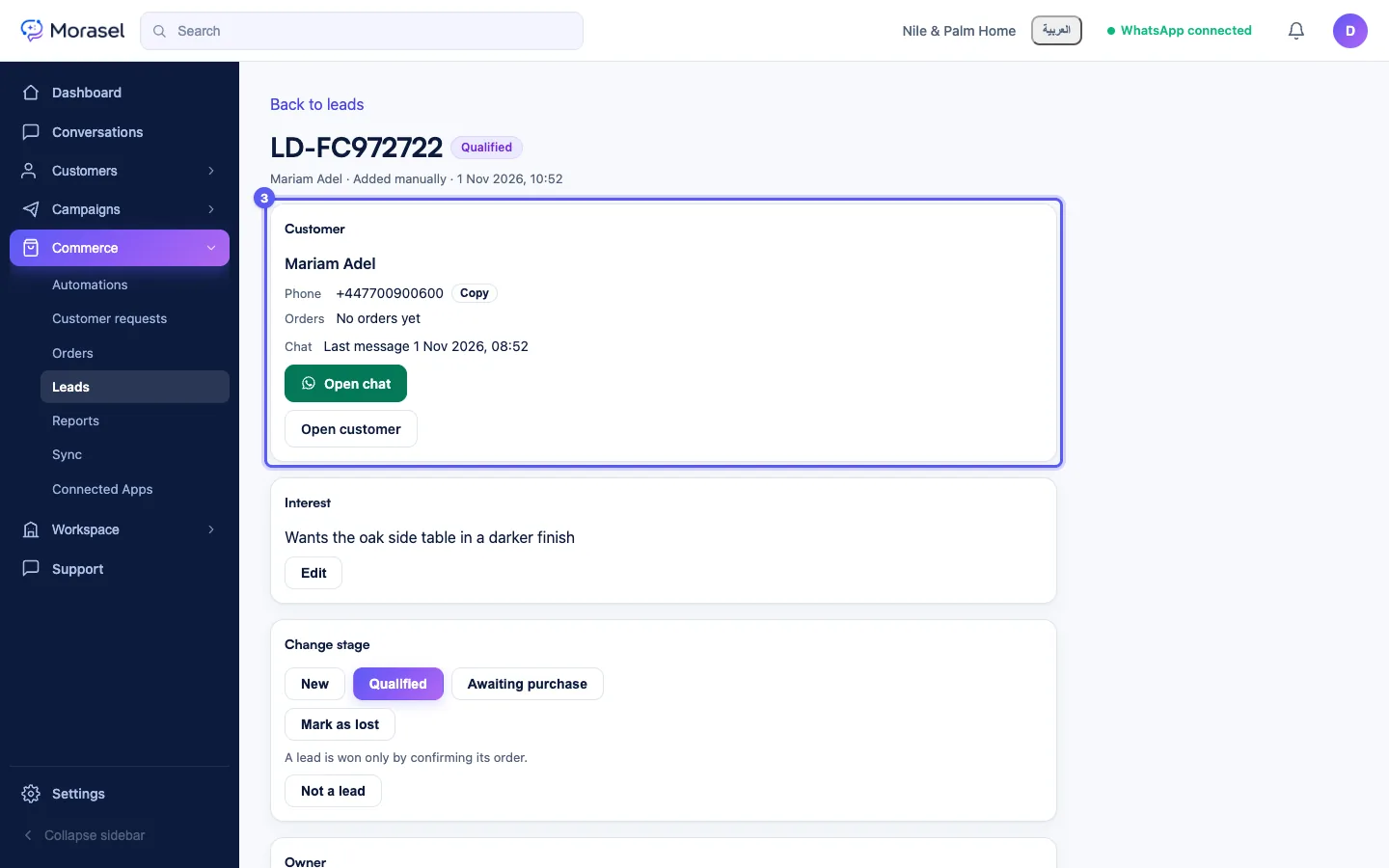
Click a lead to open it.
Lo que deberías ver: The lead opens. Customer shows the phone, email, orders, total spent and last order, with Open customer and the green Open chat button (or Start chat when there is no chat yet, see below). Below are Interest, Change stage, Owner, Order, Follow-ups and History. A lead from an abandoned checkout also shows Cart (the lines in the cart, its total and the reminders sent) and Entered at checkout.
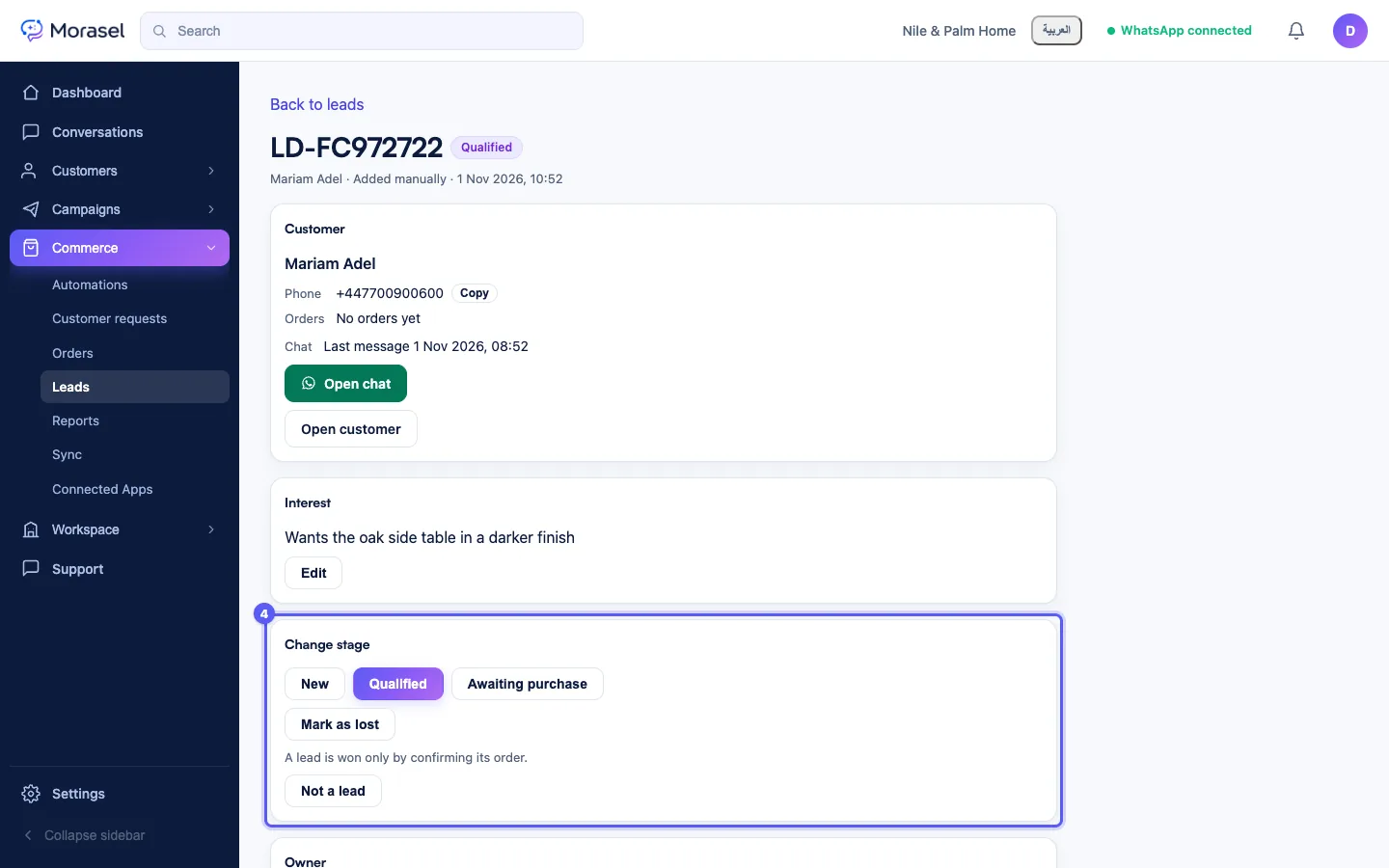
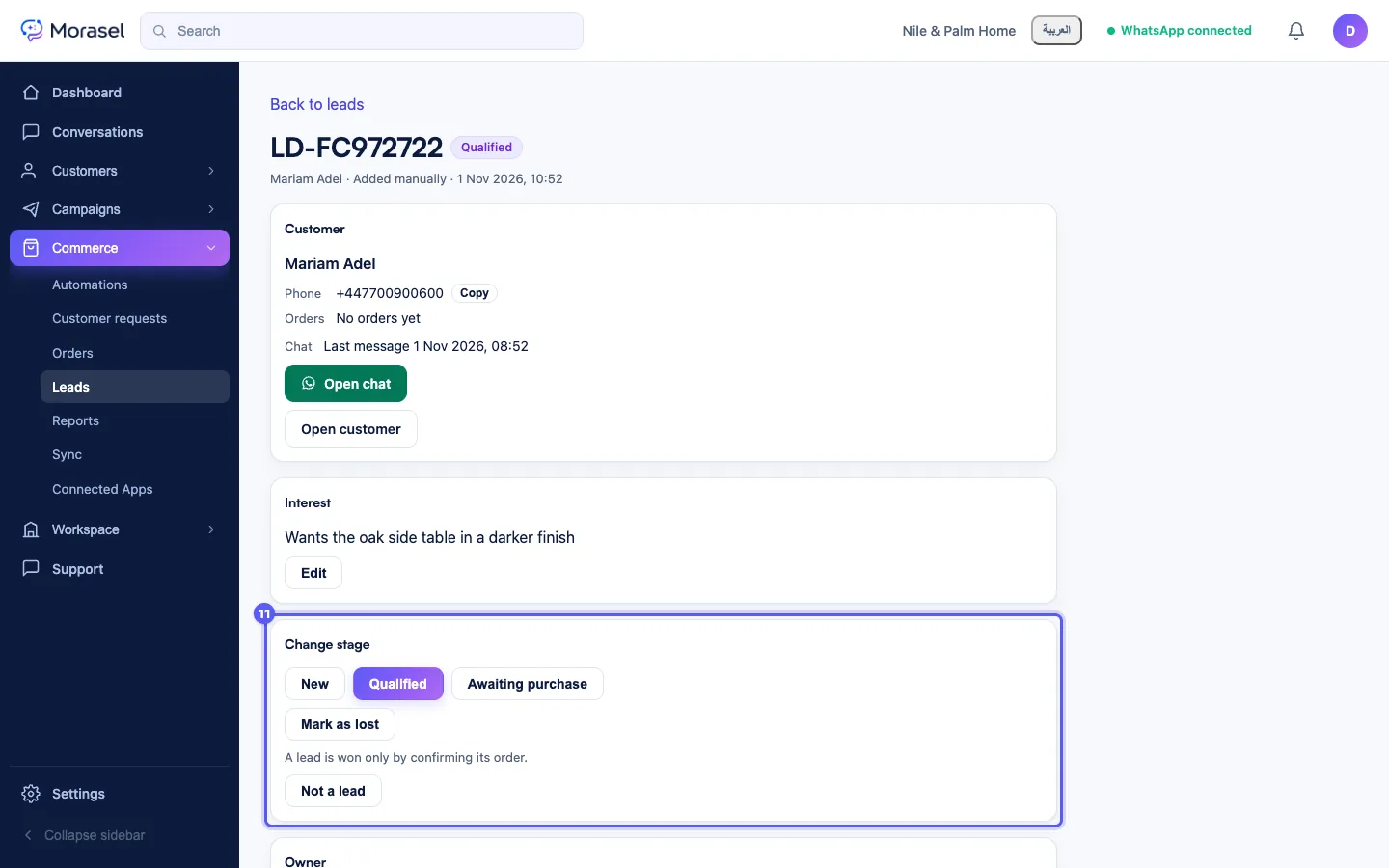
Under Change stage, click New, Qualified or Awaiting purchase as the conversation moves on. If the sale won't happen, click Mark as lost and choose a reason: Price, Out of stock, No reply, Bought elsewhere or Other (Other needs a note).
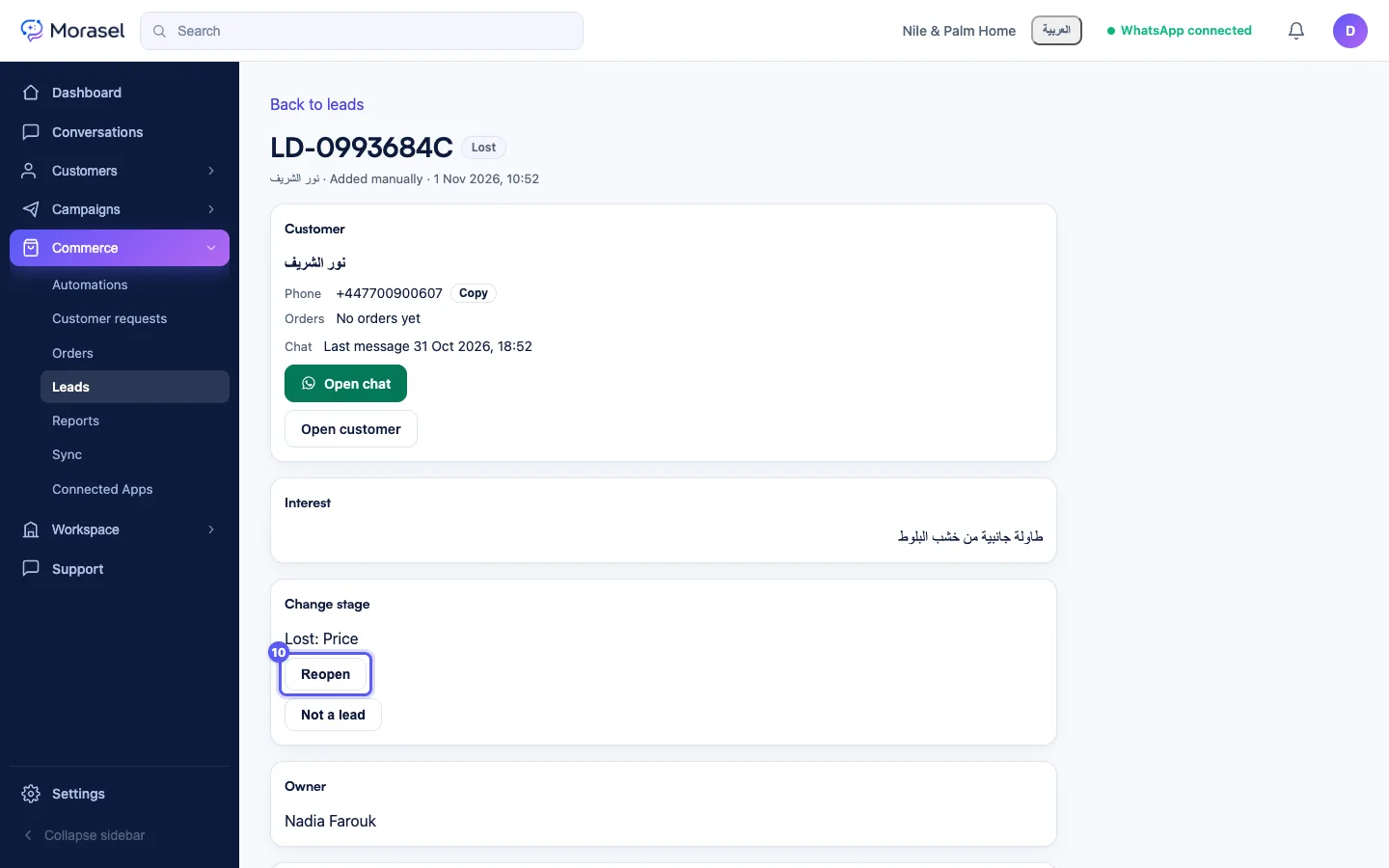
Lo que deberías ver: The stage changes at once and is added to History. A lost lead shows its reason and a Reopen button.
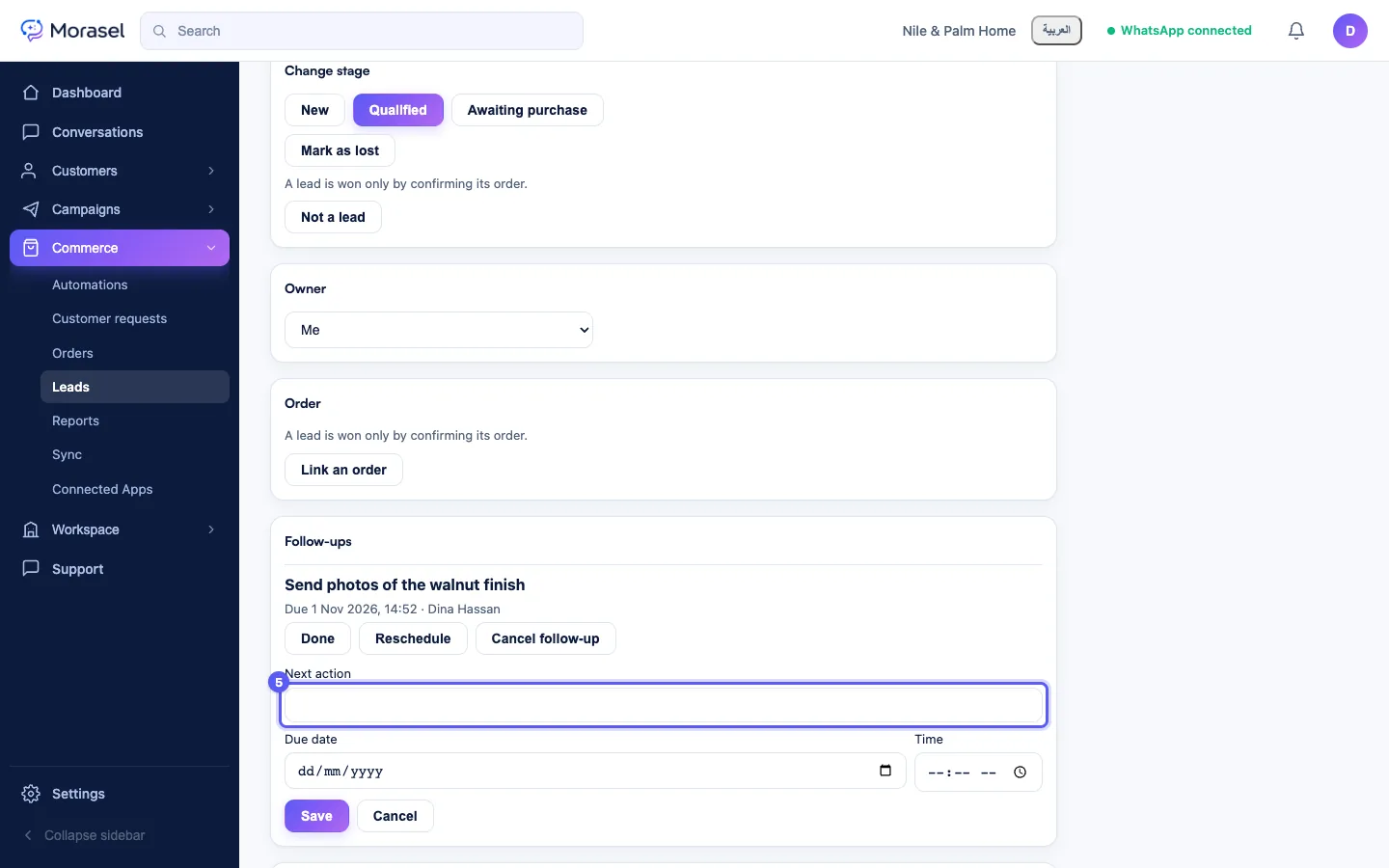
Under Follow-ups, click Add follow-up. Type the Next action, choose the Due date and, if you like, a Time, then click Save.
Lo que deberías ver: The follow-up is listed with its due time, and the lead's row shows it. A date alone is due at 10:00. Without a next action you see "Add the next action for this follow-up.", and without a date "Choose a due date and time for this follow-up." When it is due, the lead's owner (and the follow-up's owner, if that's someone else) gets a "Follow-up due" notification in the app (and a push), and "Follow-up overdue" a day later. Click Done, Reschedule or Cancel follow-up on it later.
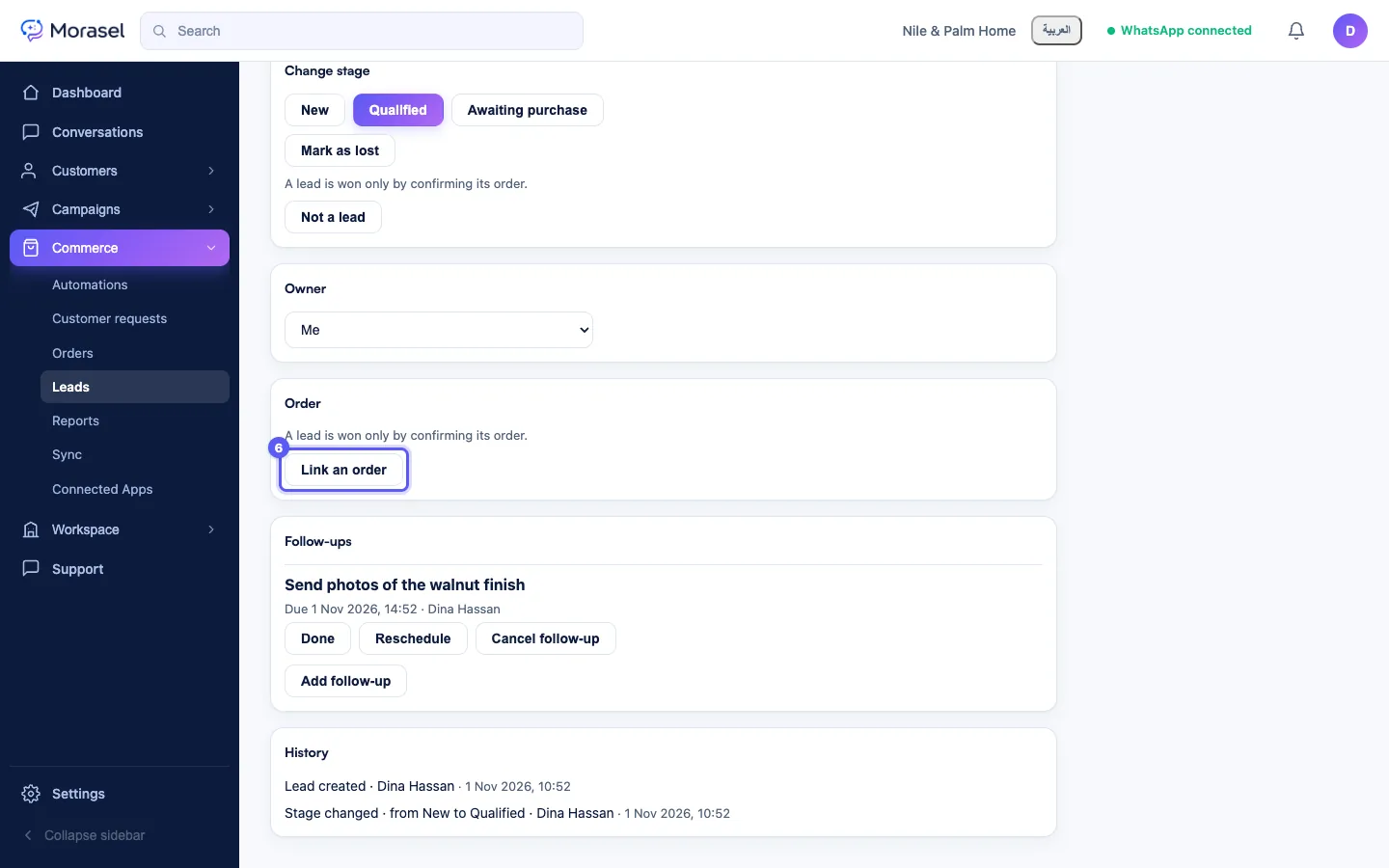
When the customer orders, click Link an order under Order, pick their order and click Confirm this order.
Lo que deberías ver: The lead is Won, and Order shows the order with who confirmed it. A lead is won only by confirming its order, so there is no Won button.
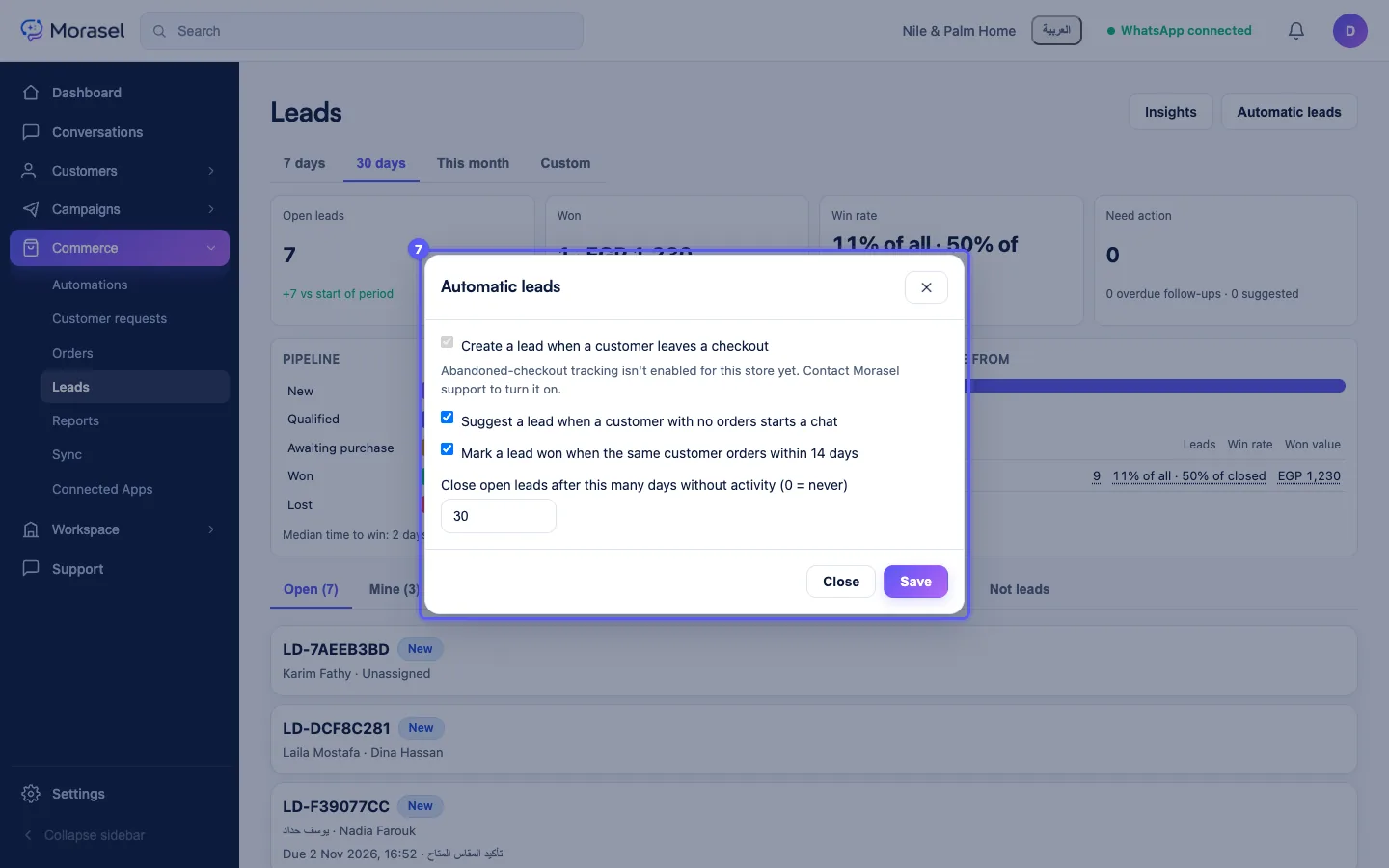
Back on Leads, click Automatic leads to choose what Morasel does on its own.
Lo que deberías ver: Automatic leads opens with four settings: create a lead when a customer leaves a checkout; suggest a lead when a customer with no orders starts a chat; mark a lead won when the same customer orders within 14 days; and close open leads after a number of days without activity (30 by default, 0 = never). Only managers can change them. If the first one is greyed out with "Abandoned-checkout tracking isn't enabled for this store yet.", contact Morasel support to turn it on.
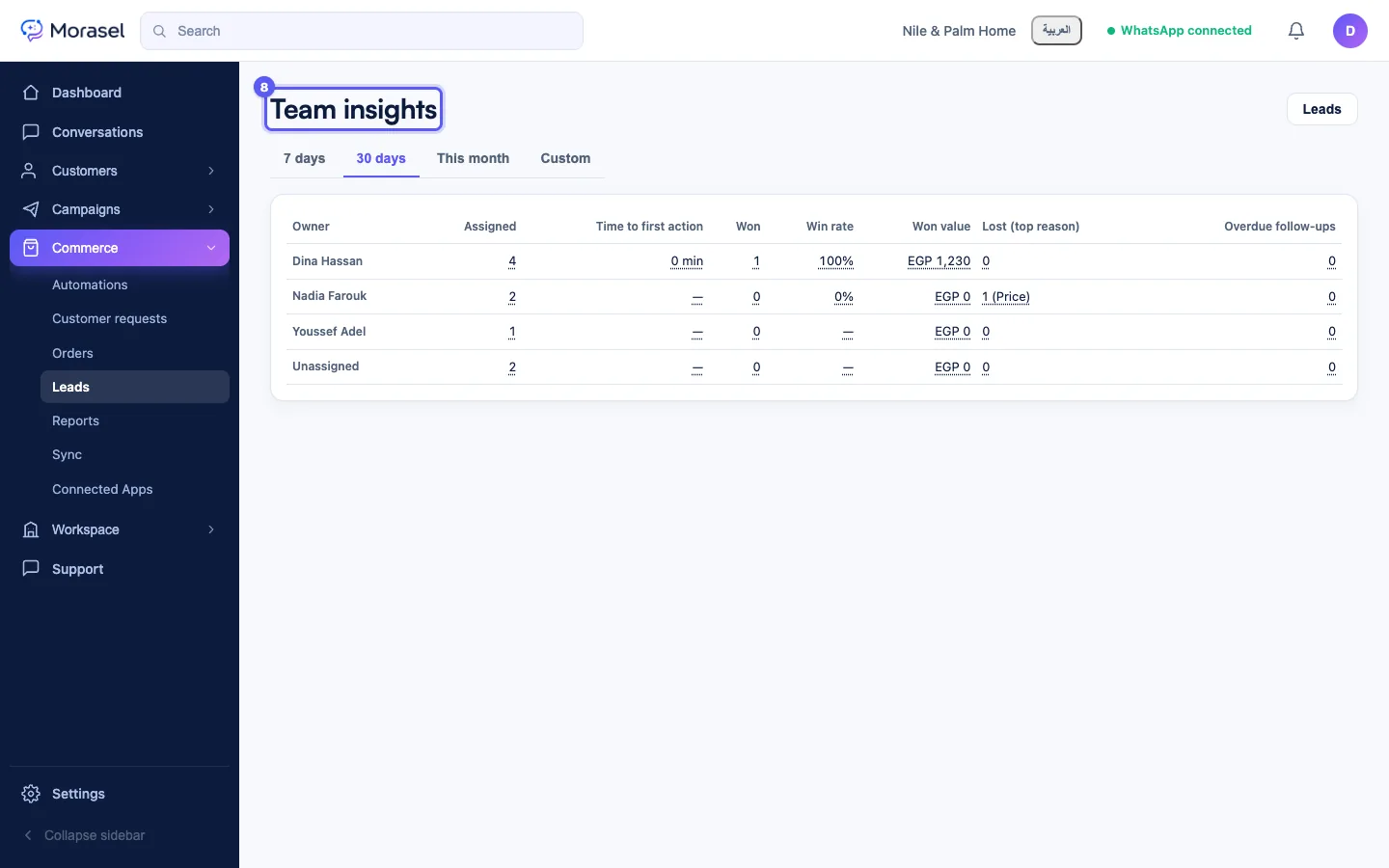
Managers: click Insights to see each owner's results for the period.
Lo que deberías ver: Team insights lists each owner, plus Unassigned, with assigned leads, time to first action, won, win rate, won value, lost (top reason) and overdue follow-ups. Click a number to open those leads. It covers up to 90 days.


Fix a lead marked by mistake
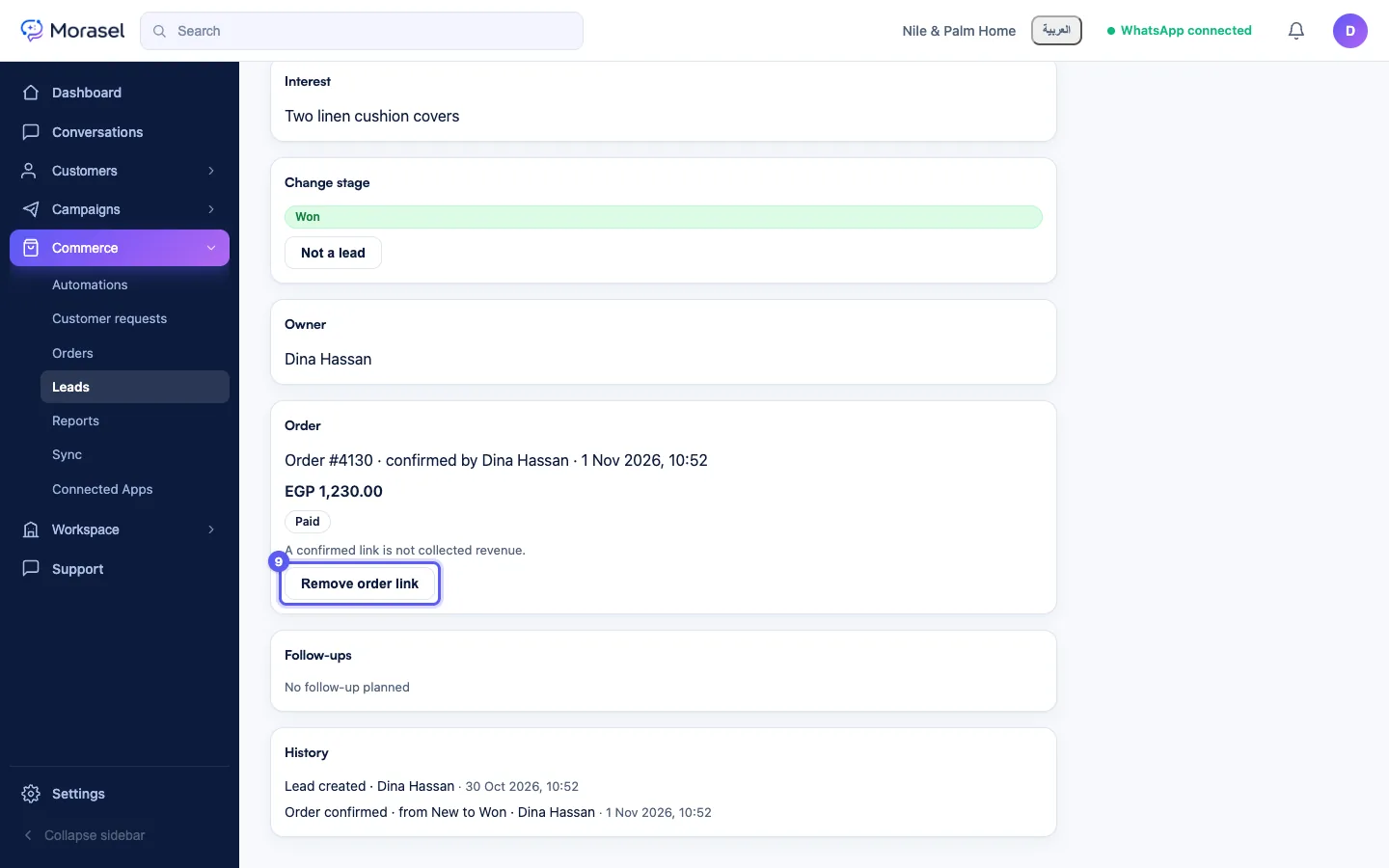
If a lead was won with the wrong order, an owner or admin opens it and clicks Remove order link under Order, then Remove order link again to confirm.
Lo que deberías ver: The lead goes back to Awaiting purchase, the order is no longer linked, and History shows "Order link removed". Use Link an order to confirm the right one. Morasel never links that same order to this lead automatically again.
If a lead was marked lost by mistake, click Reopen under Change stage.
Lo que deberías ver: The lead is open again as Qualified, its lost reason is cleared and History shows "Reopened". If the customer already has another open lead, you're told which one; open it, or reopen this one anyway.
If only the stage is wrong, click the right one under Change stage: New, Qualified or Awaiting purchase.
Lo que deberías ver: The stage changes at once and History shows the move. Won comes only from Link an order, and Lost from Mark as lost.
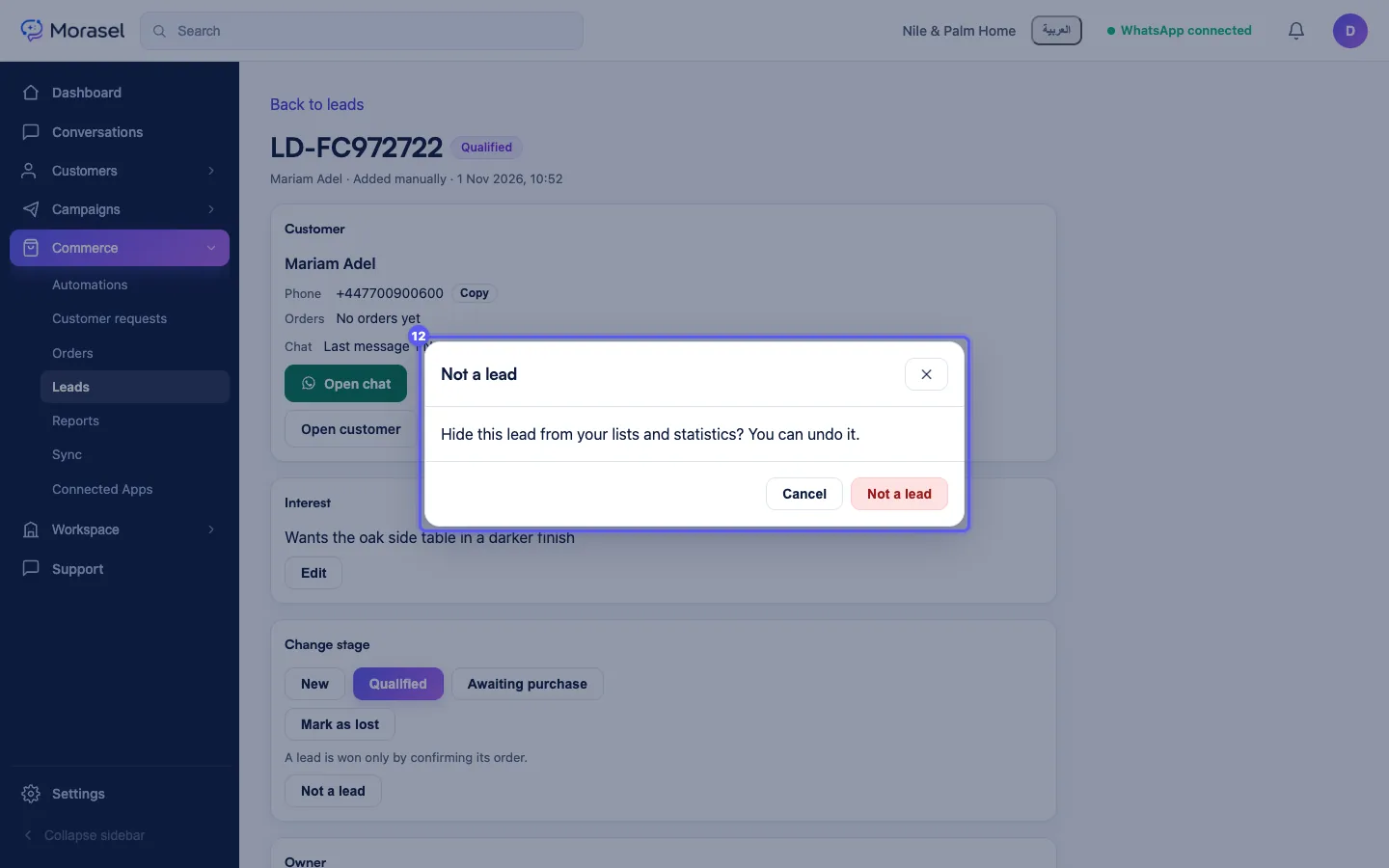
If it isn't a lead at all (a test checkout, a supplier, a wrong number), an owner or admin clicks Not a lead under Change stage, then Not a lead again to confirm.
Lo que deberías ver: "Hide this lead from your lists and statistics? You can undo it." After you confirm, the lead leaves every tab and every figure (counts, Pipeline, sources, win rate and Team insights), but it isn't deleted: its history stays. Its open follow-ups are cancelled, and Morasel no longer wins or closes it automatically. A later checkout from the same customer can still create a new lead. A Won lead keeps its order link while it is marked: if linking that order to another lead says "This order is already linked to lead …", mark the old lead as a lead again first.
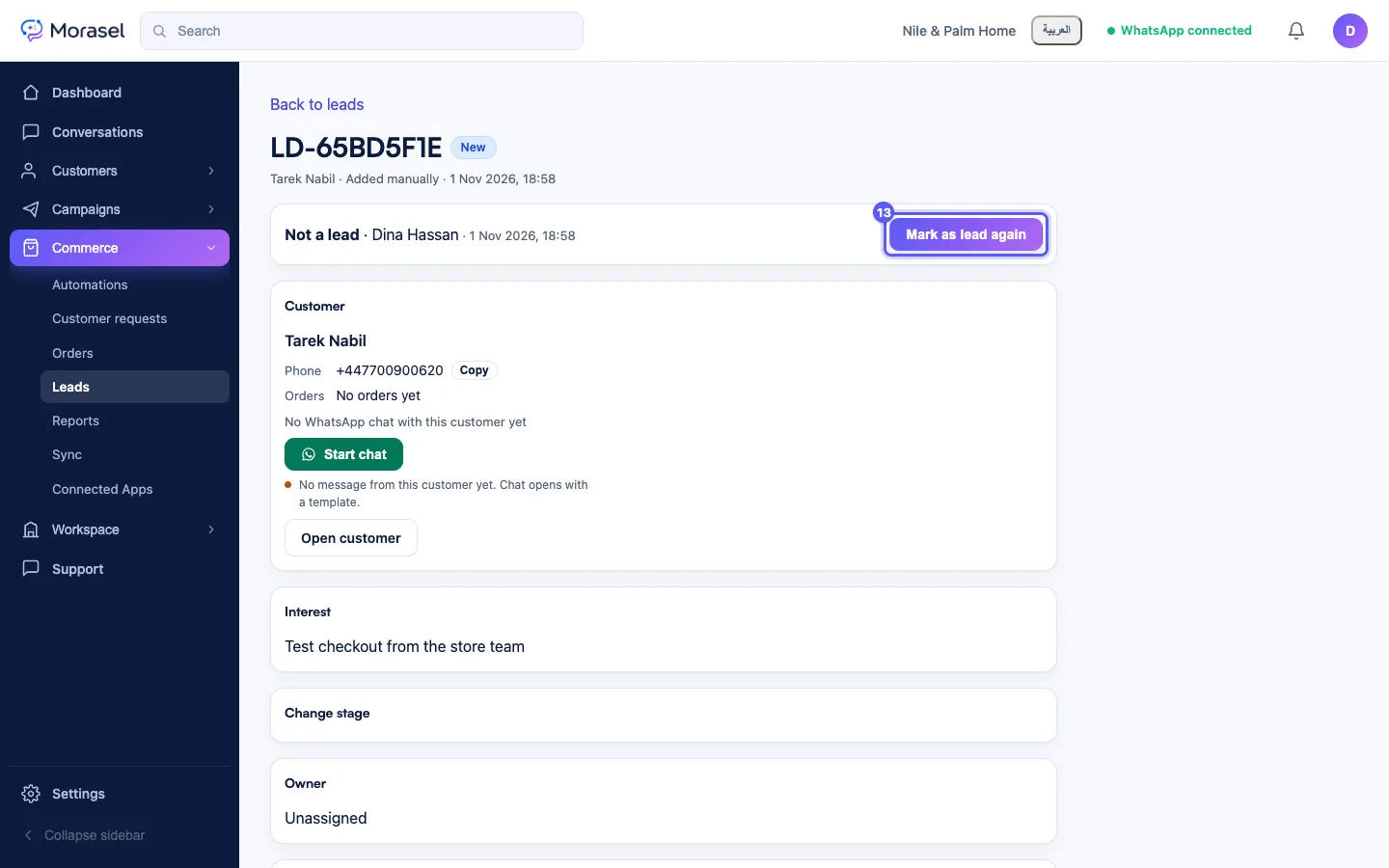
To bring it back, an owner or admin opens the Not leads tab, opens the lead and clicks Mark as lead again.
Lo que deberías ver: The lead shows "Not a lead" with who marked it and when. Mark as lead again returns it to the stage it had (New, Qualified or Awaiting purchase), or to New if it was Won or Lost; from Won or Lost it also clears the order link and the lost reason. The follow-ups cancelled when it was marked don't come back; add a new one if you need it. You can also open it from a link.
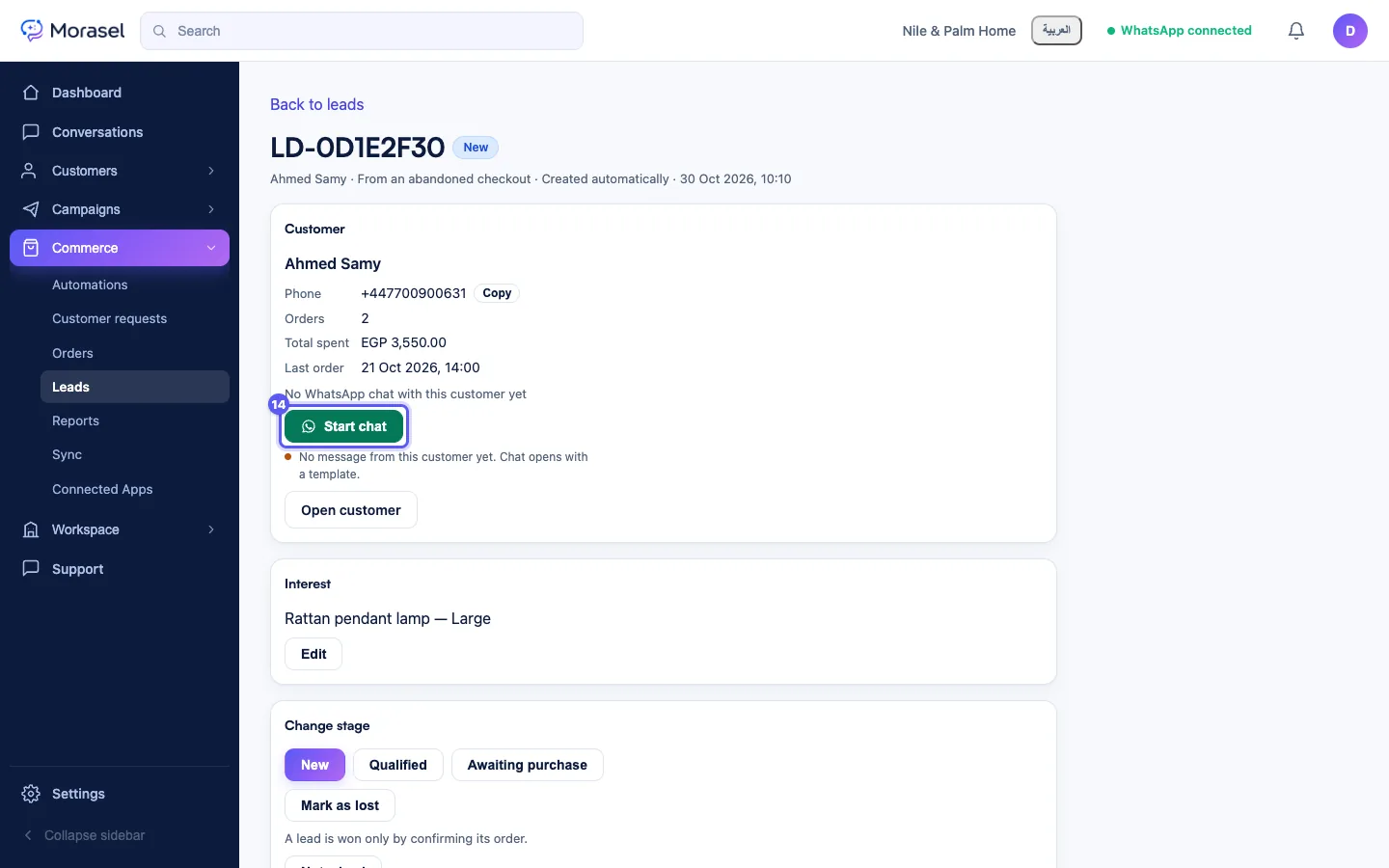
If the lead shows "No WhatsApp chat with this customer yet", click Start chat.
Lo que deberías ver: A lead from an abandoned checkout or created by hand may have no conversation yet. Start chat opens the customer's WhatsApp chat (creating it) and shows the template picker, because the first message to a customer who hasn't written in 24 hours must be a template. If the customer has no WhatsApp number, or WhatsApp isn't connected, the card says so instead.


Si no funcionó
- "Add the next action for this follow-up." or "Choose a due date and time for this follow-up."
- A follow-up needs both what to do next and a due date. Type the next action and choose a date; the time is optional (10:00 if you leave it).
- "Choose a due date within the next year."
- Follow-ups can be planned up to a year ahead. Choose an earlier date.
- There's no Won button ("A lead is won only by confirming its order.").
- Use Link an order under Order and confirm the customer's order. The order must be placed after the lead was created.
Preguntas frecuentes
Where do leads come from?
From a chat: open the conversation and click Create lead. From a customer's page, or created by hand (Added manually). From an abandoned checkout, created automatically as a New lead (or noted on the customer's open lead, if they have one). From a suggestion: a new chat from a customer with no orders appears under Suggested as "New customer, no orders yet — Create lead?". And from a CSV file when you import customers, with the leadInterest and leadStage columns (see Import customers from a CSV file).
When is a lead closed automatically?
An open lead with no activity for 30 days (or the number of days set in Automatic leads; 0 = never) is closed as Lost with the reason No reply, and History shows "Closed automatically: no activity". Any change to the lead and any message from the customer count as activity, and a lead with a follow-up still to come stays open.
When is a lead won automatically?
When the same customer places an order within 14 days of the lead being created or reopened, the most recent open lead is marked Won and the order is linked. Morasel matches only on the same customer or the exact phone or email. History shows "Won automatically: matching order". You can turn this off in Automatic leads.
Why does a lead show no chat?
The lead's customer has never had a WhatsApp conversation with your store, for example a lead from an abandoned checkout. The lead shows "No WhatsApp chat with this customer yet" and Start chat, which opens a new chat on the template picker.
Who gets follow-up reminders?
The lead's owner, and the person who owns the follow-up if that is someone else. An unassigned lead's reminder goes to the follow-up's owner only. They arrive as a notification in the app, and as a push on the phone, which may show only general text for privacy.
Can I work leads in the iPhone and Android apps?
Yes. Leads are in the apps too. Start chat for a lead without a chat, Win rate both ways, and Not a lead with Mark as lead again from the Not leads tab (owners and admins) are available en la app web y en las apps de iPhone y Android.
Artículos relacionados
Última actualización · Added: leads are available on Commerce Pro and Max; the Not leads tab shows for owners and admins, and a new question on leads in the iPhone and Android apps