
Your rental's first week: units and calendars
Morasel Hospitality runs guest messages, bookings and stay tasks for short-stay rentals. In your first week, describe your property, add each unit you rent out and link its Airbnb or Booking.com calendar, so Morasel knows which nights are taken. Then connect your WhatsApp number and invite your team.
La aplicación de Morasel y sus plantillas de mensajes están en inglés y árabe. Este sitio web también está en español.
Este artículo solo está disponible en inglés: léelo en inglés
Abre esta página en la app https://app.morasel.ai/hospitality/setup
Pasos
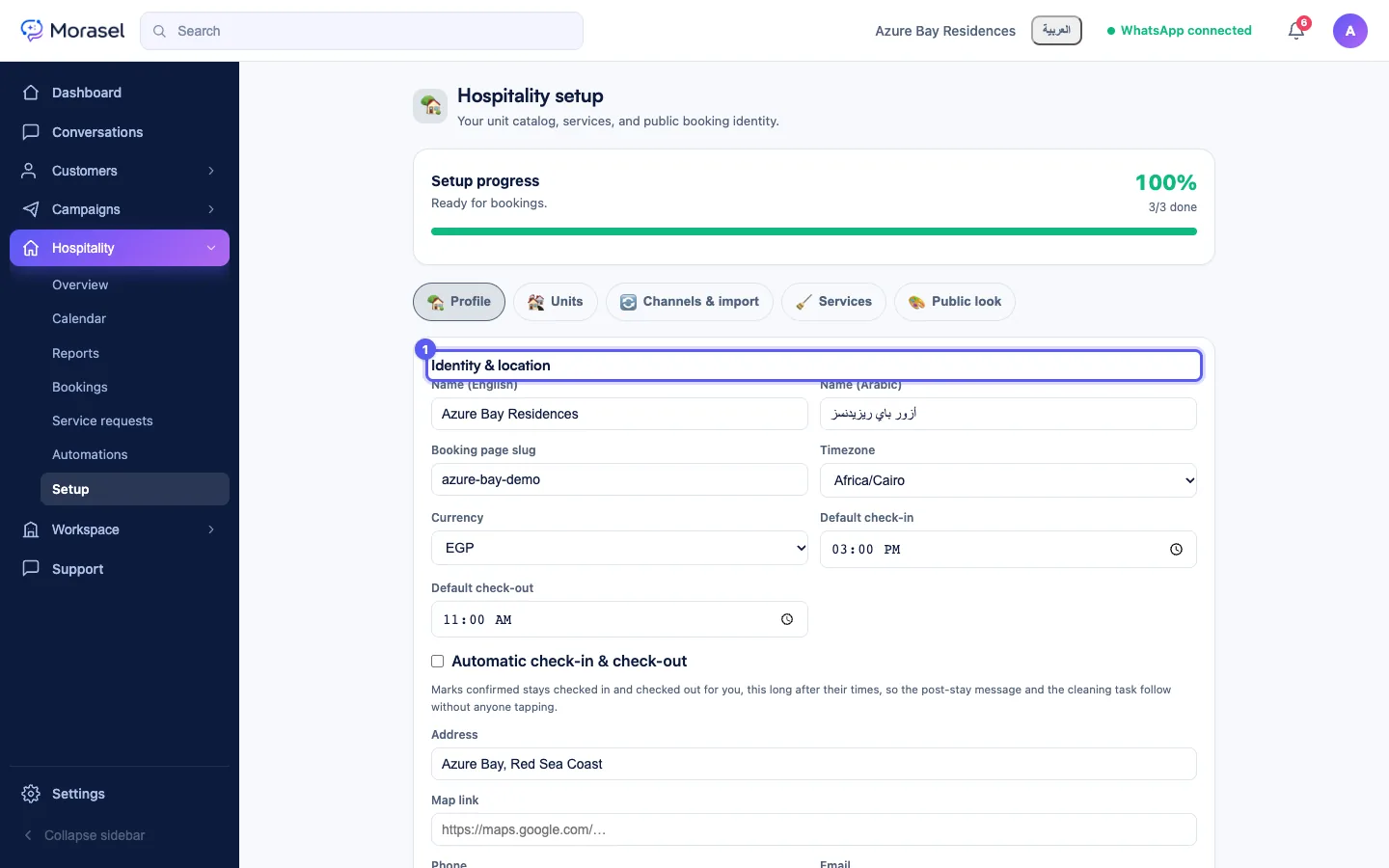
Open Hospitality → Setup and, on Profile, fill in Identity & location: names in English and Arabic, timezone, currency, check-in and check-out times, address and contact details.
Lo que deberías ver: Setup progress at the top shows how far along you are.
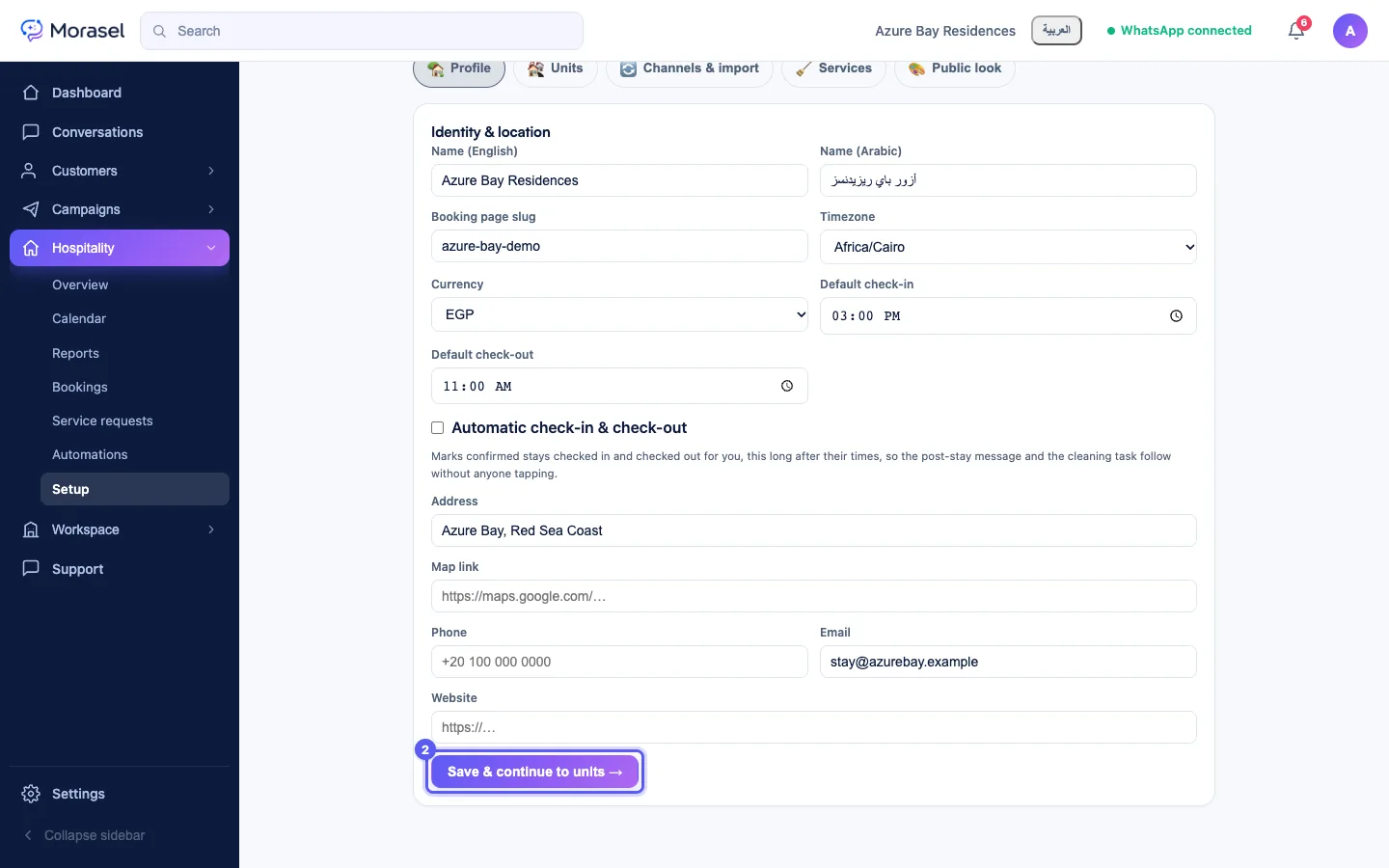
Click Save & continue to units →.
Lo que deberías ver: Your profile is saved and the Units tab opens.
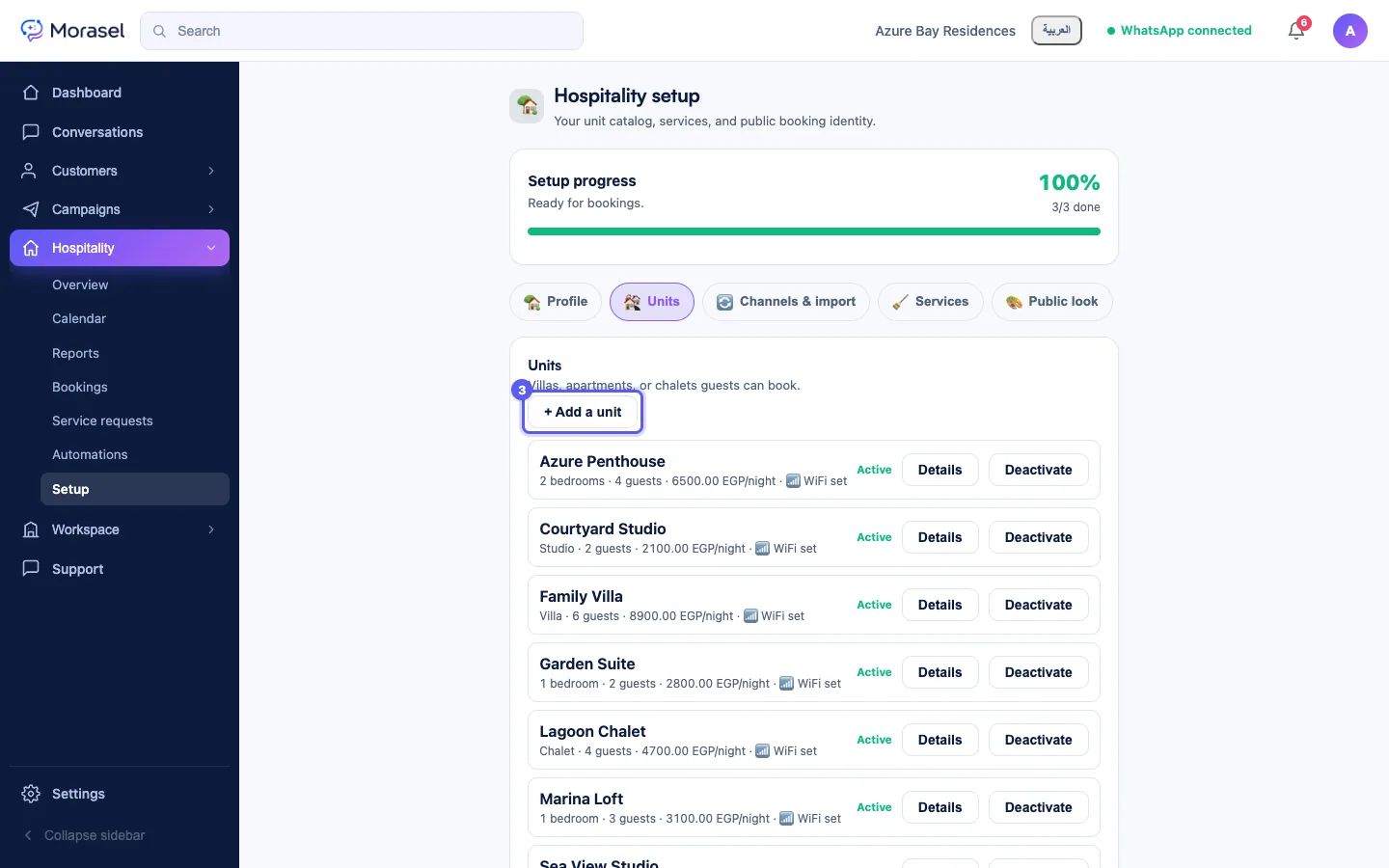
On Units, click + Add a unit and fill in each apartment, room or villa you rent out.
Lo que deberías ver: Each unit appears in your unit list and can be booked.
Open Channels & import and, under OTA channels, choose a Unit.
Lo que deberías ver: A Booking.com and an Airbnb box appear for that unit, each with an Import URL field.
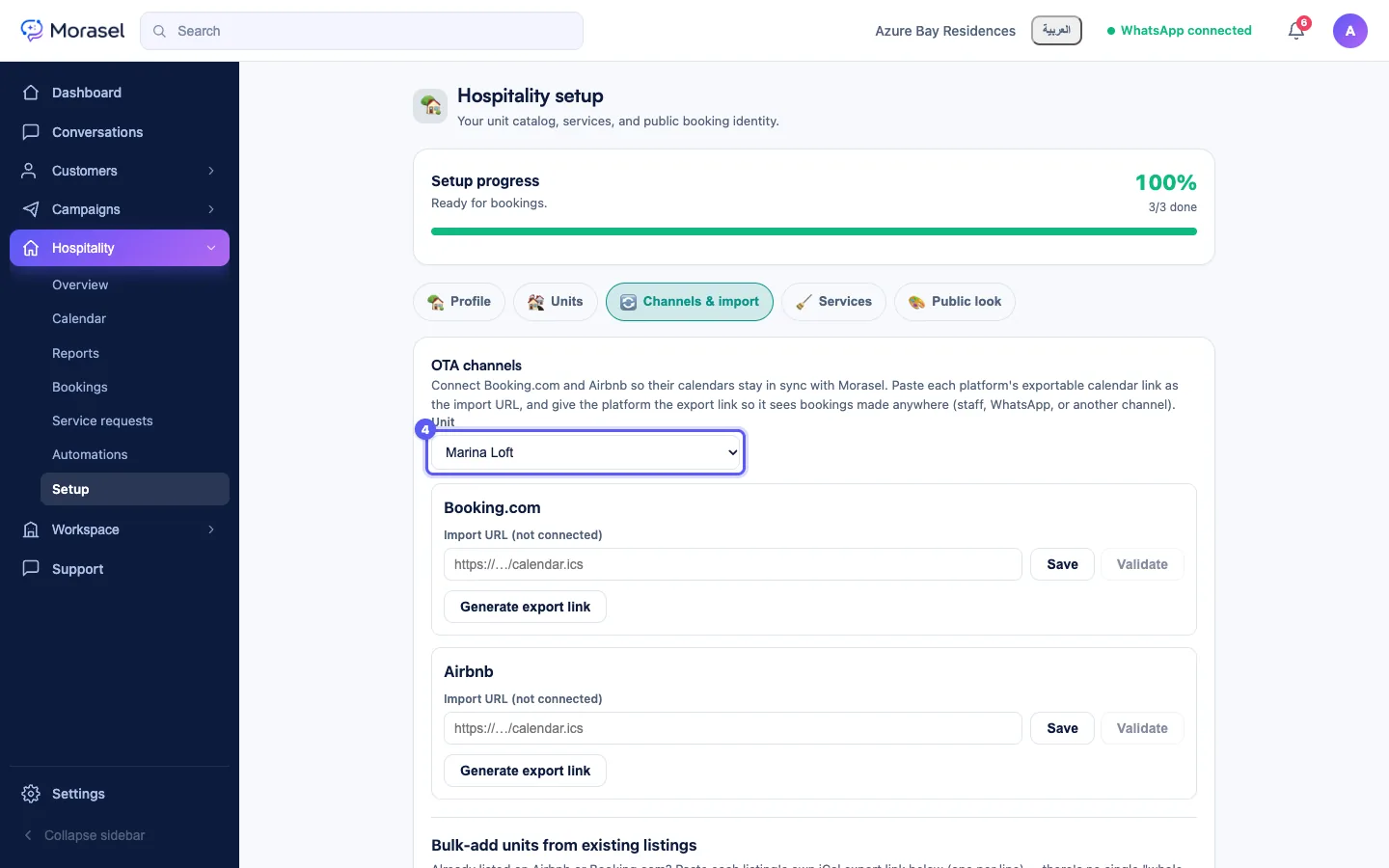
Paste the calendar (iCal) link that Booking.com or Airbnb gives for that listing into its Import URL.
Lo que deberías ver: The link is in the field, not saved yet.
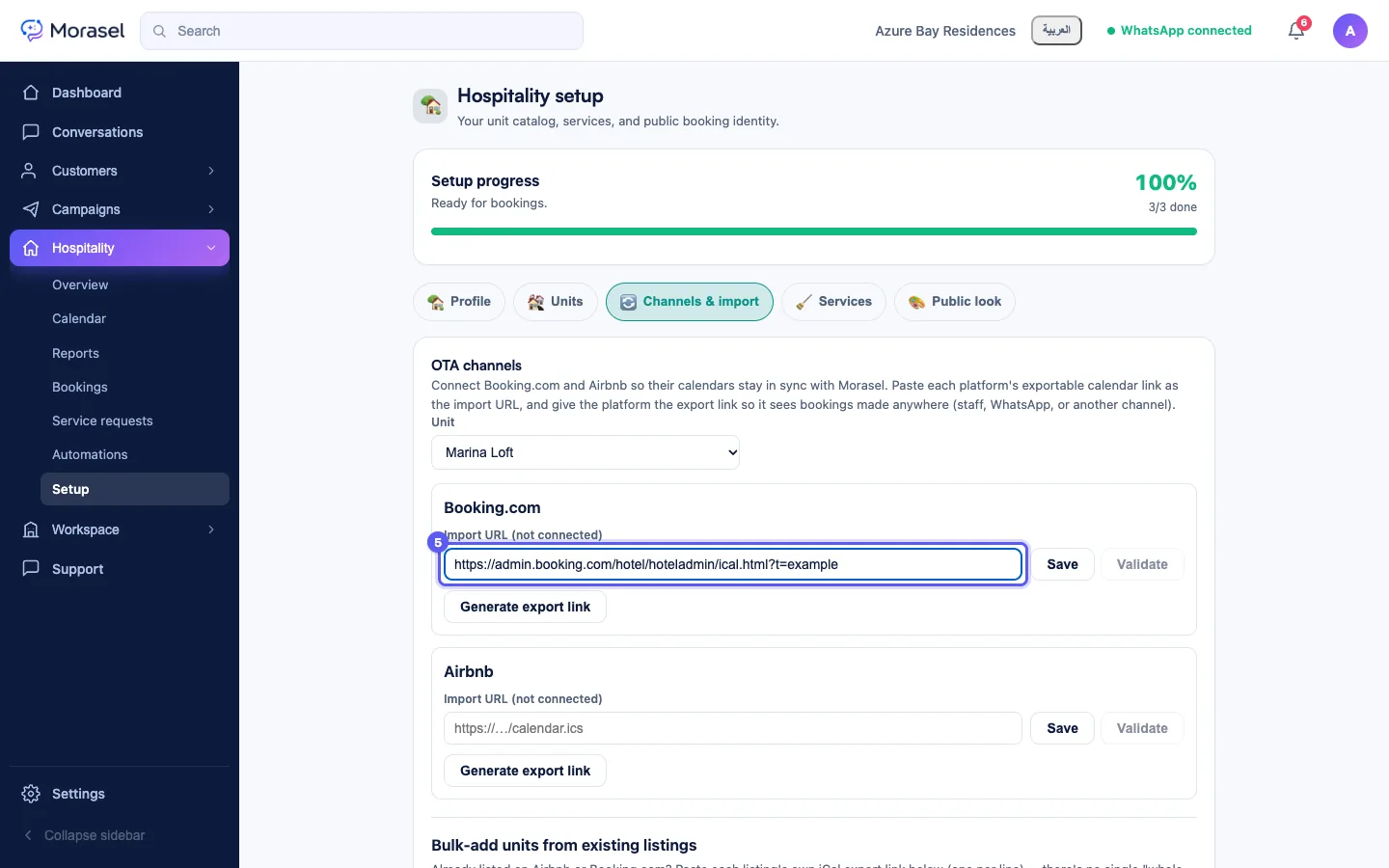
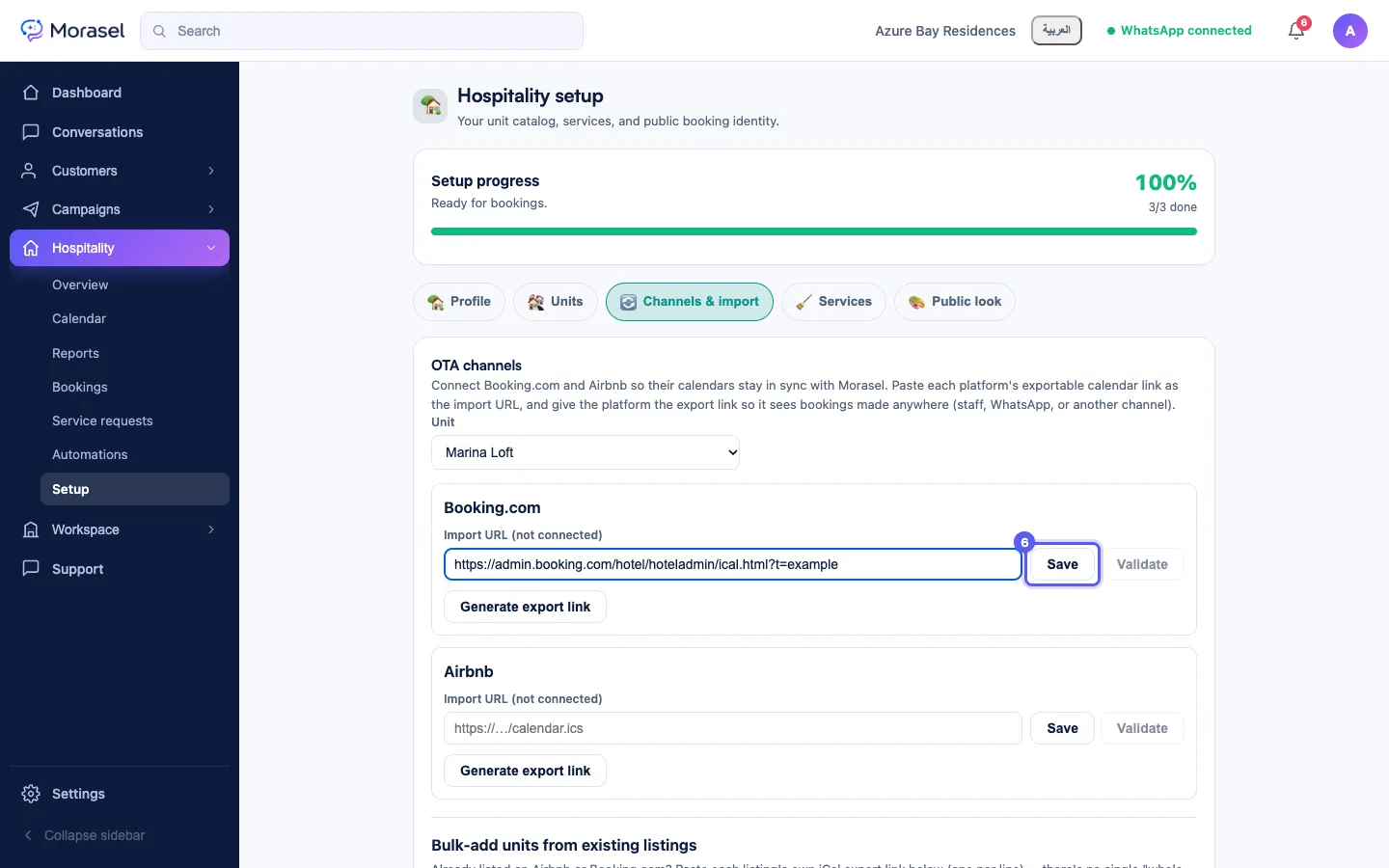
Click Save next to it.
Lo que deberías ver: The Import URL shows (connected), and nights booked on that platform are blocked in Morasel.
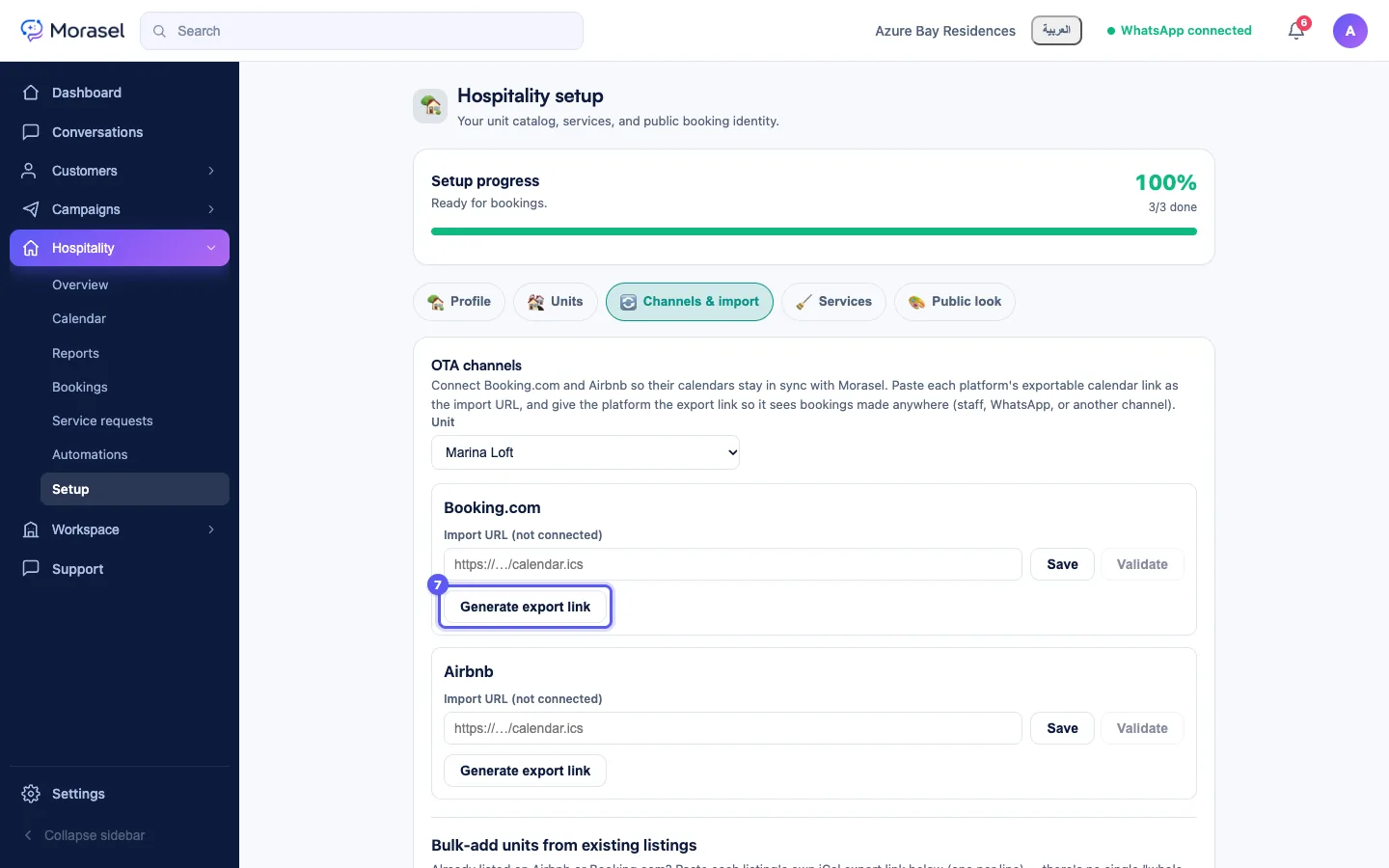
Click Generate export link and paste the link it shows into the platform's calendar import.
Lo que deberías ver: The platform now sees bookings made anywhere else (your team, WhatsApp or another channel). Already listed? Bulk-add units from existing listings creates one unit per calendar link.
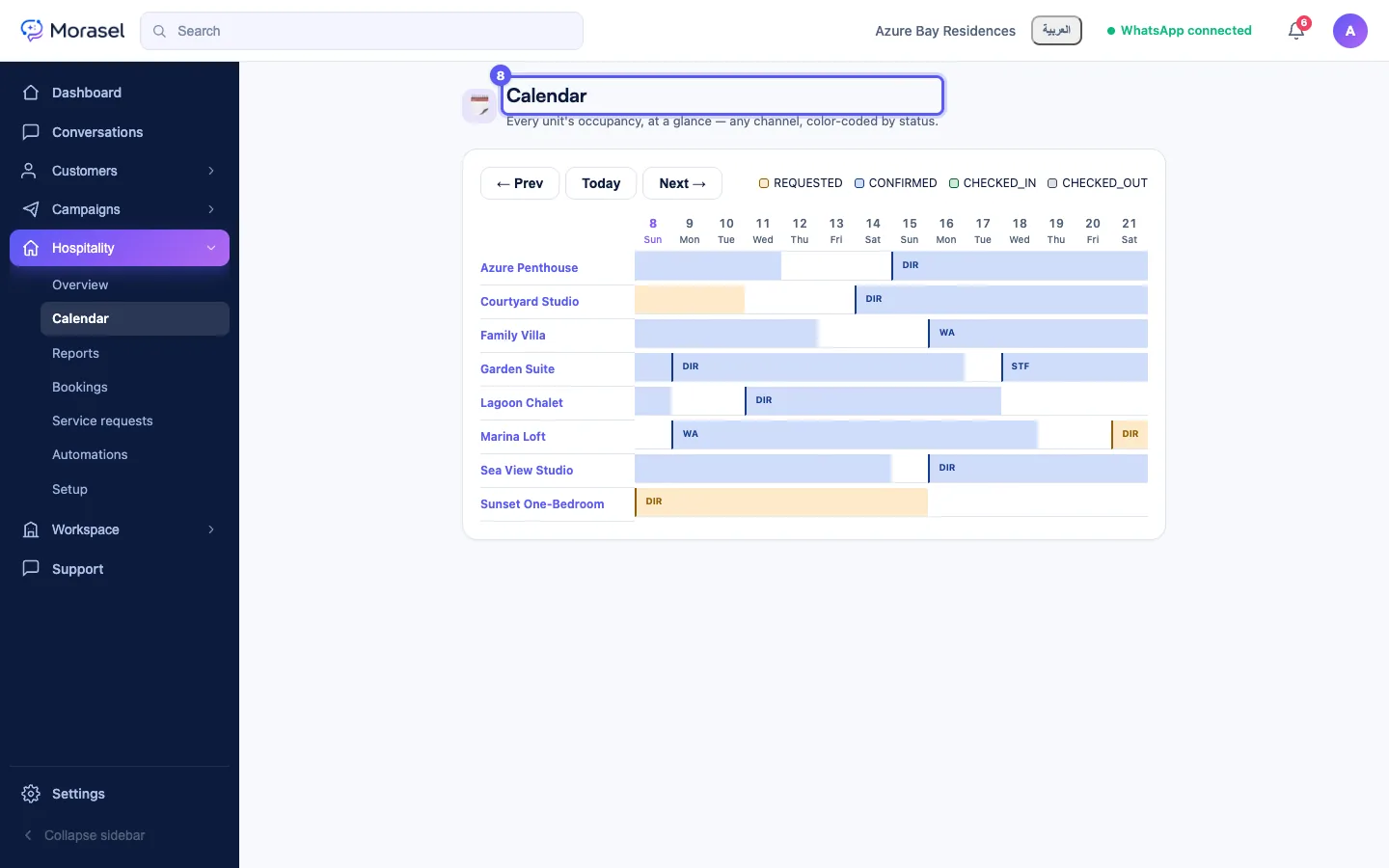
Open Hospitality → Calendar.
Lo que deberías ver: Every unit's bookings and blocked nights appear on one calendar.


Si no funcionó
- Airbnb or Booking.com nights show as blocked without a guest name.
- Calendar links share only which nights are taken, not who booked them. Bookings that come to you on WhatsApp, or that your team adds, carry the guest's details.
- A new booking on the platform hasn't appeared yet.
- Platforms update their calendar links on their own schedule, so a booking can take a while to appear. Check that the right link is pasted for that unit.
- I can't edit Setup.
- Setup needs the owner or admin role.
Preguntas frecuentes
Does Morasel connect to Airbnb and Booking.com?
Through each listing's calendar link (iCal), both ways, so nights stay in sync. It does not import guest messages or payments from those platforms.
Can guests book on WhatsApp?
Guests message you on WhatsApp and your team books them in Morasel; the booking appears on the Calendar with the guest's details.
What else should I set up in the first week?
Connect your WhatsApp Business number on WhatsApp setup and invite your team from Team & Access. On Setup → Services you can also list the services your team handles, such as cleaning.
Artículos relacionados
Última actualización · First version