
Show your queue on a waiting-room screen
A waiting-room screen shows patients whose turn it is. Clinics with numbered, first-come queues show the number, and clinics with appointment times show the booked time. You add the screen on the web app, then open morasel.ai/tv on the TV and enter a code. An owner or admin calls the next patient from the queue board, and the screen follows.
O aplicativo Morasel e seus modelos de mensagem estão em inglês e árabe. Este site também está em português.
Este artigo está disponível apenas em inglês — leia em inglês
Abra esta página no app https://app.morasel.ai/clinic/displays
Passos
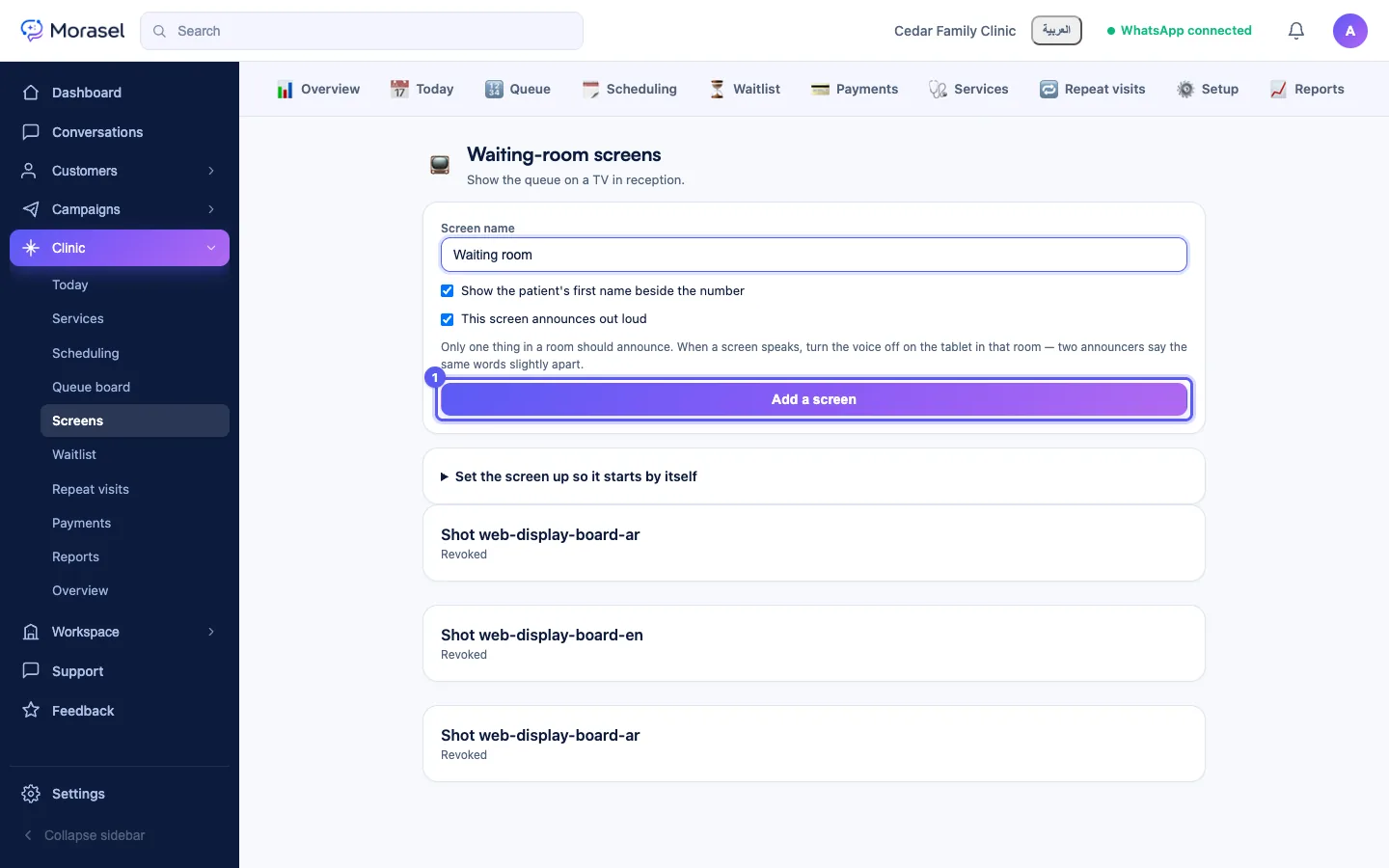
Open Clinic → Screens in the web app. Type a Screen name, then decide two things: whether the screen shows the patient's first name beside the number, and whether it announces out loud. Click Add a screen.
O que você deve ver: A box appears with the pairing code for your screen. Showing the first name is on by default, and on a numbered queue it is also spoken (Number 12, Sara). If you do not want names shown and spoken in the waiting room, turn the first-name option off before you add the screen.
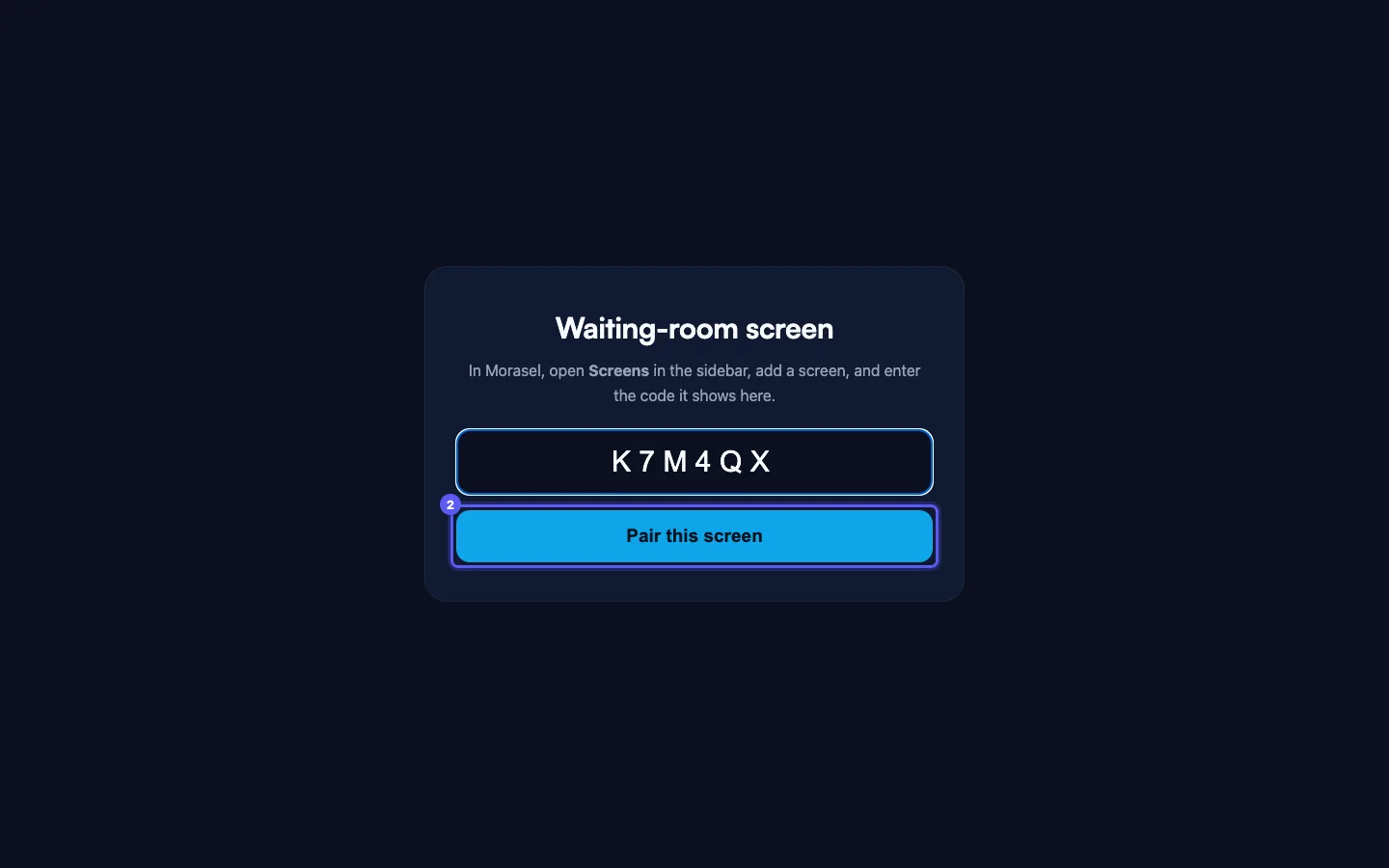
On the TV, or any browser in the waiting room, open morasel.ai/tv and type the code.
O que você deve ver: The screen pairs with your clinic. The code is shown only once and cannot be looked up again. The code expires after 15 minutes; if it does, revoke the screen and add a new one. If the screen asks you to tap Start display, tap it once: browsers only play sound after a tap.
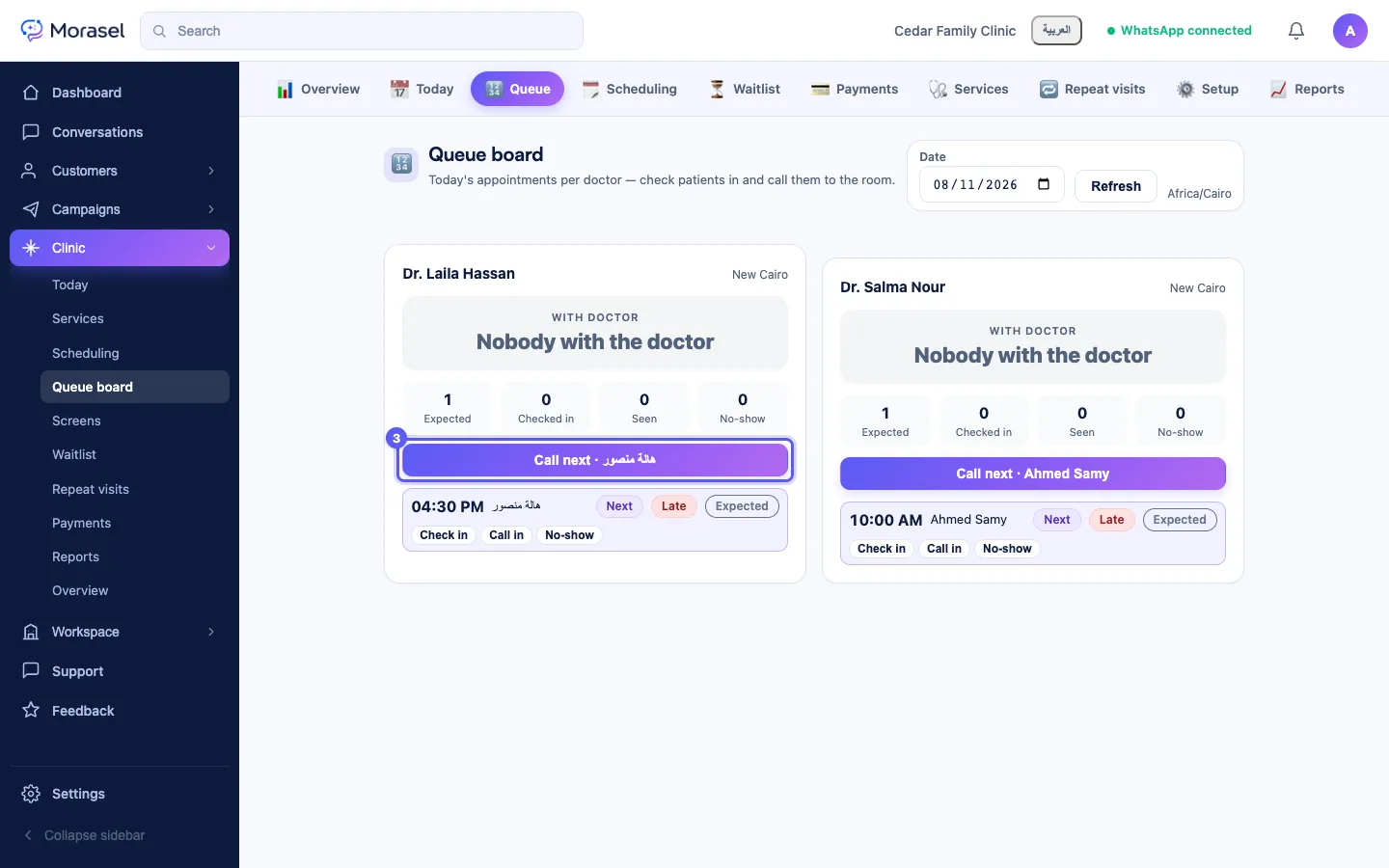
As an owner or admin, open Clinic → Queue board and click Call next (on appointment-time clinics, Call in). Owners and admins can do the same from the queue board on iPhone or Android.
O que você deve ver: The waiting-room screen updates to show the patient's number (numbered queues) or booked time (appointment-time clinics), with the patient's first name if that option is on. Nothing is sent to the patient on WhatsApp when you call them in.


Se não funcionou
- The screen is silent.
- Tap Start display once on the TV, since browsers only allow sound after a tap, or start the TV's browser in kiosk mode with the autoplay flag shown under Set the screen up so it starts by itself on the Screens page. Also check that This screen announces out loud was on when you added it. Screens for appointment-time clinics show the time and never speak.
- I lost the pairing code.
- Codes are shown once and cannot be looked up, and a code expires after 15 minutes. Revoke the screen on the Screens page and add a new one.
- Two devices announce the same patient.
- Only one thing in a room should announce. When the screen speaks, turn off Voice announcements on the queue board on the tablet in that room.
- Patients' names are on the TV and I do not want that.
- Revoke the screen on the Screens page and add it again with the first-name option turned off. The screen then shows only the number or time.
Perguntas frequentes
Does the patient get a WhatsApp message when called?
No. Calling a patient in updates the waiting-room screen only. Nothing is sent on WhatsApp.
Does the screen show patients' names?
Only their first name, and only if the first-name option is on for that screen. It is on by default. With it on, the screen shows the first name next to the number (numbered queues) or the booked time (appointment-time clinics), and numbered queues also speak the number and the first name if voice is on. Turn it off to show the number or time alone.
What does the screen show for appointment-time clinics?
The booked time, with the patient's first name if that option is on. It never speaks.
Do I need special hardware?
No. Any TV or computer with a browser works. To have it start by itself after a restart, use the kiosk command on the Screens page.
What language is the screen in?
Your workspace's language, set in Settings → Localization. In Arabic the screen reads «الدور الآن», «التالي» and «في الانتظار», and if the Number format there is Arabic-Indic, the numbers and times use Arabic digits. Doctors' Arabic names show under their names, and a numbered queue's spoken announcement follows the same language. The pairing page shows before the screen knows your clinic, so it uses the language this screen last showed, else the language Morasel is set to on that browser, else the browser's own.
Artigos relacionados
Última atualização · The screen shows in your workspace's language and digits, Arabic included; the pairing page follows. Earlier: owners and admins call patients in from the queue board; the screen follows