
Import customers from a CSV file
Online stores, and clinics with the Patients list, can import customers from a spreadsheet saved as CSV. Morasel shows a preview of every row before anything is saved, and never changes an opt-out: a customer who opted out of messages is updated, but stays opted out. You need the owner or admin role.
O aplicativo Morasel e seus modelos de mensagem estão em inglês e árabe. Este site também está em português.
Este artigo está disponível apenas em inglês — leia em inglês
Abra esta página no app https://app.morasel.ai/customers
Passos
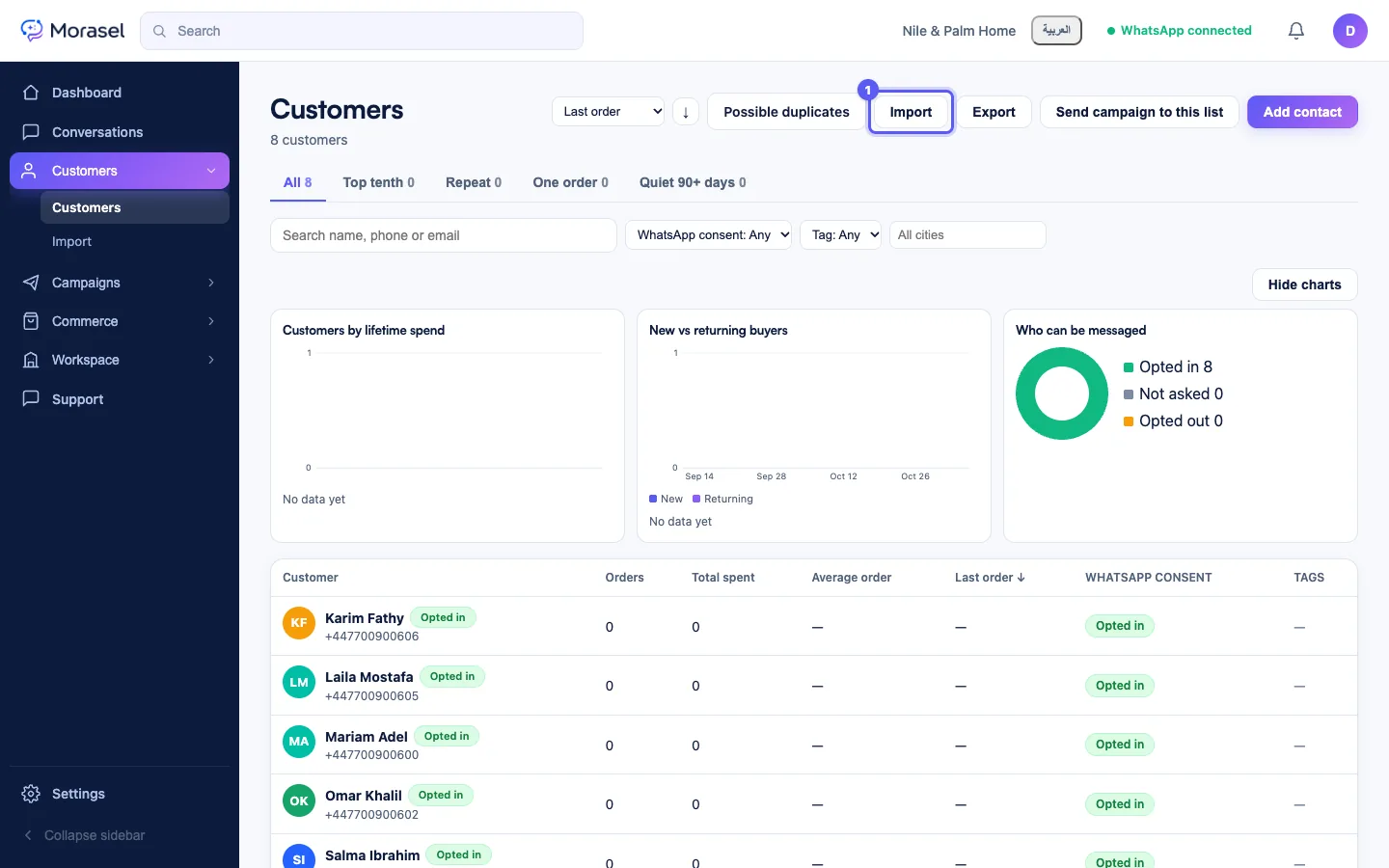
Open Customers (Patients in a clinic) and click Import.
O que você deve ver: The Import customers window opens with How to fill this file.
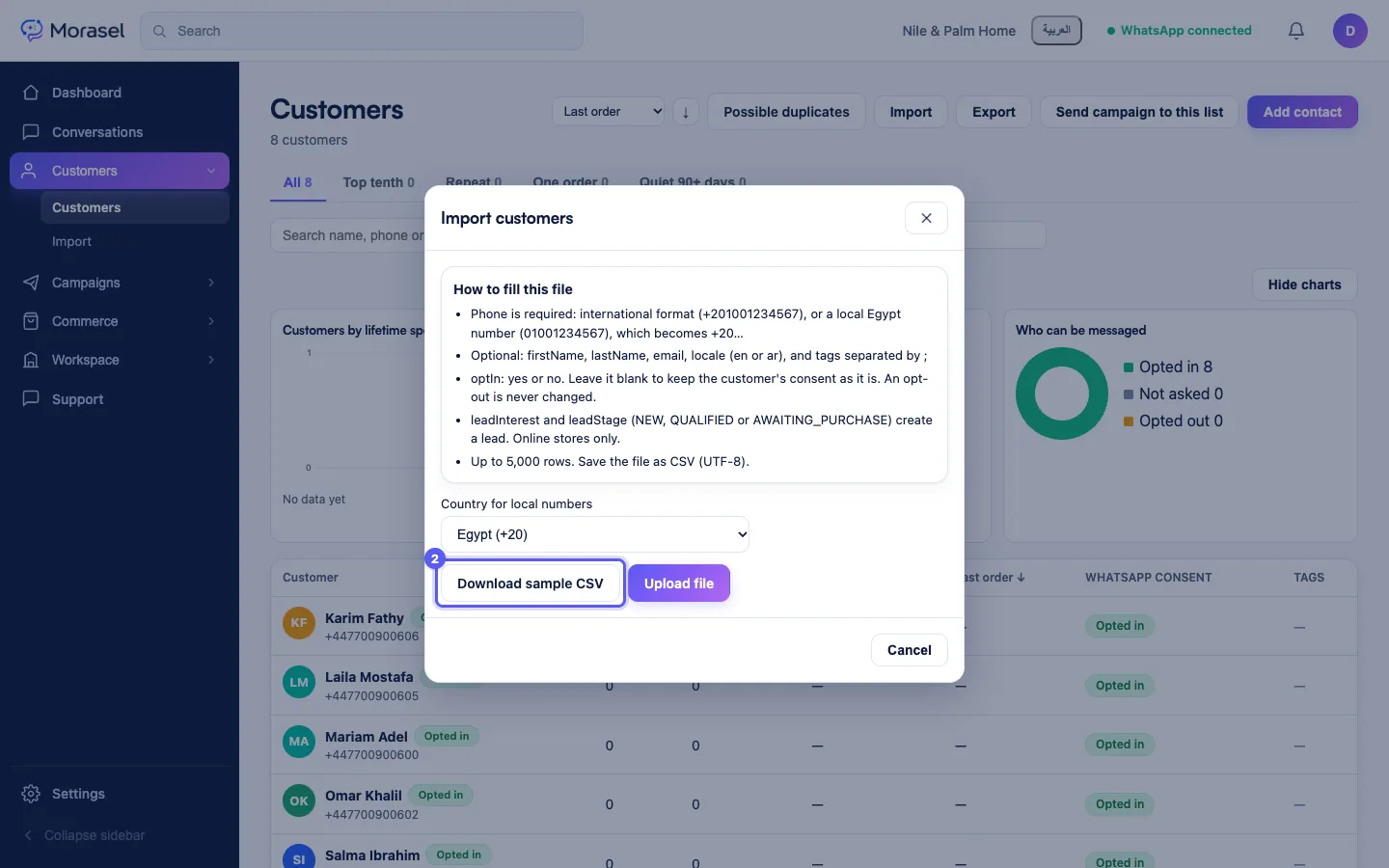
Click Download sample CSV and fill it in, or use your own file with a phone column.
O que você deve ver: The sample has the columns phone, firstName, lastName, email, locale, optIn, tags, leadInterest and leadStage. Only phone is required; up to 5,000 rows, saved as CSV (UTF-8).
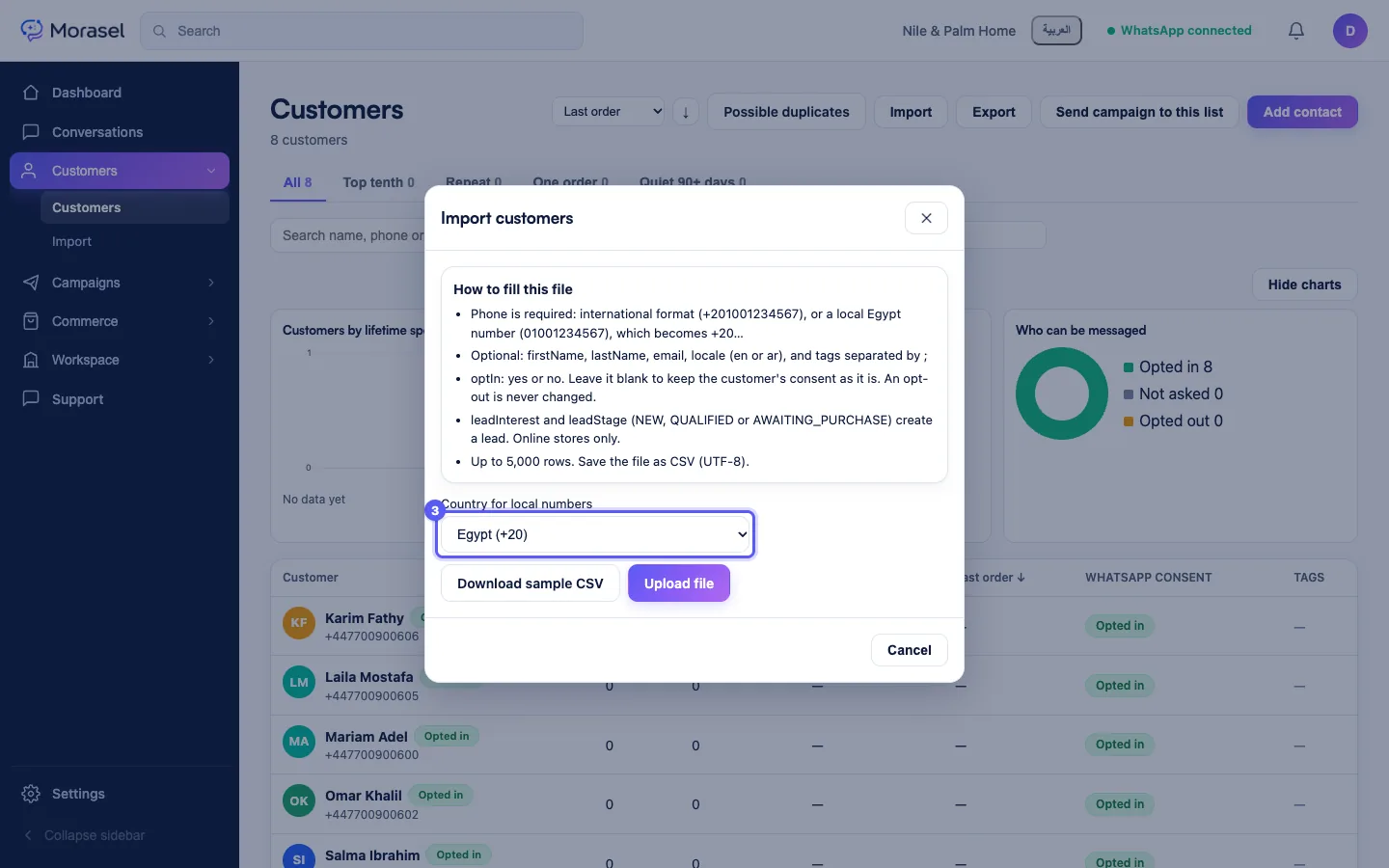
Choose the Country for local numbers.
O que você deve ver: The phone tip shows how a local number of that country is read, and Upload file turns on.
Click Upload file and choose your CSV file.
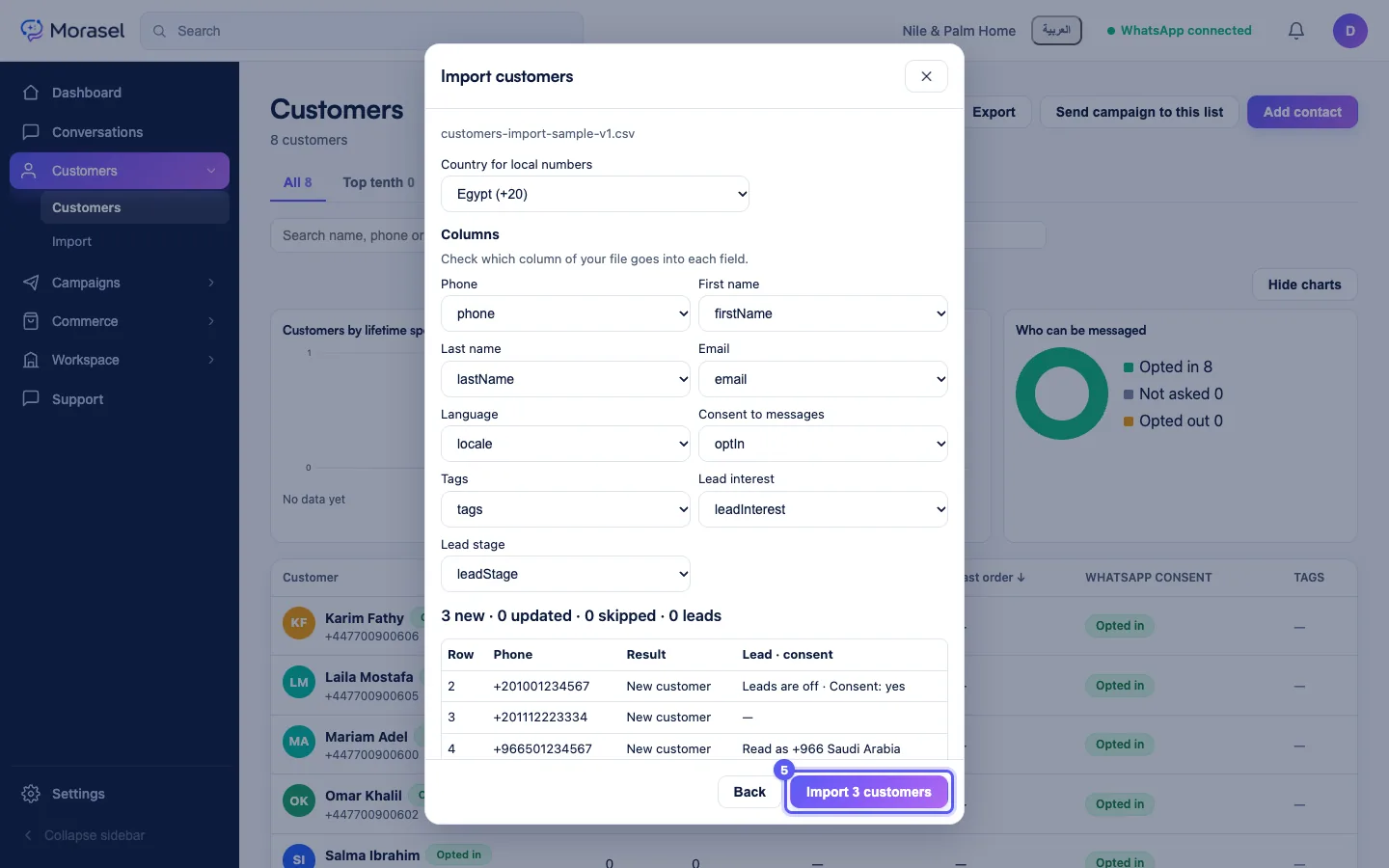
O que você deve ver: A preview opens: Columns shows which column of your file goes into each field, then a line like "3 new · 0 updated · 0 skipped · 1 leads" and the rows with their result.
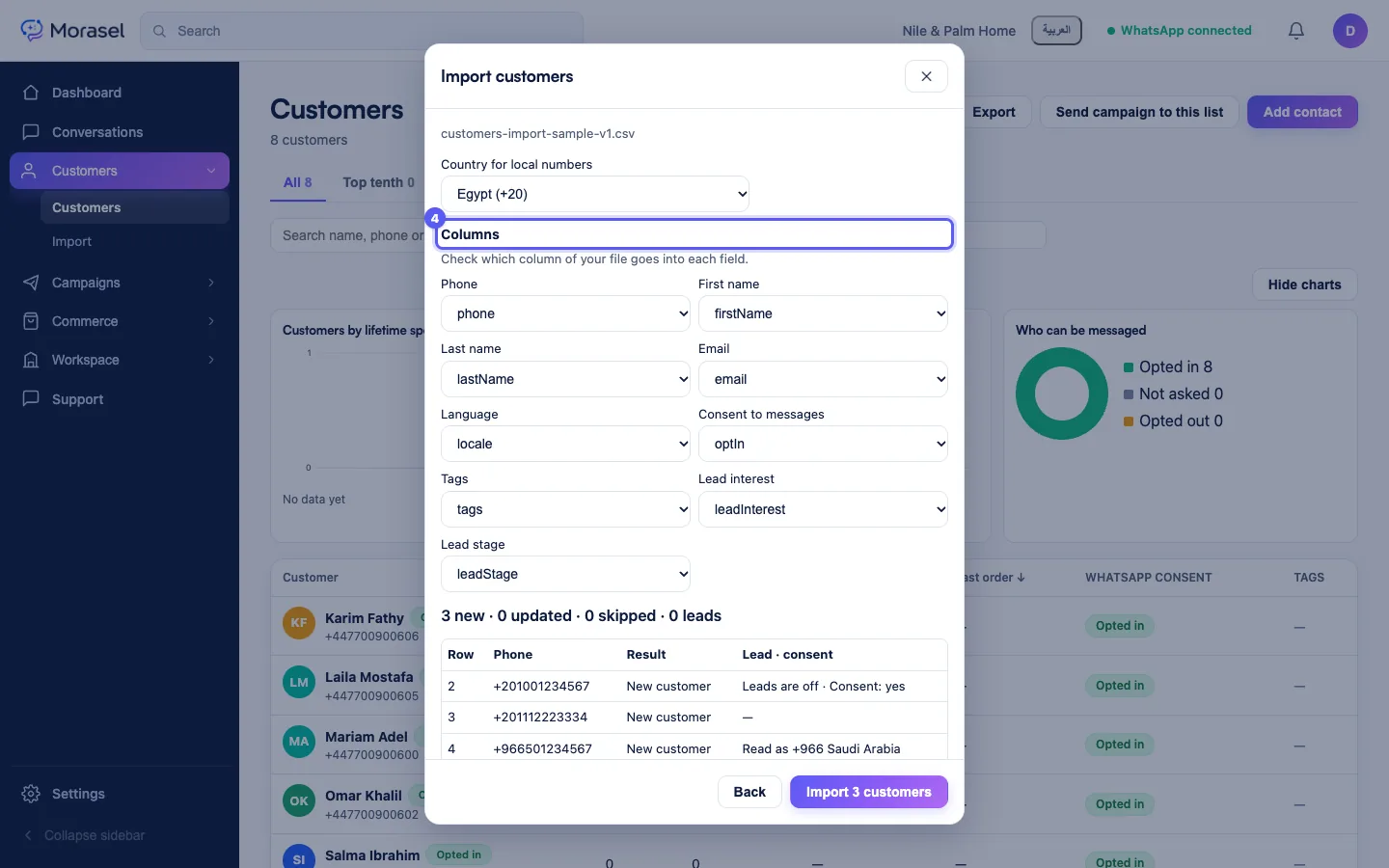
Check the columns and results, then click Import … customers.
O que você deve ver: The result reads "… added · … updated · … skipped · … leads created". If rows were skipped, Download skipped rows gives you a file with the reason for each.


Se não funcionou
- Upload file is greyed out.
- Choose the Country for local numbers first.
- "Choose which column holds the phone number."
- In Columns, set Phone to the column of your file that holds the numbers.
- Rows are skipped as Invalid phone or Not a mobile number.
- Write numbers in international format (+20…) or as local mobile numbers of the country you chose. Landlines cannot receive WhatsApp messages.
- There is no Import button.
- Import needs the owner or admin role, and the Customers (or Patients) list. Other workspaces add customers when they message you, or one by one with Add contact.
Perguntas frequentes
Will importing message my customers?
No. Importing only adds or updates customer profiles. Nothing is sent to them.
What happens to customers who are already in Morasel?
They are matched by phone number and updated with the new details, including customers who opted out; the preview shows exactly which fields change. Only the opt-out itself is never changed.
What do the optIn and lead columns do?
optIn records the customer's consent to messages (yes or no; leave it blank to keep it as it is). leadInterest and leadStage create a lead, in online stores only.
Can I export my customers too?
Yes. Export, next to Import on the same page, downloads your list.
Artigos relacionados
Última atualização · First version