
Today and reconciliation: delivery progress and cash
Today shows how the day's deliveries are going: how many are delivered, on the road, waiting for pickup or failed, and how far each driver has got. Every number opens the deliveries behind it. Reconciliation then shows which drivers are ready for you to confirm their cash. Anyone who manages deliveries can use them: order agents have Today and Reconciliation in their sidebar, and owners, admins and agents open them at app.morasel.ai/today and app.morasel.ai/reconciliation. Drivers hand over their cash from My day. To give orders to drivers at all, the Assign delivery automation must be on: Deliveries: locations, drivers and reconciliation shows where to turn it on (step 1). Today and Reconciliation are available on Commerce Pro and Max.
L’application Morasel et ses modèles de messages sont en anglais et en arabe. Ce site est aussi disponible en français.
Cet article n’est disponible qu’en anglais — lisez-le en anglais
Ouvrez cette page dans l’app https://app.morasel.ai/today
Étapes
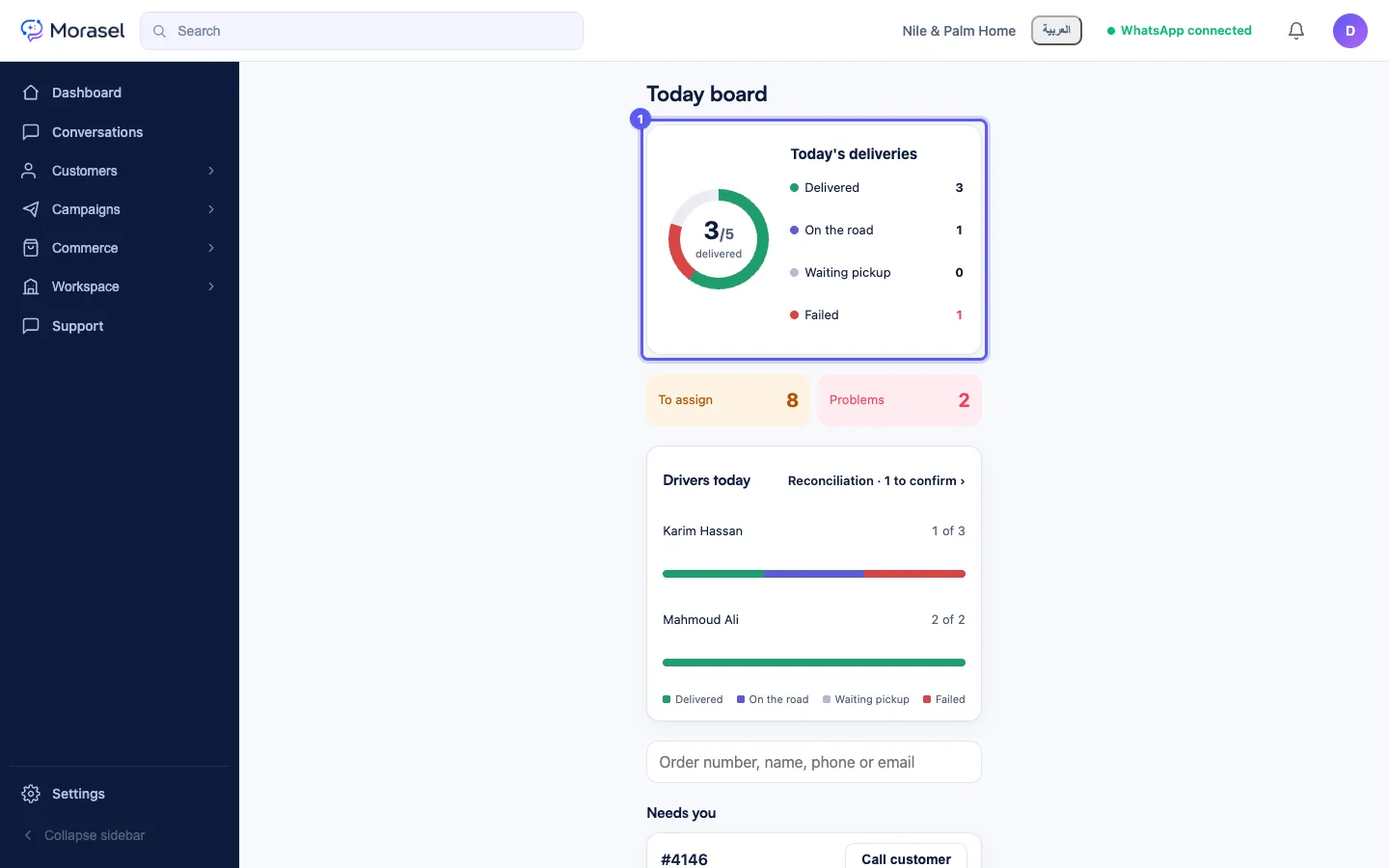
Open Today and look at the Today's deliveries card at the top.
Ce que vous devez voir : The ring shows how many of today's deliveries are delivered, for example "12/30 delivered". Beside it, Delivered, On the road, Waiting pickup and Failed each show a count. If there is nothing today, the card reads "No deliveries today".
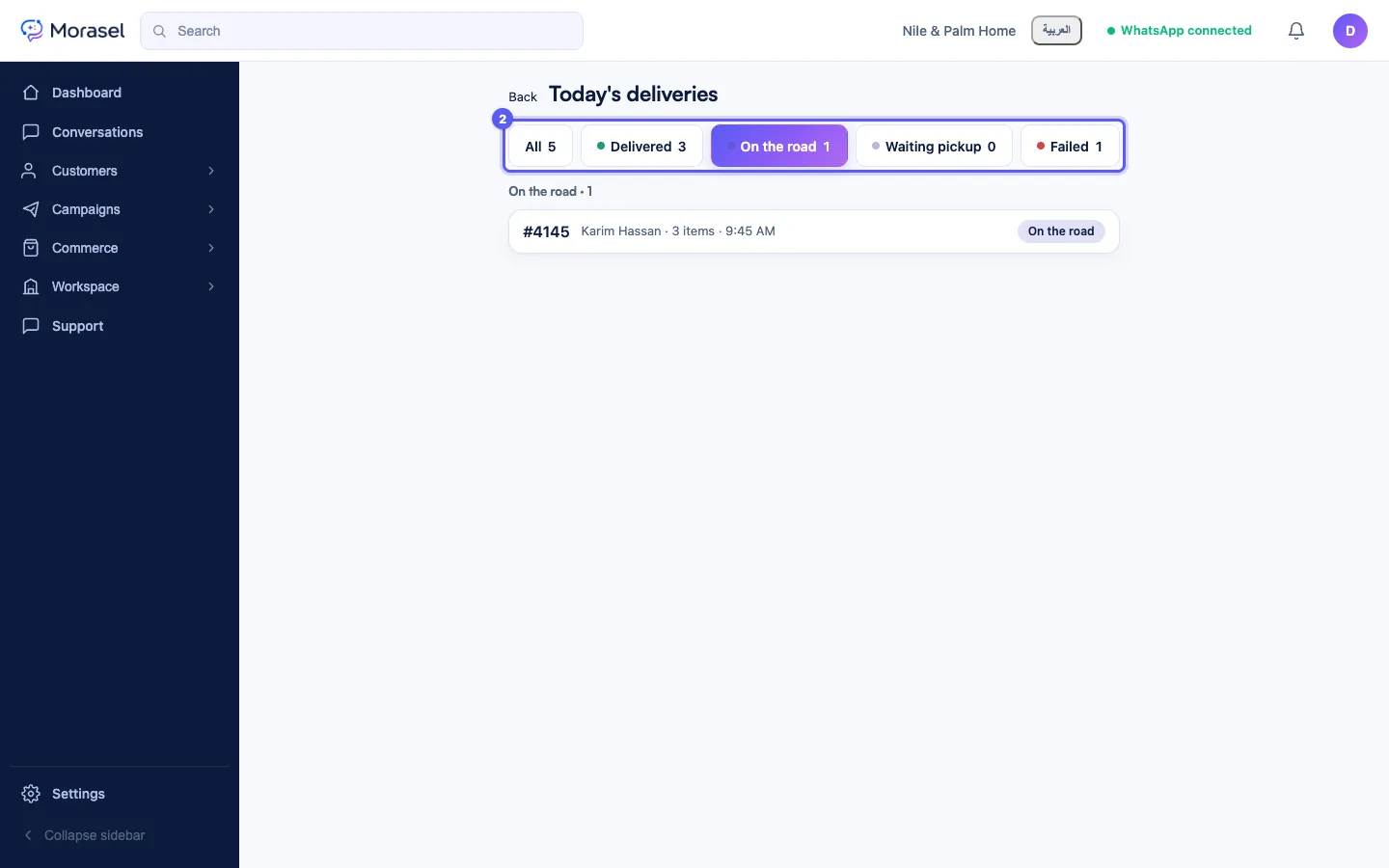
Click the ring to list all of today's deliveries, or click a row such as On the road to list only those.
Ce que vous devez voir : Today's deliveries opens, grouped Waiting pickup, On the road, Failed and Delivered. Use All or a bucket at the top to switch. Each row shows the order number, the driver, the items, the time of the latest step and its state; click a row to open the order. Back returns to Today where you left it.
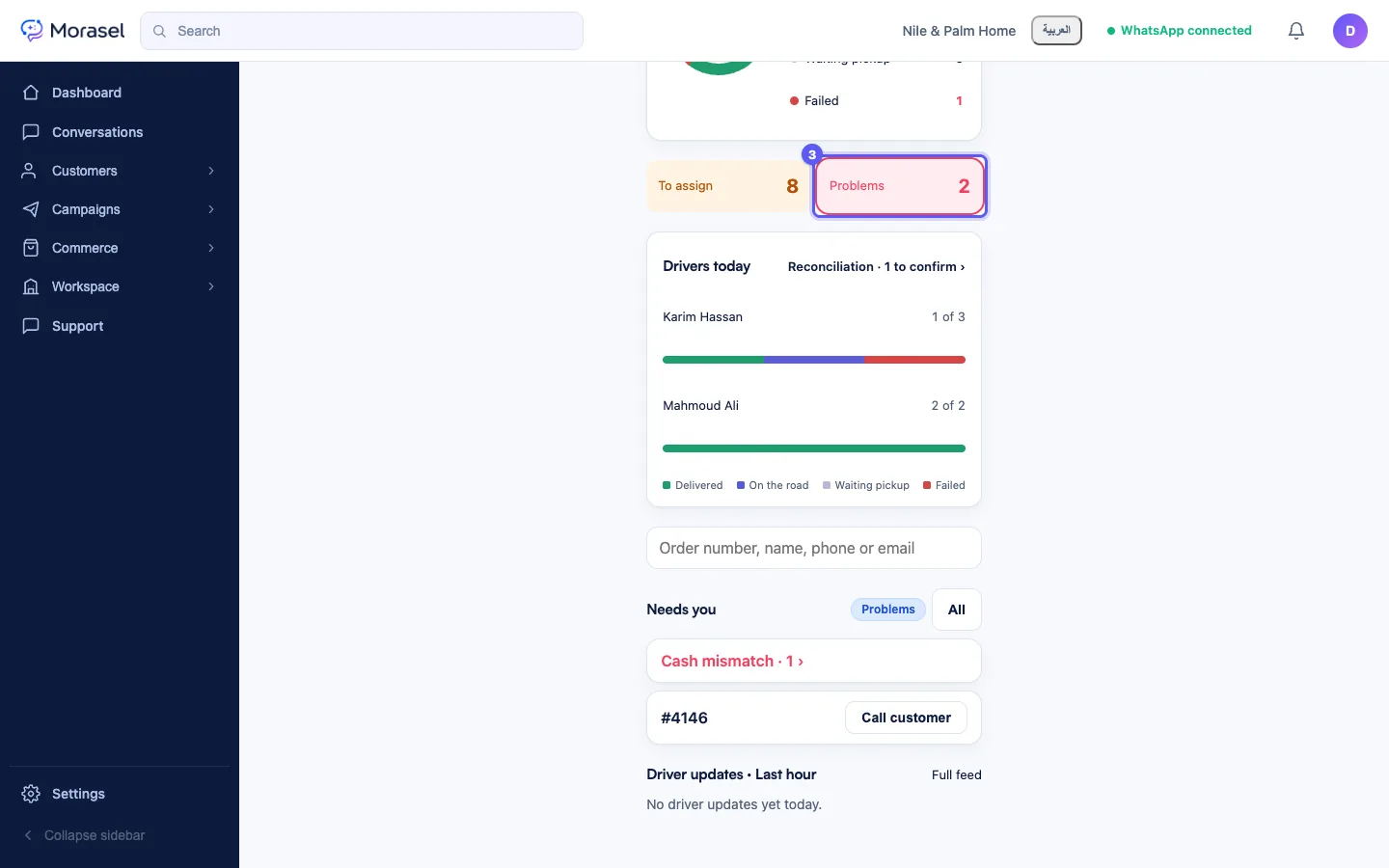
Click To assign or Problems under the card.
Ce que vous devez voir : Needs you shows only those rows, with the tile's name beside the title; click All to show everything again. Problems lists the deliveries to reassign and the customers to call, and "Cash mismatch · n ›" when a driver's cash was confirmed different. That row opens Reconciliation.
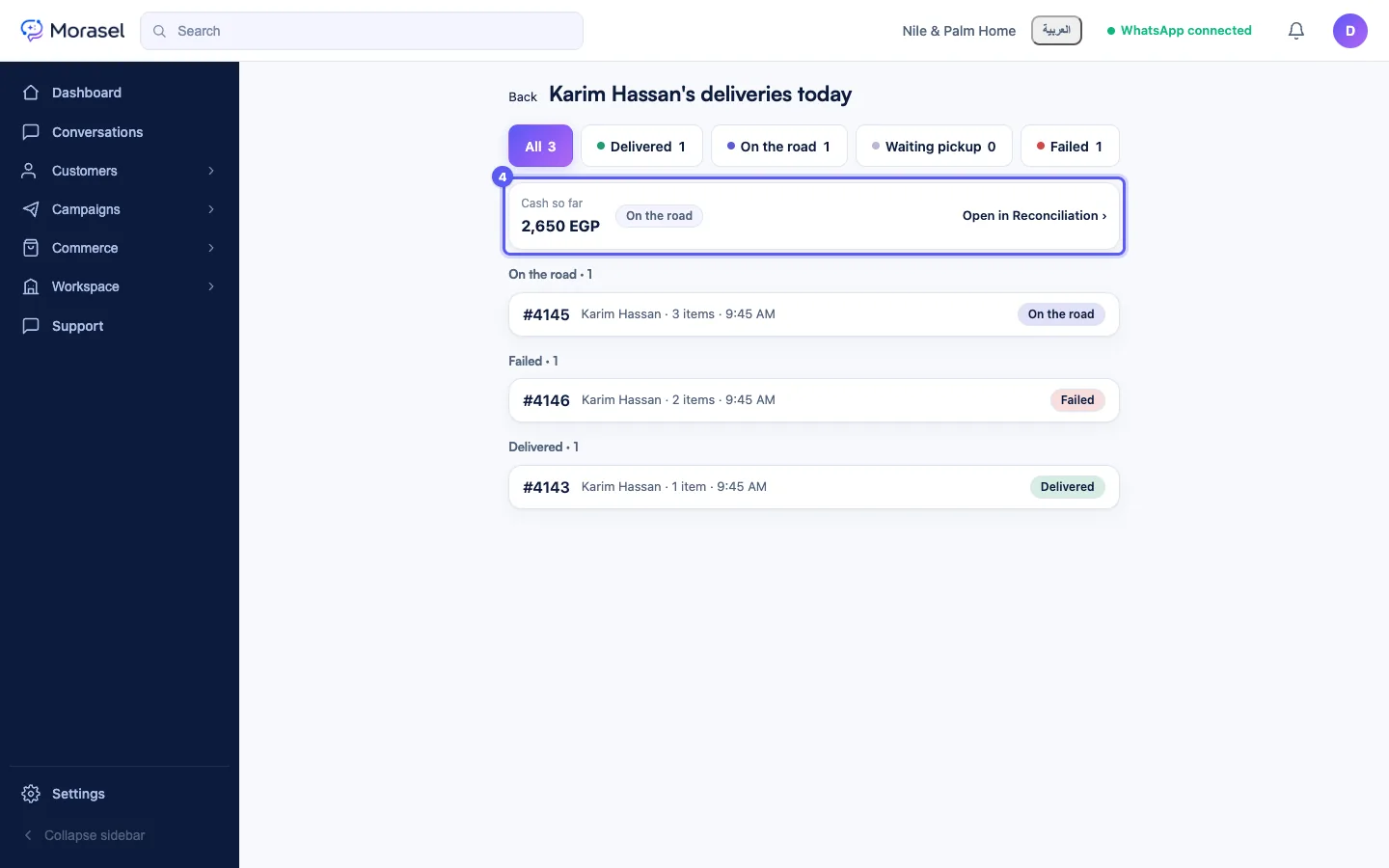
In Drivers today, find a driver. Their row shows "5 of 8" (delivered of their total today) and a bar in the same colours as the ring. Click the name or the bar.
Ce que vous devez voir : "<Name>'s deliveries today" opens with that driver's deliveries, their Cash so far and their Reconciliation state, and Open in Reconciliation ›. Clicking a wide part of the bar opens only that part, for example their failed deliveries.
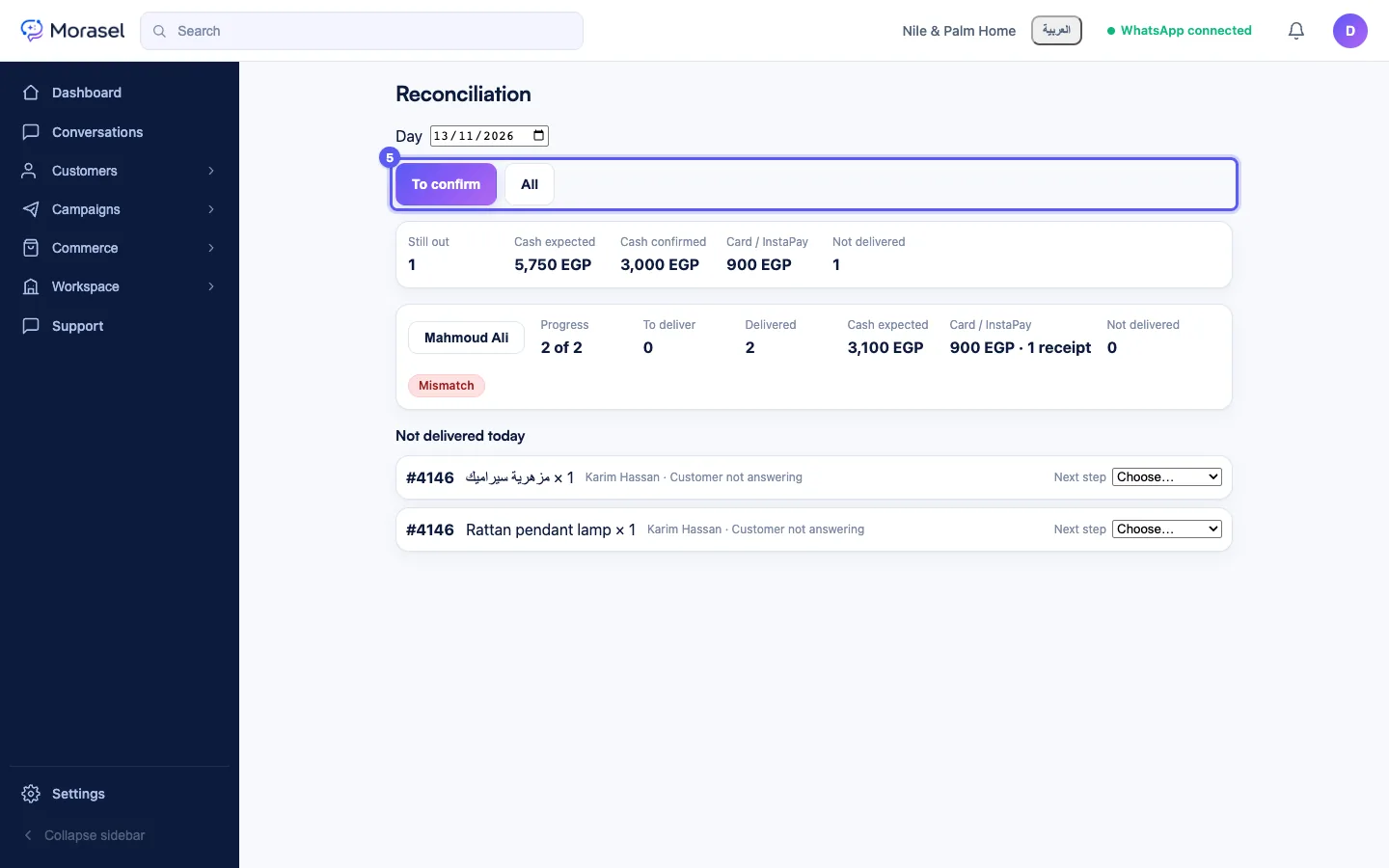
Click "Reconciliation · N to confirm ›" beside Drivers today. When no driver is ready, it reads "Reconciliation ›".
Ce que vous devez voir : Reconciliation opens on today with To confirm selected: only the drivers waiting for you. Click All to see every driver. If nobody is waiting, it says "No drivers to confirm".
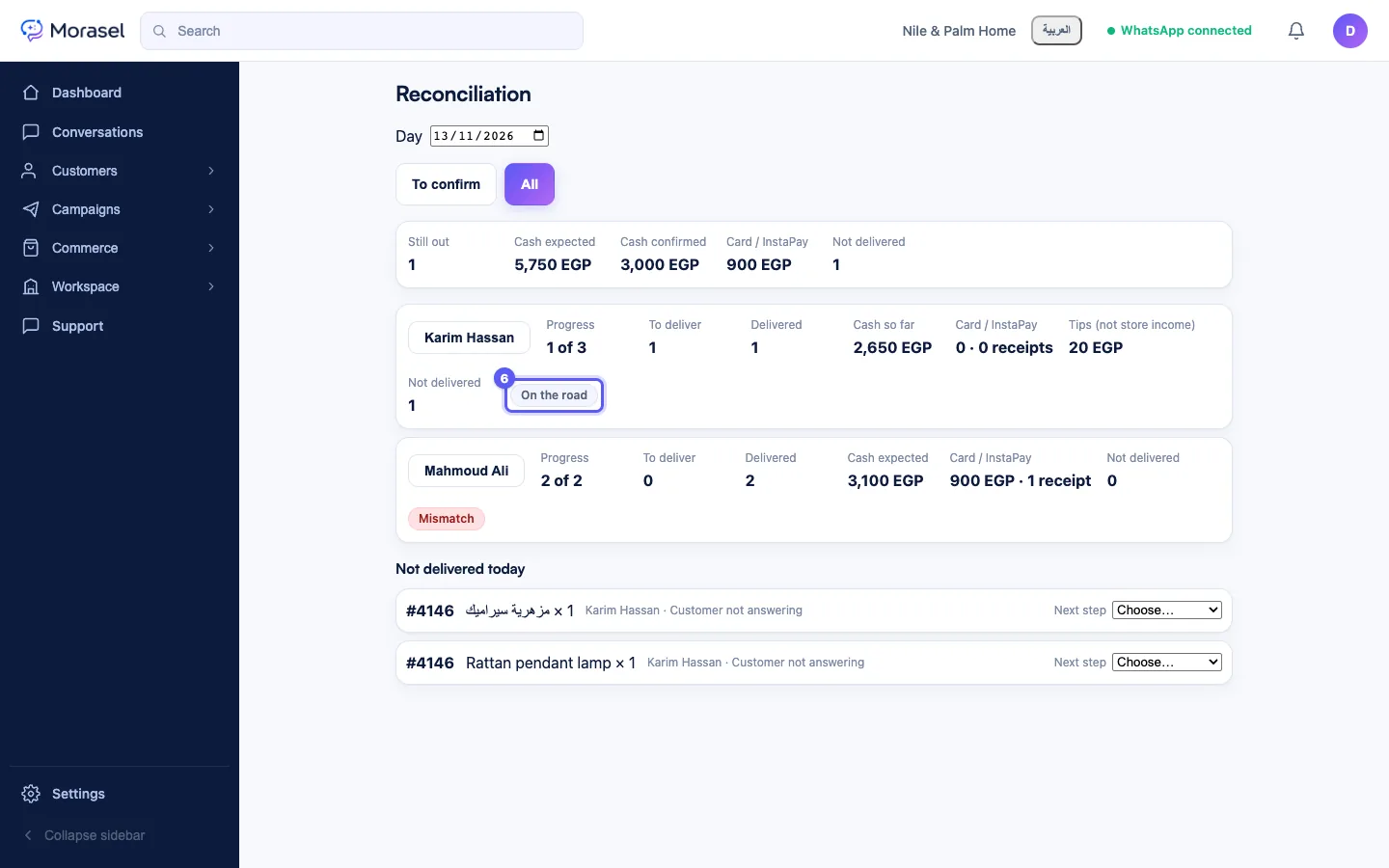
Read each driver's state in their row.
Ce que vous devez voir : On the road: they still have deliveries out (the row shows Cash so far). Ready to hand over: nothing is out, but they haven't handed over yet. Handed over: waiting for you. Confirmed: done. Mismatch: the cash you counted was different. A new delivery after Handed over puts them back On the road. To confirm counts Ready to hand over, Handed over and Mismatch.
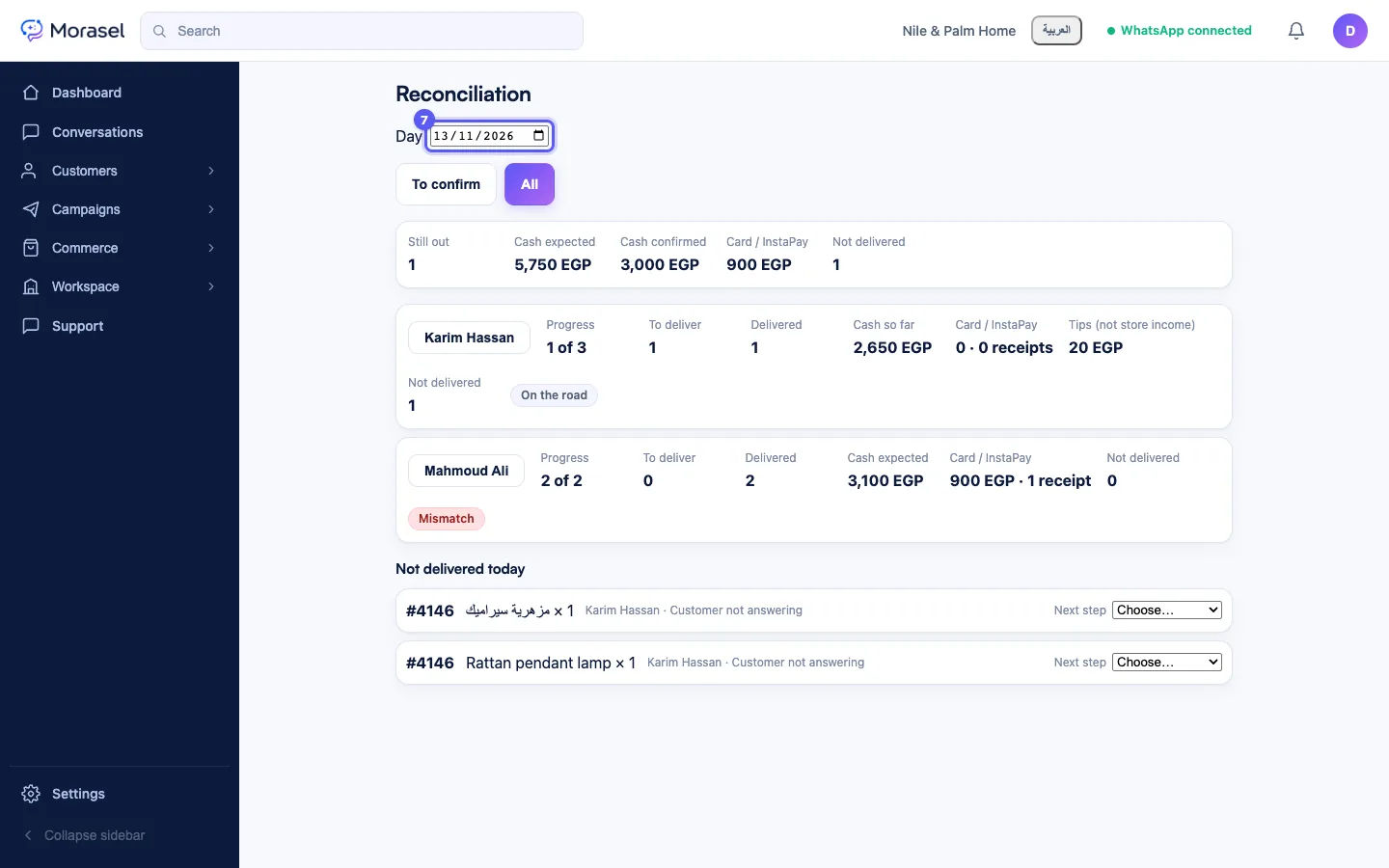
To confirm a driver, click their name, check Cash counted and click Confirm cash received. For an earlier day, pick it in Day first.
Ce que vous devez voir : Reconciliation shows the day you picked, with each driver's state for that day. A confirmed driver shows Confirmed, or Mismatch if the amounts differ. The driver's day then shows Cash confirmed with the amount you counted and your note.
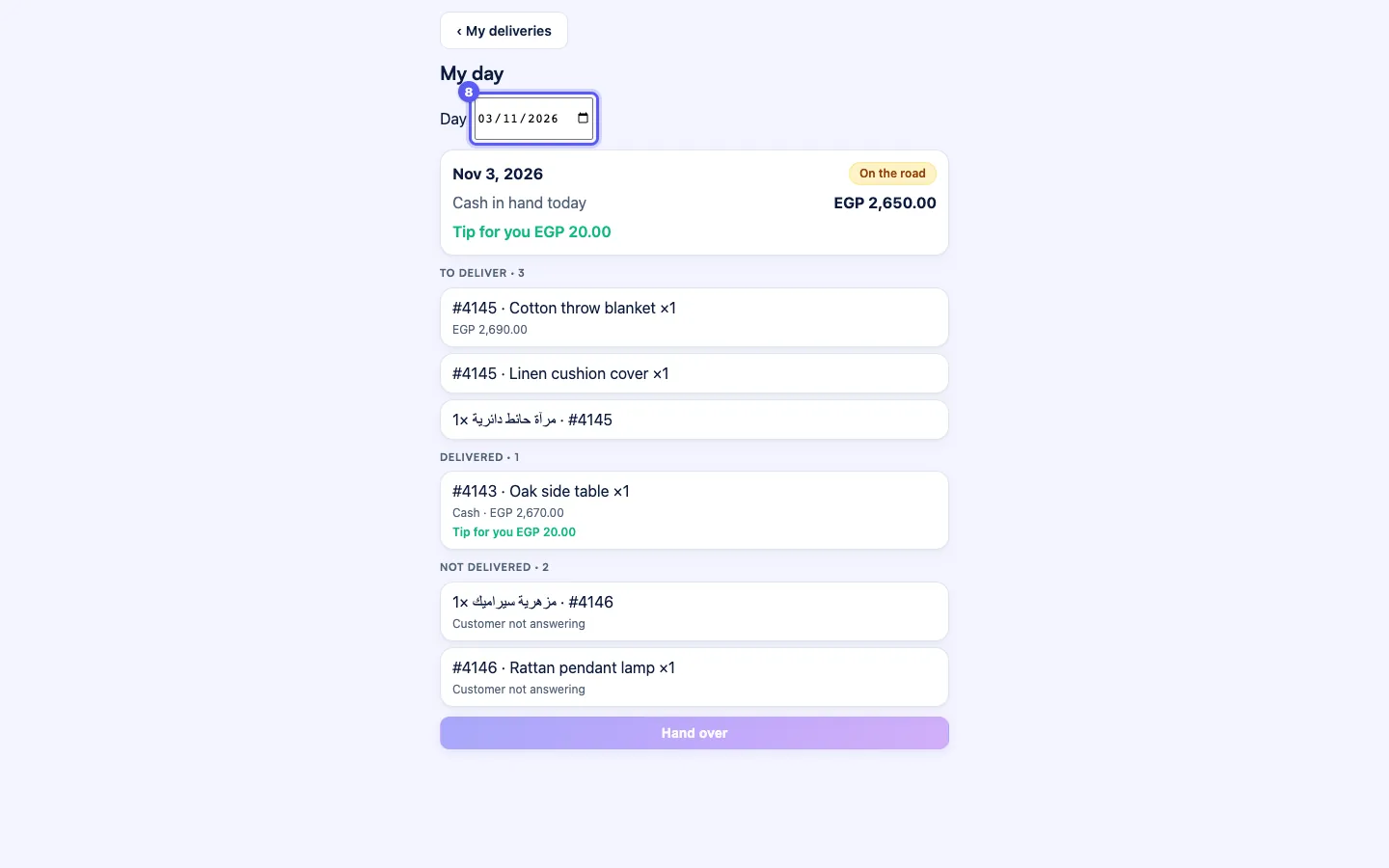
Drivers: open My deliveries, then My day. To hand over another day's cash, pick that day in Day, then click Hand over.
Ce que vous devez voir : My day shows that day's To deliver, Delivered and Not delivered lists and your cash for it. The button works only when none of that day's deliveries is still out. Today takes you back to the current day.


Si cela n’a pas fonctionné
- A driver says they can't hand over, or sees "Finish or return your open deliveries first."
- They still have a delivery offered, accepted, picked up or on the way that day. They finish it, mark it as not delivered, or you reassign it. Then the hand-over works.
- Last night's deliveries are gone from Today.
- The day ends at midnight in your store's time zone. Open Reconciliation and pick yesterday in Day. Drivers do the same from My day.
- The numbers don't match the number of items.
- Today and Reconciliation count deliveries, not items. One drop-off is one delivery, even with five items in it. An order split between two drivers counts as two deliveries.
Questions fréquentes
What does each number count?
Today's deliveries, one per drop-off. Delivered: handed to the customer. On the road: picked up or on the way. Waiting pickup: offered to a driver, or accepted but not picked up yet. Failed: the driver couldn't deliver. To assign and Problems are the same counts as before.
Why isn't a declined offer counted?
A declined offer isn't a delivery yet. It goes back to Needs you, under Problems, with Reassign, so someone can give it to another driver. An offer the driver didn't answer goes there too. A declined offer isn't in the ring, the driver bars or To confirm.
When can a driver hand over?
When they had at least one delivery that day and none of them is still out. A day where every delivery failed can still be handed over, at 0 cash, so the day can close. Future days can be looked at but not handed over.
Which day does a delivery belong to?
Its scheduled delivery day. Without one, the day it was offered to the driver, never the day it was completed. So a delivery offered at 11:50 pm and delivered at 12:10 am counts for the earlier day.
Where can I see who gave a delivery to a driver?
On the order's Timeline. Each delivery line names who assigned it, for example "Sara assigned delivery 1 to Khaled · 2 items". When Morasel doesn't know who assigned it, the line reads "Delivery 1 assigned to Khaled · 2 items". The iOS and Android apps show the same line.
The missing cash turned up after I confirmed a Mismatch. Can I fix it?
Yes. Open the driver's day, click Confirm cash received again and enter the new amount. If it now matches, the day turns Confirmed; if it is still different, it stays Mismatch with your new note. The first count and its note stay on the day as "First count: …". A day confirmed with matching cash can't be changed.
Is this in the iOS and Android apps?
Yes, with the same card, Drivers today and Reconciliation states. In the apps, drivers pick the day at the top of My day.
Articles associés
Dernière mise à jour · Added: Today and Reconciliation are available on Commerce Pro and Max