
Turn on a feature in your Morasel workspace
Most features are already on in your workspace. The ones you choose yourself live in a few places in the web app: Settings, your app's own setup page, and Add-ons & extras. The workspace owner can change everything, and is the only one who can change workspace details, Localization and Website chat or buy add-ons; admins can change AI settings and connect channels and integrations; agents cannot change settings.
L’application Morasel et ses modèles de messages sont en anglais et en arabe. Ce site est aussi disponible en français.
Cet article n’est disponible qu’en anglais — lisez-le en anglais
Ouvrez cette page dans l’app https://app.morasel.ai/settings
Étapes
Open Settings and look at More settings.
Ce que vous devez voir : More settings links to Security & two-factor, Localization, Quick replies, Tags, Website chat and Billing & usage. The AI Campaign Copilot card above it opens the AI settings.
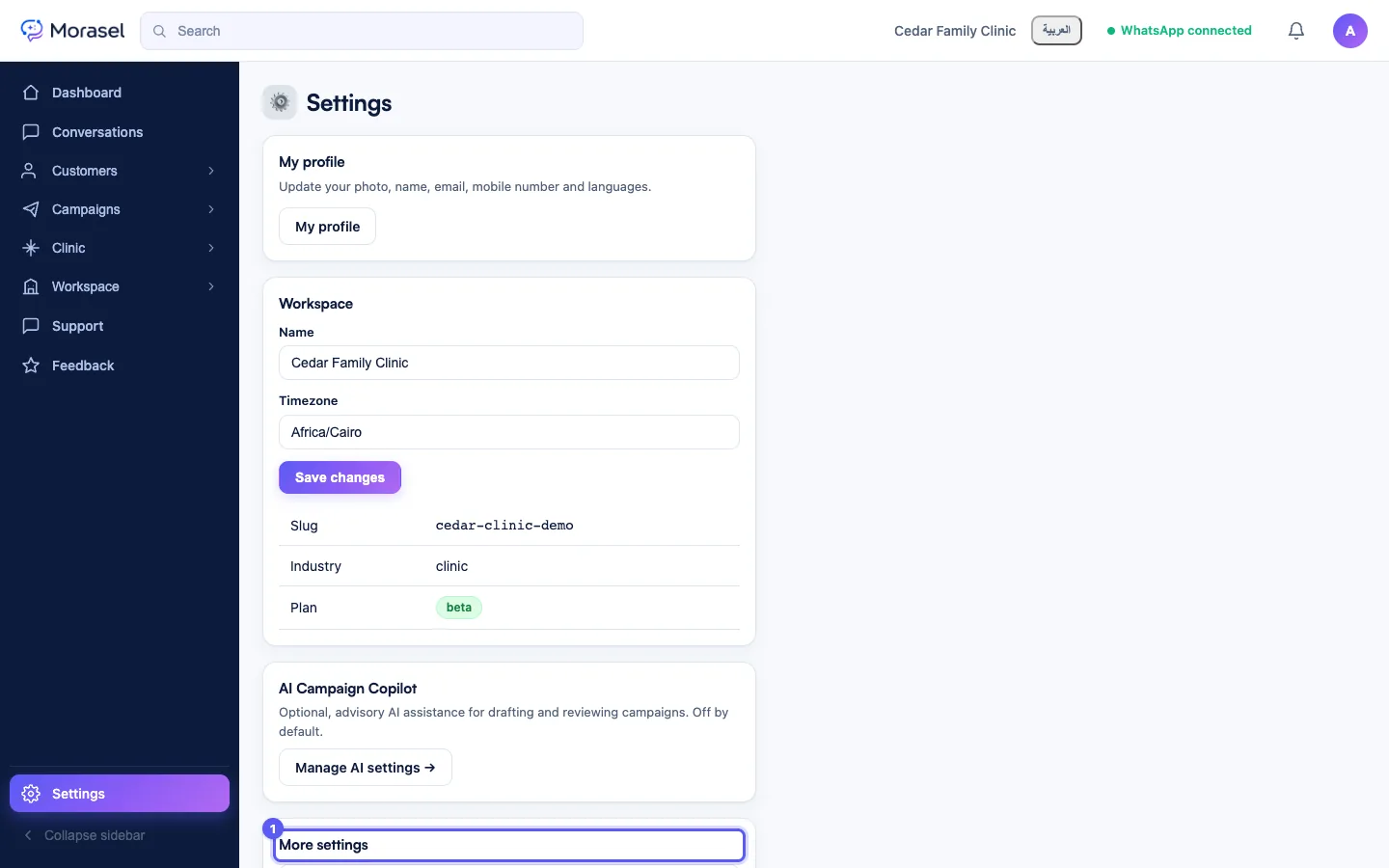
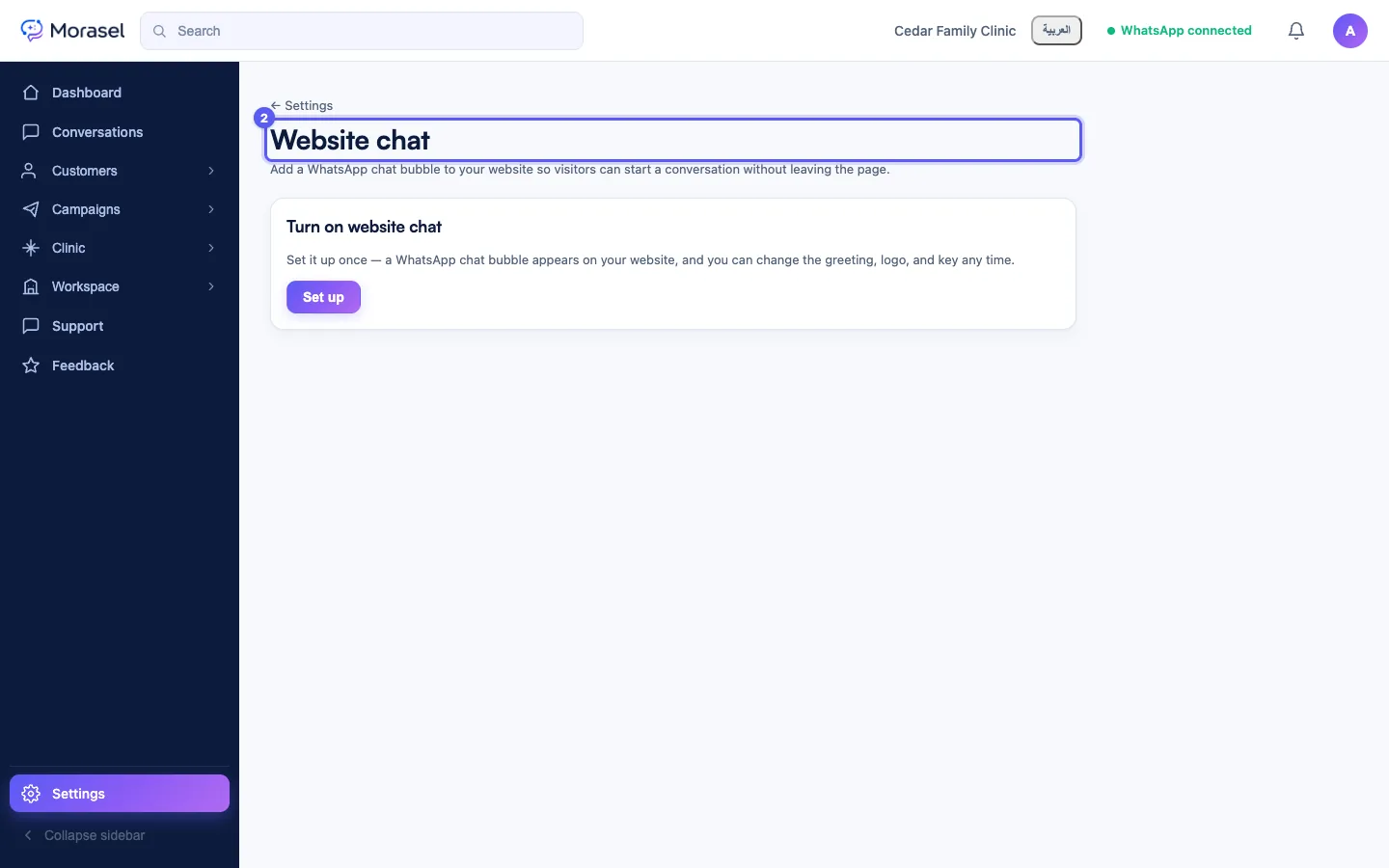
Open the page of the feature you want, for example Website chat, and switch it on there.
Ce que vous devez voir : Each page explains its feature. Website chat, for example, offers Turn on website chat with a Set up button that adds a WhatsApp chat bubble to your website; you can change its greeting and logo any time.
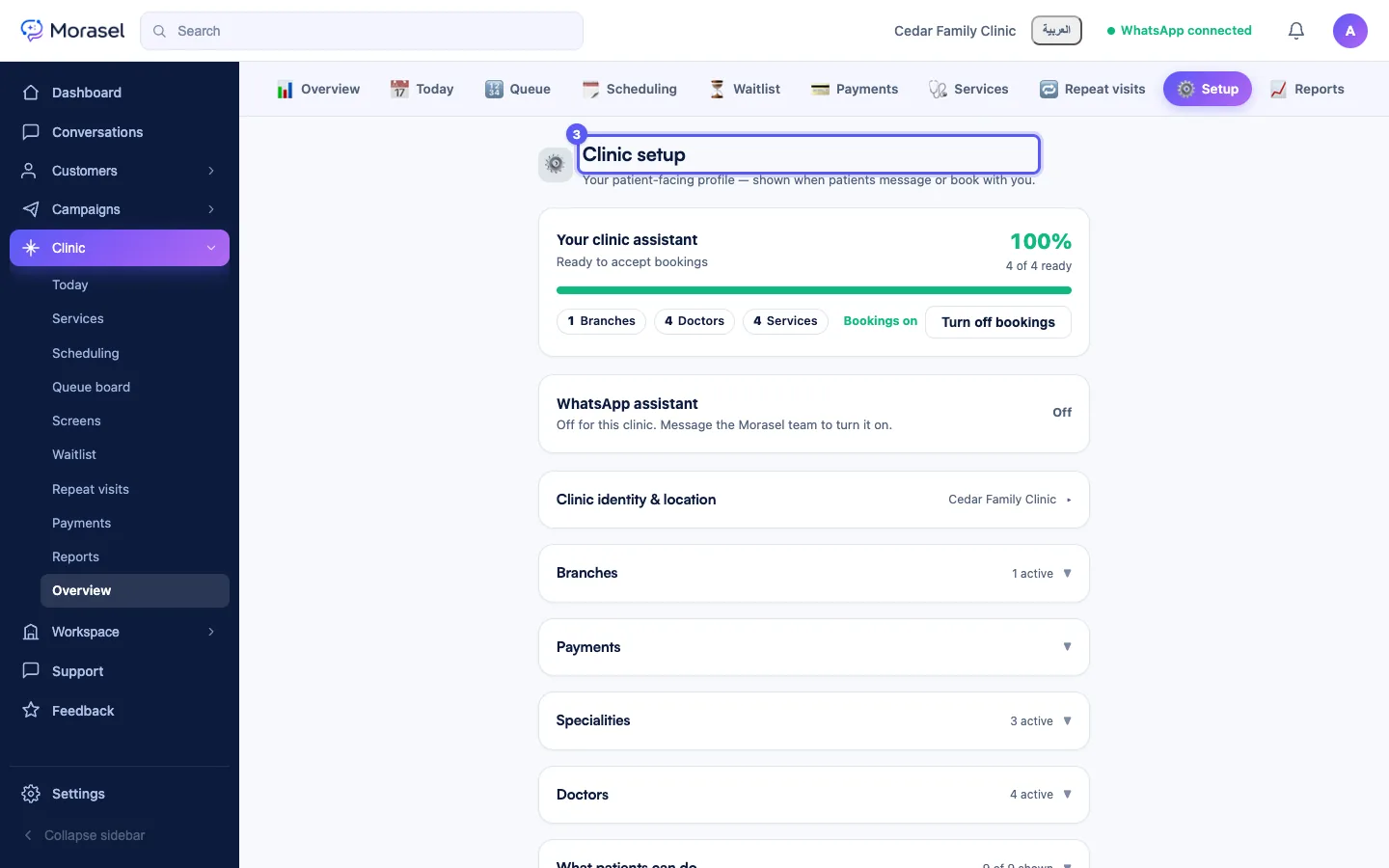
For features of your app, open its setup page: Clinic → Setup for clinics, Hospitality → Setup for stays, or Commerce → Connected Apps for your Shopify store.
Ce que vous devez voir : The setup page lists what your customers can do and the parts you can turn on or off, such as online bookings in a clinic.
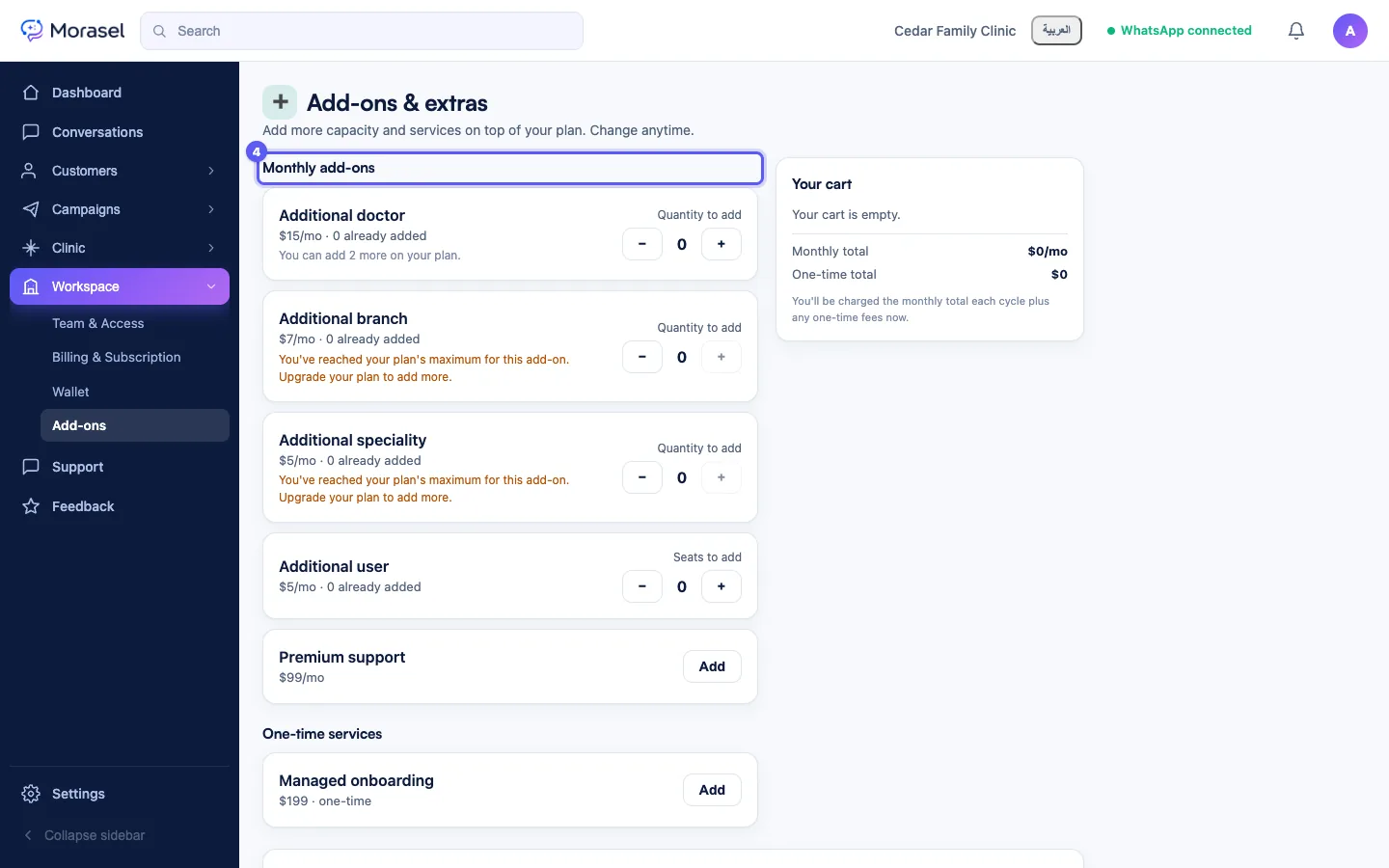
To add capacity or services on top of your plan, the owner opens Workspace → Add-ons and adds what you need.
Ce que vous devez voir : Add-ons & extras lists Monthly add-ons, such as extra users, and One-time services. For extra users, choose Seats to add: the number is how many to ADD, the page shows what you have now and what you will have after paying, and you pay only for the seats you add.
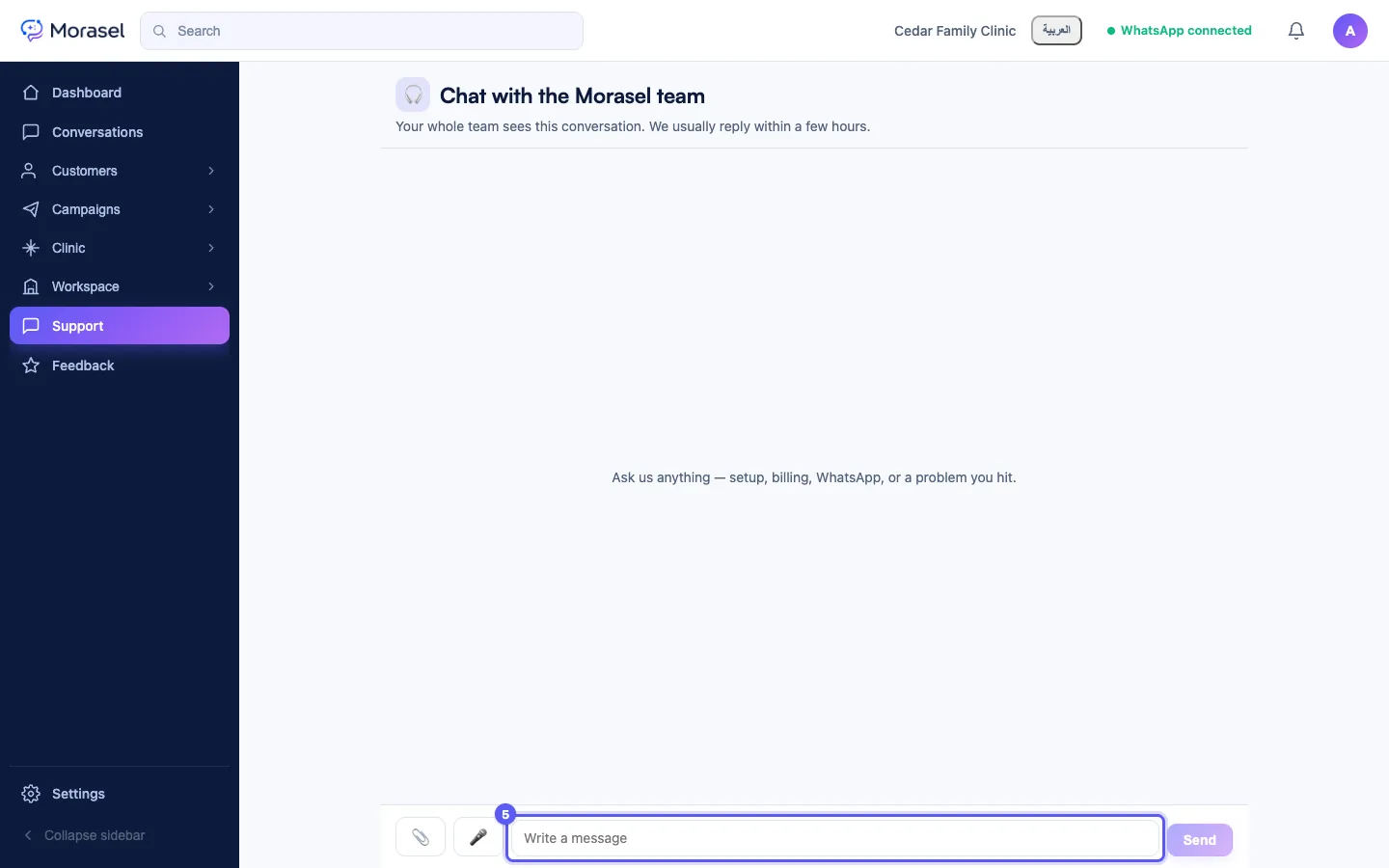
For a feature marked as a selected pilot, ask us from Support in the app.
Ce que vous devez voir : Chat with the Morasel team opens. Tell us which feature you want; the Morasel team switches selected pilot features on for your workspace.


Si cela n’a pas fonctionné
- A settings page says only the owner can change it.
- Workspace details, Localization, Website chat and Add-ons belong to the workspace owner. Ask the owner to make the change.
- I can't add anything on Add-ons & extras.
- Only the workspace owner can buy add-ons. Ask the owner to add what you need.
- A feature I read about is not in my workspace.
- It may belong to another app (Clinics, Commerce, Hospitality or Care), or be a selected pilot. Ask us from Support and we will tell you which.
Questions fréquentes
Who can turn features on?
The workspace owner can change everything, and only the owner can change workspace details, Localization and Website chat or buy add-ons. Admins can change AI settings and connect channels and integrations. Agents cannot change settings.
What does selected pilot mean?
A feature that the Morasel team switches on for selected workspaces while it is being rolled out. Ask from Support in the app if you would like it.
How do I turn on AI drafts?
In Settings, open the AI Campaign Copilot card, tick Enable AI assistance and Message drafts, and save. The same settings are under Settings → AI dans les apps iPhone et Android. See the article on turning on AI message drafts.
Can I turn features on from the iPhone or Android app?
Some settings are in the mobile apps too, and Settings → AI is available dans les apps iPhone et Android, but Settings, setup pages and Add-ons & extras are complete in the web app at app.morasel.ai.
Articles associés
Dernière mise à jour · Added: AI settings (Settings → AI) dans les apps iPhone et Android