
Add WhatsApp chat to your website
Website chat adds a small WhatsApp chat bubble to your website. A visitor taps it, reads your greeting, types a message and continues in WhatsApp with your number, and the conversation lands in your Morasel inbox like any other. You paste one short snippet into your site once; your greeting, logo and on/off switch then live in Settings → Website chat on the web app, and only the workspace owner changes them.
L’application Morasel et ses modèles de messages sont en anglais et en arabe. Ce site est aussi disponible en français.
Cet article n’est disponible qu’en anglais — lisez-le en anglais
Ouvrez cette page dans l’app https://app.morasel.ai/settings/website-chat
Where the chats go. A visitor opens the bubble, types a message and taps to continue in WhatsApp with your connected number; the message carries the address of the page they were on. The conversation arrives in your Morasel inbox like any WhatsApp chat.
Only the workspace owner sets up website chat, changes it or regenerates its key. Other team members see "Only the workspace owner can manage the website chat widget."
Switch it off without removing the snippet. Clear Enabled and click Save: the bubble stops showing on every site within a few minutes, and the snippet can stay where it is for when you switch it back on.
One website chat per workspace. Every site where you paste the snippet uses the same greeting, logo, number and key.
Regenerate key. In Settings → Website chat, Regenerate key stops the old key at once: the snippet already on your site stops showing the bubble until you replace it with the new one on the page.
When the bubble hides itself. With no connected WhatsApp number, or while your workspace is paused, the bubble does not show. Nothing breaks on your page; it comes back on its own once that is fixed.
Privacy. The bubble sets no cookie and stores nothing on the visitor's device, and Morasel keeps only daily counts of loads, opens and chats sent to WhatsApp. Days are counted in UTC.
Étapes
In Morasel, open Settings and click Website chat.
Ce que vous devez voir : The Website chat page opens. If website chat was never set up, it shows Turn on website chat with a Set up button; click it. After that the page shows the bubble's settings, the embed code, a preview and the last 30 days.
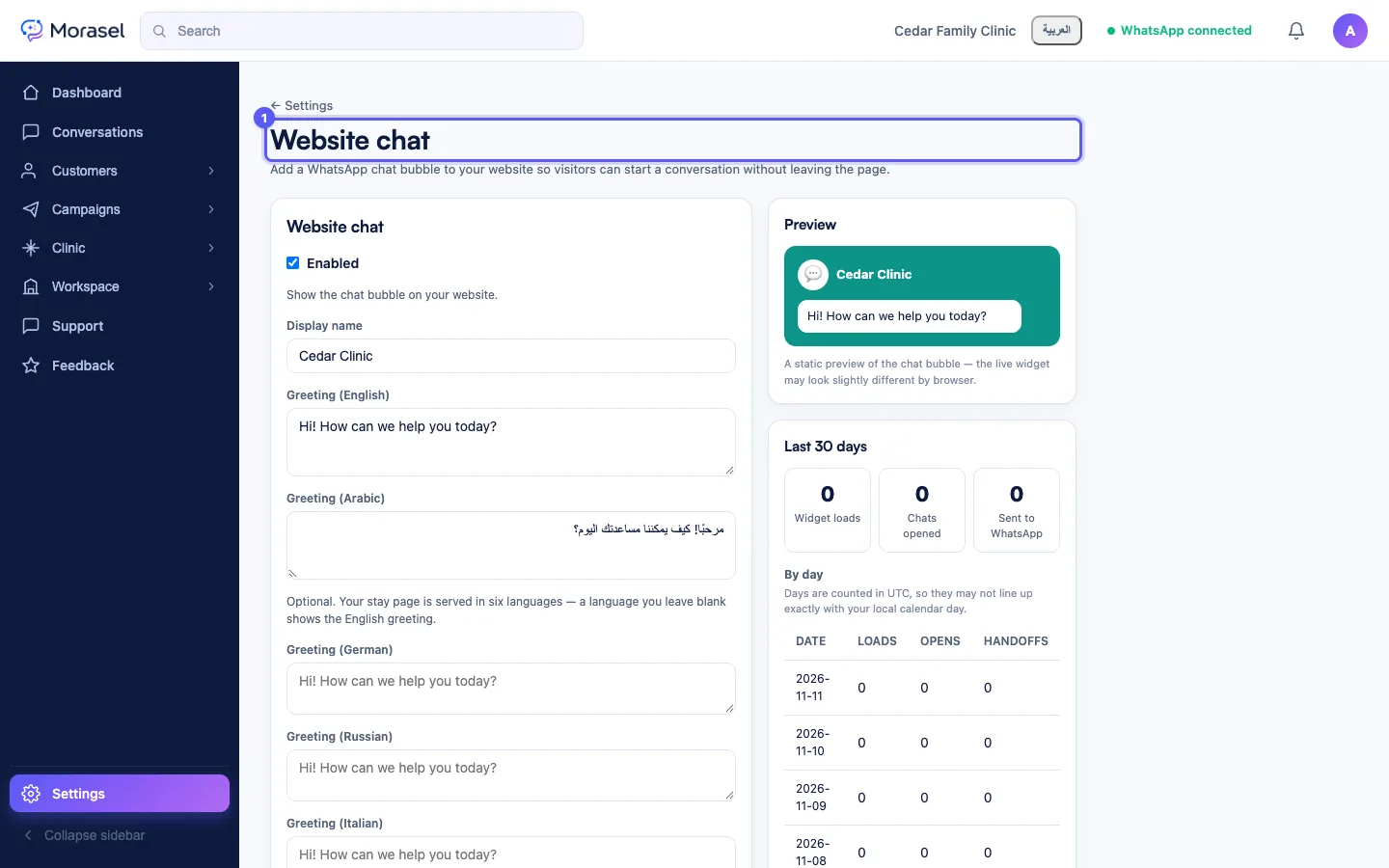
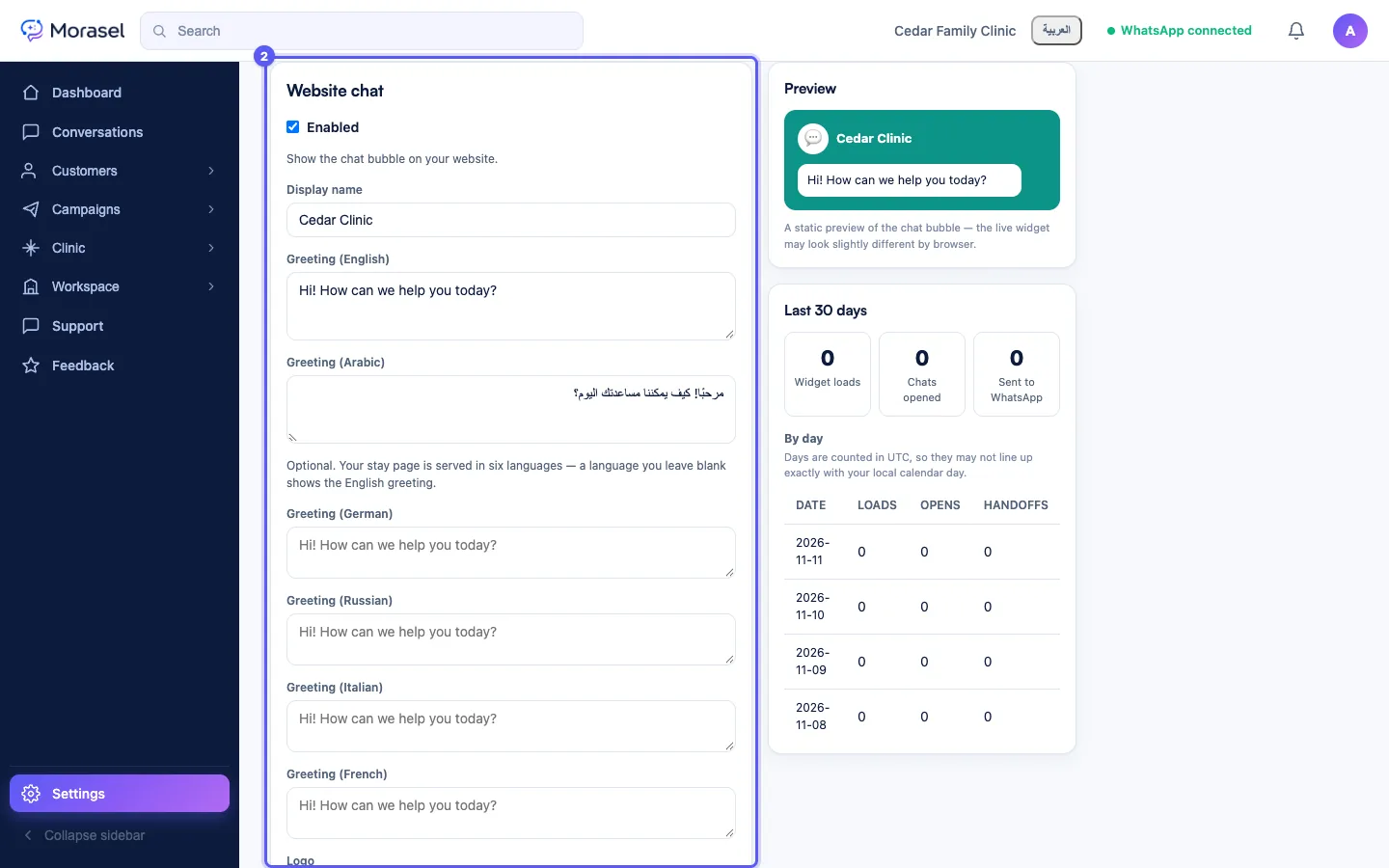
Switch on Enabled, fill in the display name, the greetings (English and Arabic) and the logo, then click Save.
Ce que vous devez voir : Saved appears. Your changes reach every site where the snippet is within a few minutes: you never need to change the snippet again.
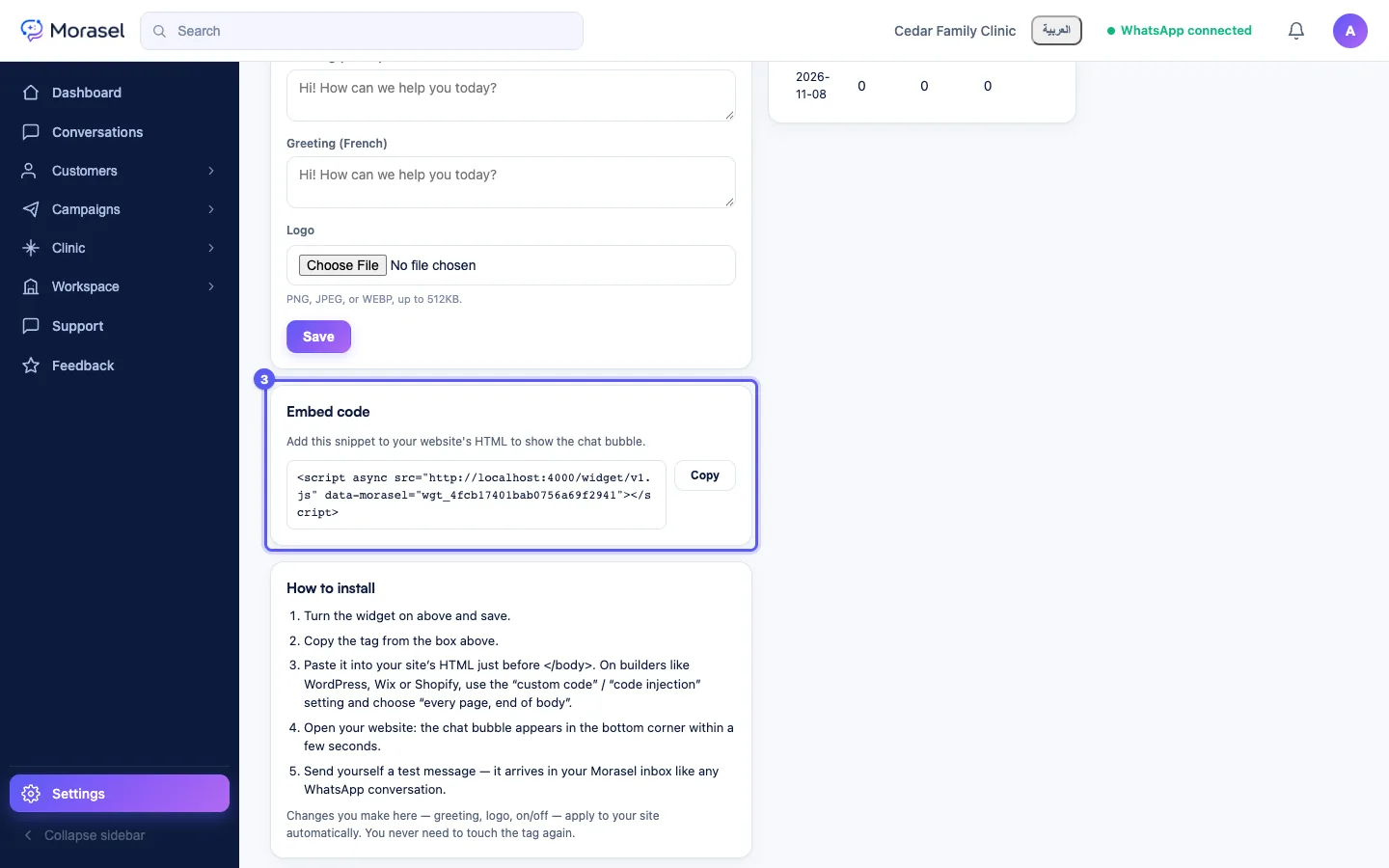
Copy the snippet under Embed code and paste it into your site's HTML just before </body>, on every page.
Ce que vous devez voir : Open your website: the chat bubble appears in the bottom corner within a few seconds. Send yourself a test message; it arrives in your Morasel inbox. Last 30 days counts Widget loads, Chats opened and Sent to WhatsApp.


Si cela n’a pas fonctionné
- The chat bubble doesn't show on my website.
- Check, in order: Enabled is on in Settings → Website chat and saved; your WhatsApp number is connected (the bubble needs it); your workspace isn't paused; the snippet is in your page's HTML just before </body>, on the page you are looking at. Changes can take up to 5 minutes to show.
- The bubble disappeared after I clicked Regenerate key.
- The old key stops at once. Copy the new snippet from Embed code and replace the old one on every site where you pasted it.
- I can't change the website chat settings.
- Only the workspace owner can. Ask the owner to make the change.
Questions fréquentes
Where do the chats go?
A visitor who uses the bubble continues in WhatsApp with your connected number, and the conversation arrives in your Morasel inbox like any WhatsApp chat. The first message carries the page the visitor was on.
Which website builders does it work with?
Any site where you can add a tag to the page's HTML just before </body>. On builders like WordPress, Wix or Shopify, use the "custom code" or "code injection" setting and choose every page, end of body.
Does website chat store anything on my visitors' devices?
No. The bubble sets no cookie and stores nothing on the visitor's device. Morasel keeps only daily counts of loads, opens and chats sent to WhatsApp.
Do I need to change the snippet when I change my greeting or logo?
No. Greeting, logo and the on/off switch are read from Morasel every time, so they update on your site within a few minutes. Only Regenerate key means replacing the snippet.
Articles associés
Dernière mise à jour · New: add the WhatsApp website chat bubble to any website with one snippet