
Turn on AI message drafts for your team
AI help with replies is a selected pilot: where it is available, an owner or admin allows Message drafts in the AI settings, and your team then gets ✨ in each conversation. AI only drafts text; a person always reviews, edits and sends it. The AI settings are no app web e nos apps de iPhone e Android.
O aplicativo Morasel e seus modelos de mensagem estão em inglês e árabe. Este site também está em português.
Este artigo está disponível apenas em inglês — leia em inglês
Abra esta página no app https://app.morasel.ai/settings/ai
No seu dispositivo
Web
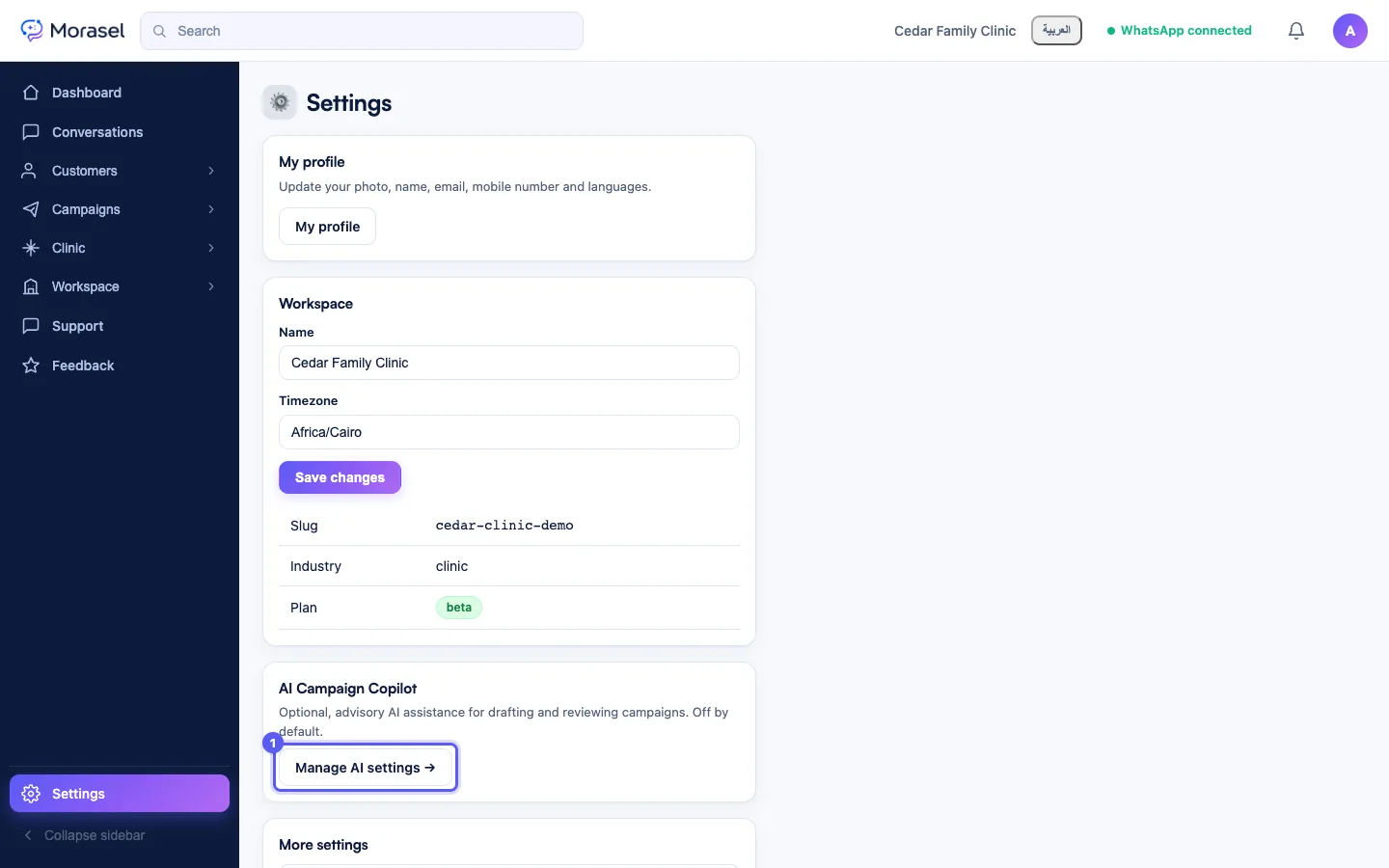
Open Settings and, in the AI Campaign Copilot card, click Manage AI settings →.
O que você deve ver: The AI Campaign Copilot page opens with Availability, AI usage and the settings below.
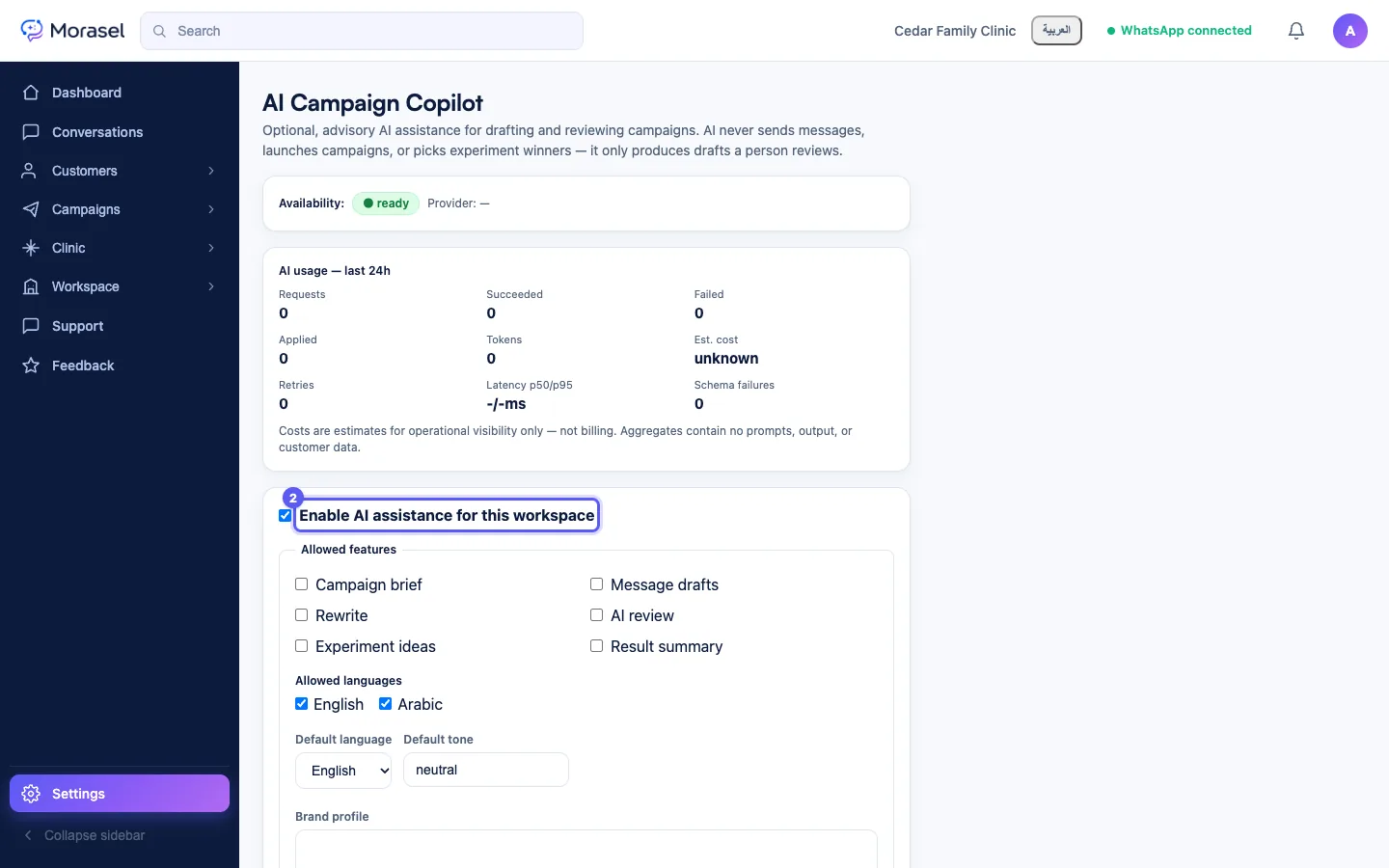
Tick Enable AI assistance for this workspace.
O que você deve ver: The Allowed features, Allowed languages and other settings below it become available.
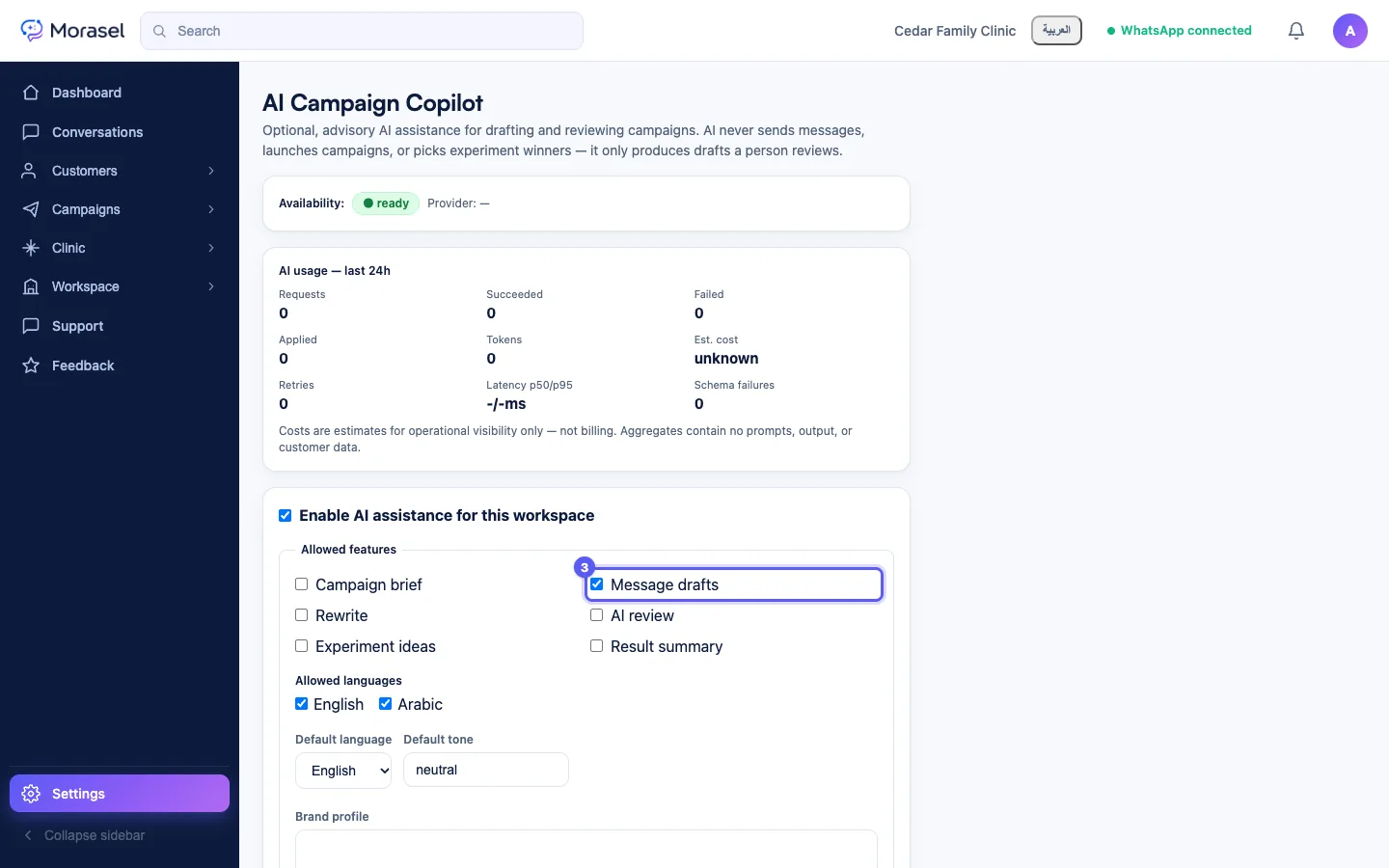
Under Allowed features, tick Message drafts.
O que você deve ver: Message drafts is ticked. English and Arabic stay ticked under Allowed languages.
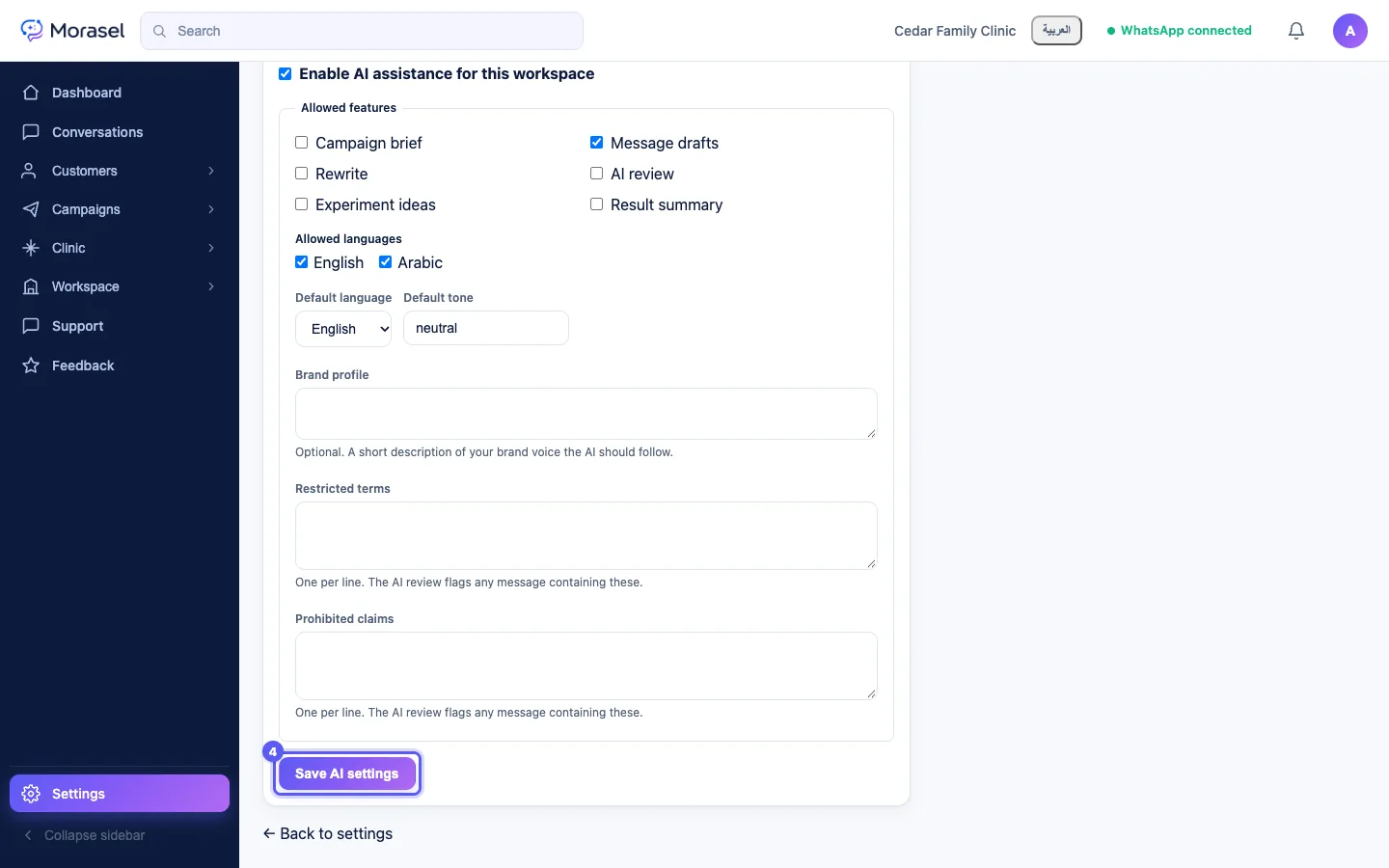
Click Save AI settings.
O que você deve ver: A message confirms "AI settings saved".
Open Conversations and click a conversation.
O que você deve ver: The chat opens, with ✨ (Suggest replies with AI) next to the message box.
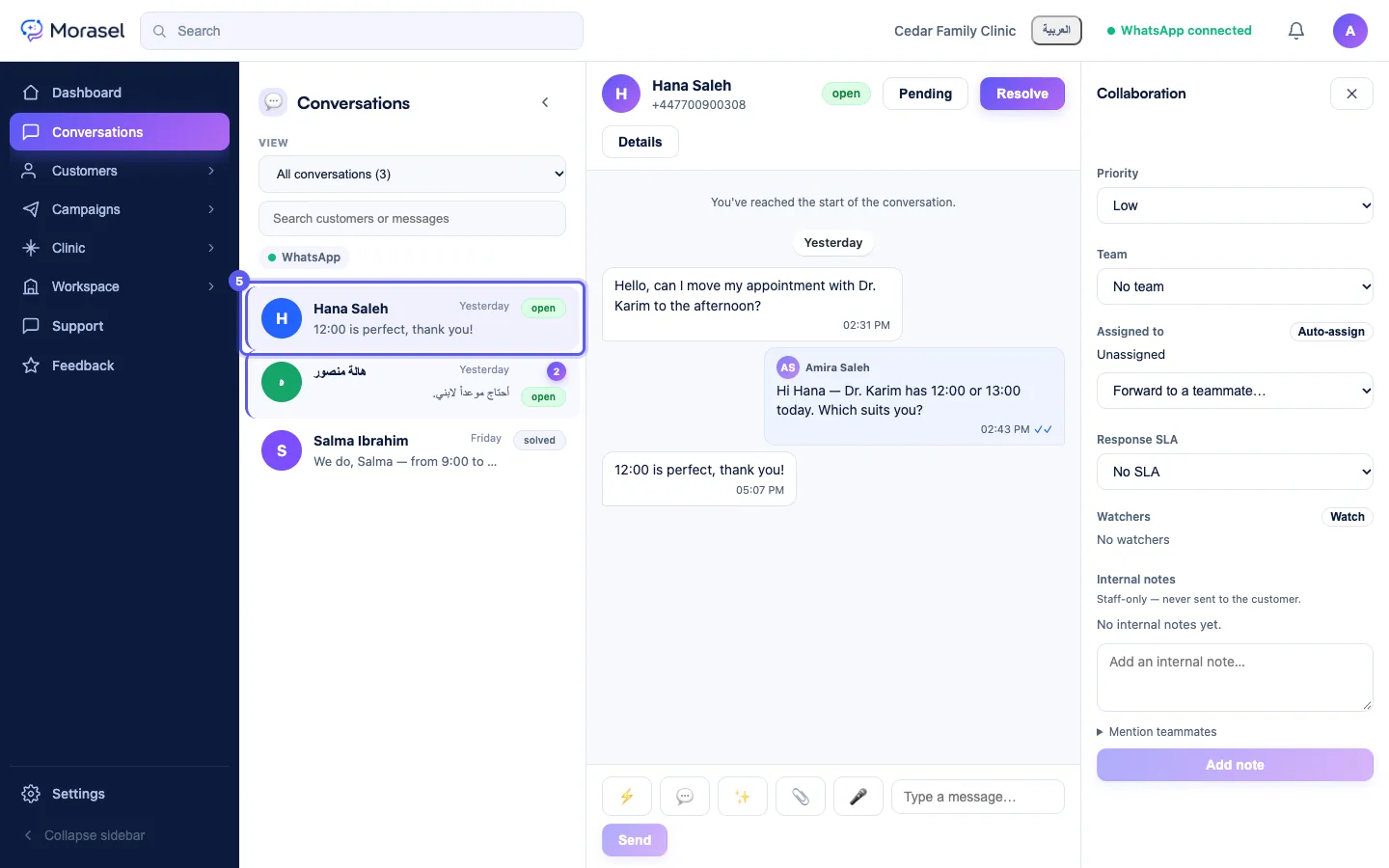
Click ✨.
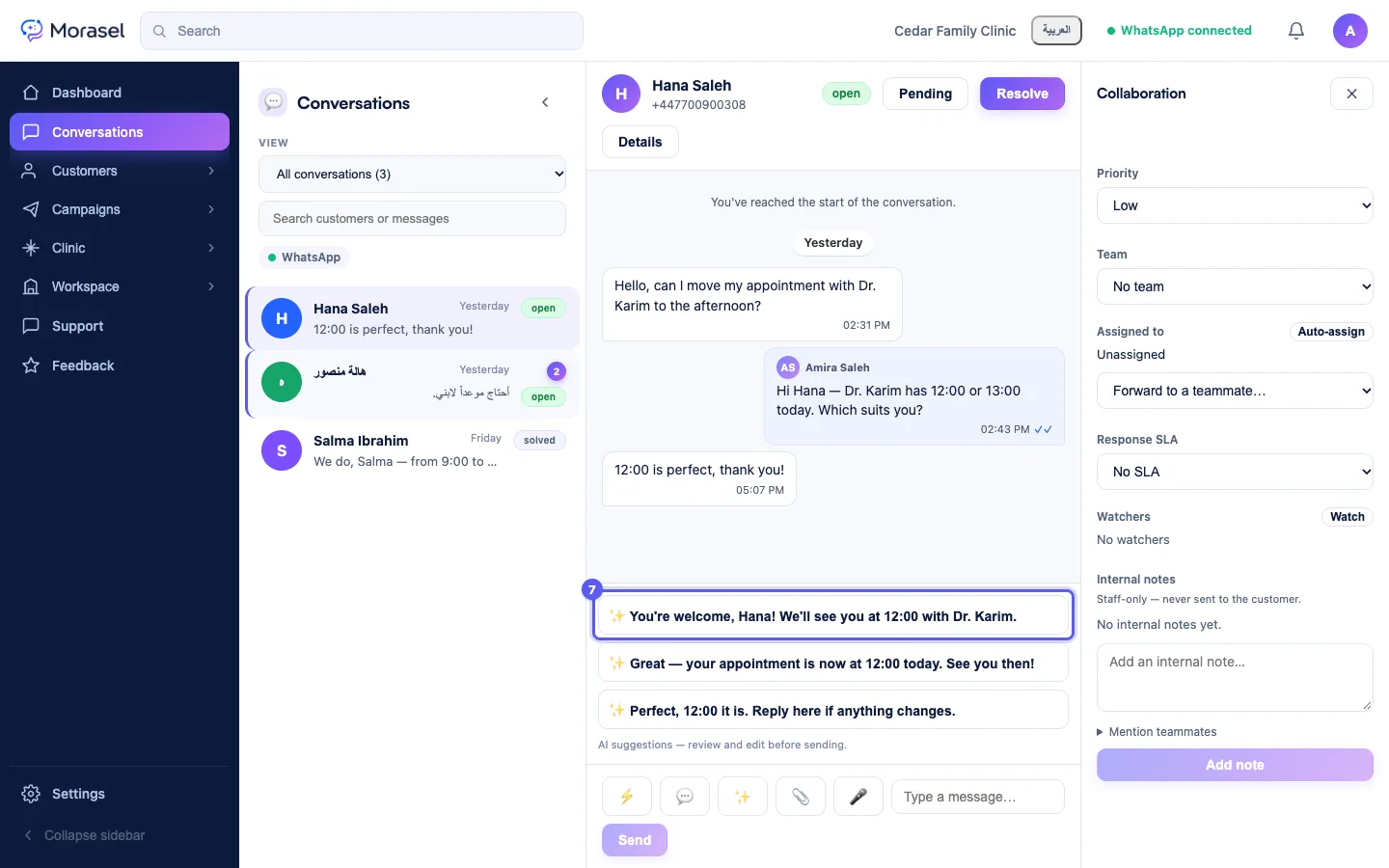
O que você deve ver: Up to three drafts appear above the message box, in the customer's language, with "AI suggestions — review and edit before sending."
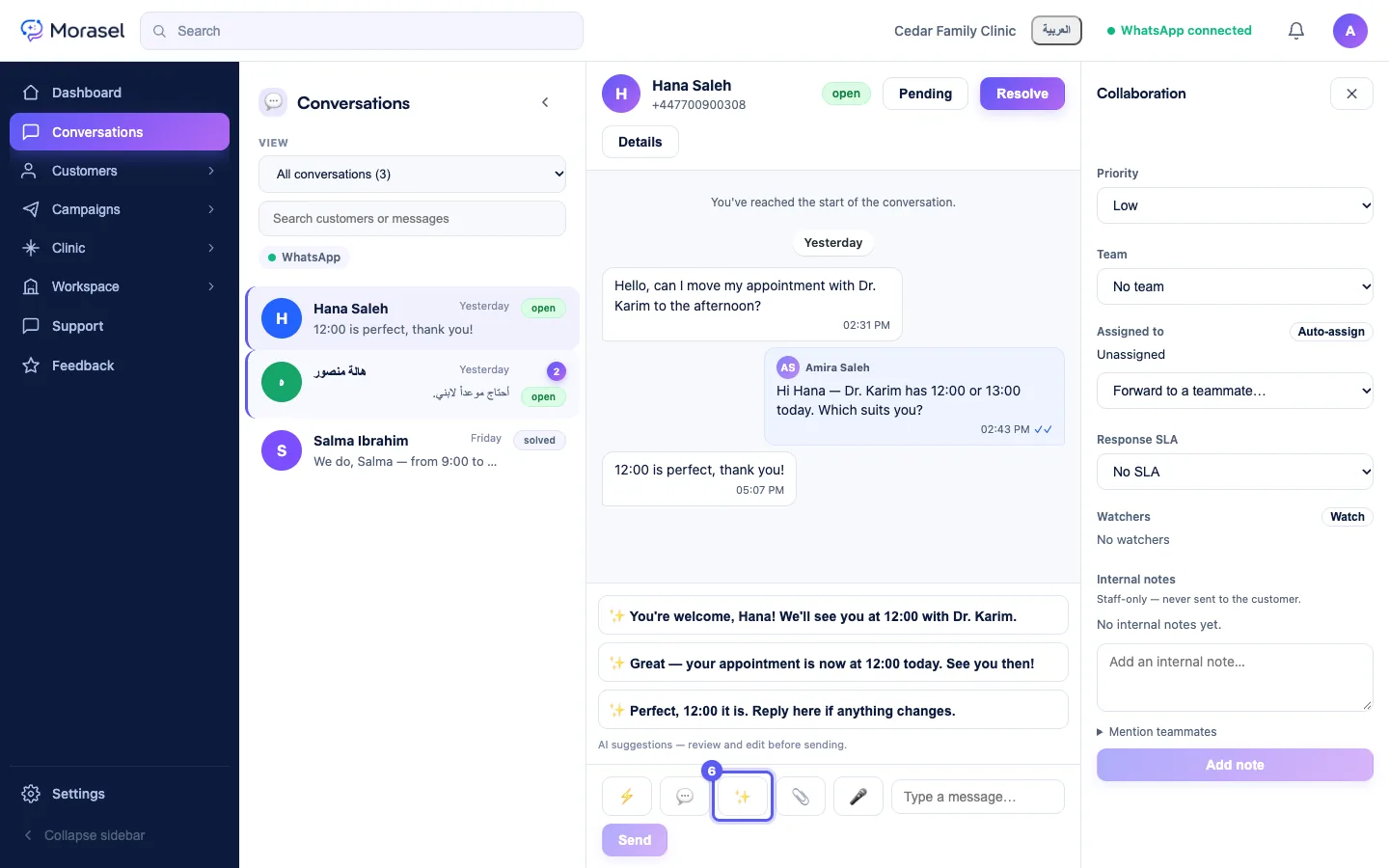
Click the draft you want.
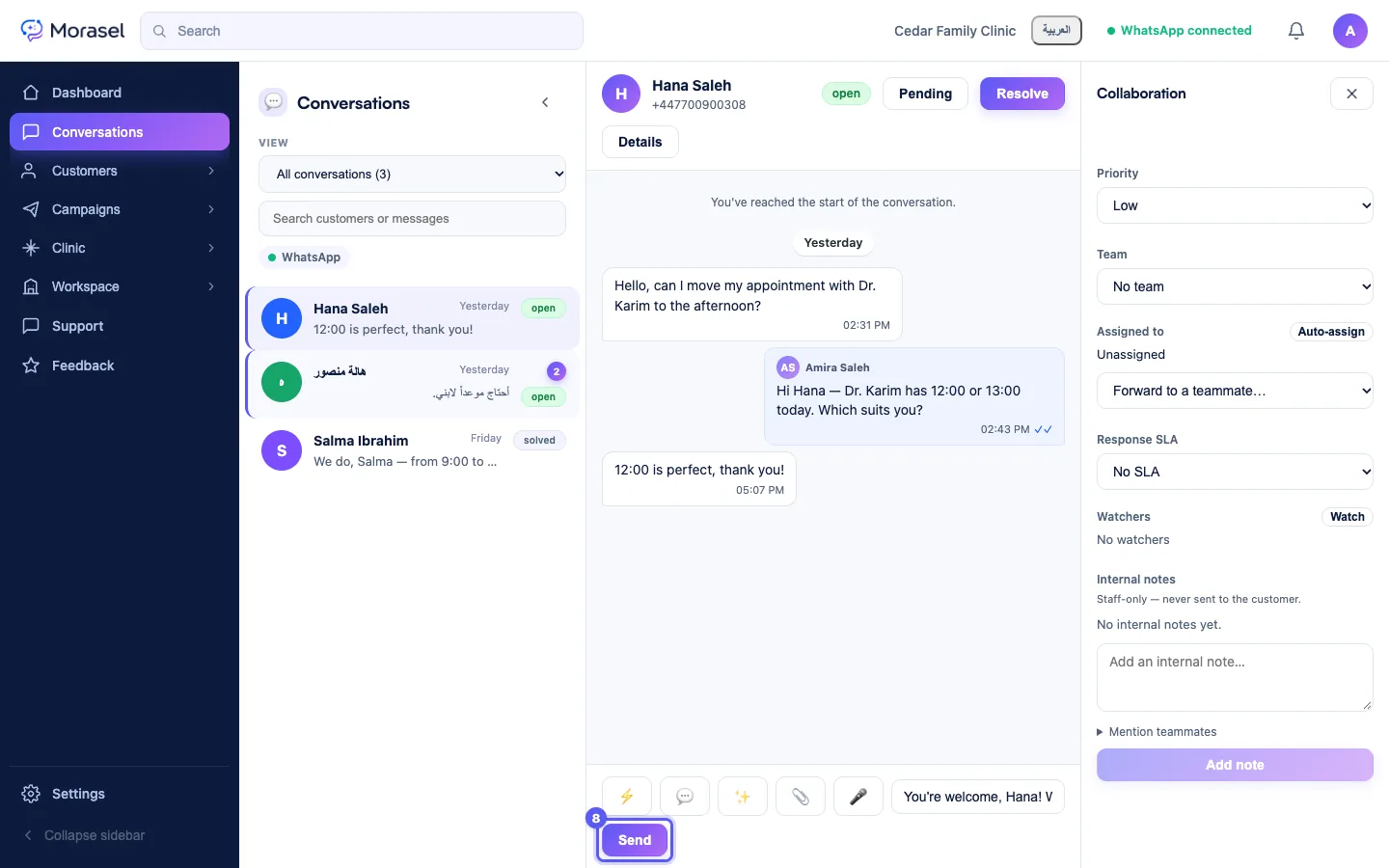
O que você deve ver: The draft moves into the message box; nothing is sent yet.
Edit the text if needed, then click Send.
O que você deve ver: Your reply is sent like any other message.


iPhone
Open Settings and tap AI.
O que você deve ver: AI settings opens with Enable AI assistance for this workspace at the top.
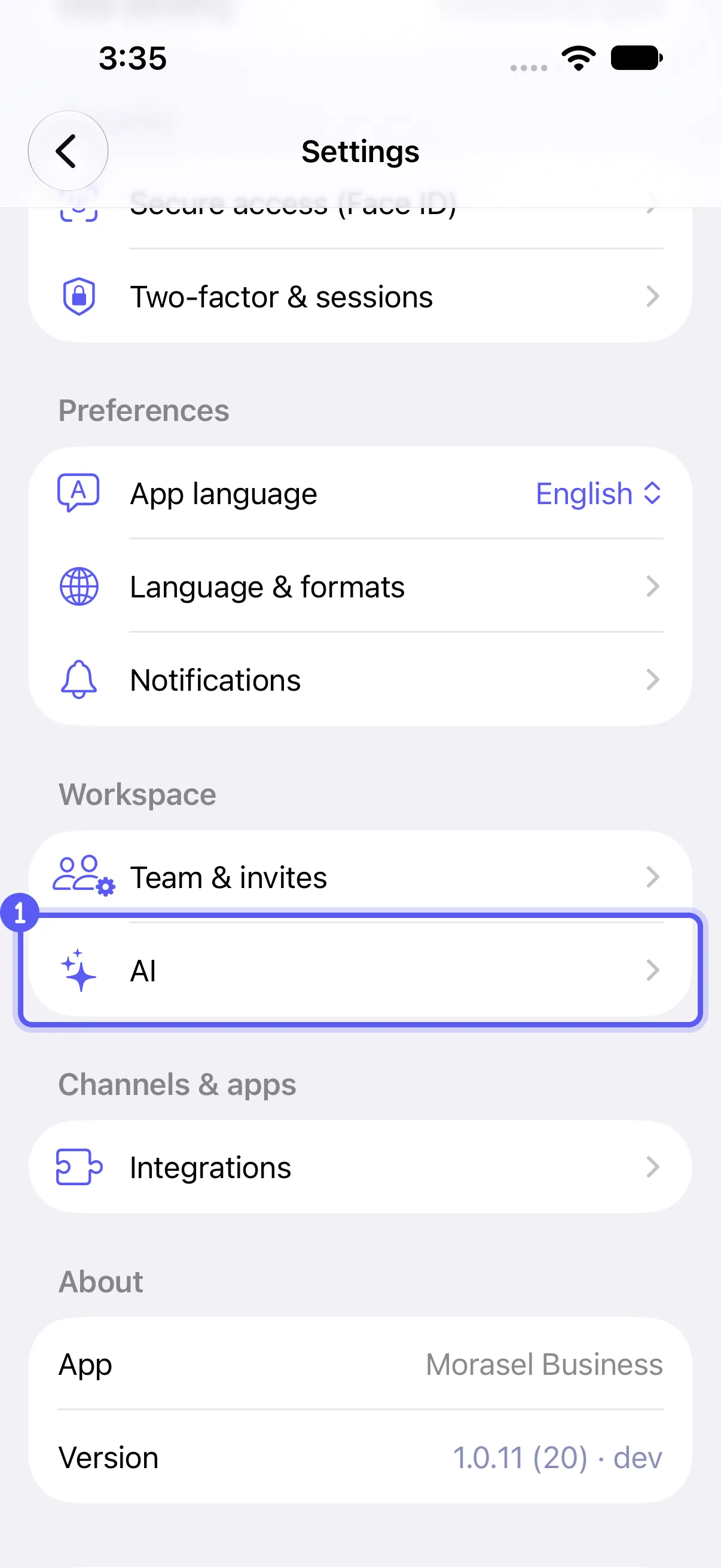
Turn on Enable AI assistance for this workspace.
O que você deve ver: Allowed features and Allowed languages become available.
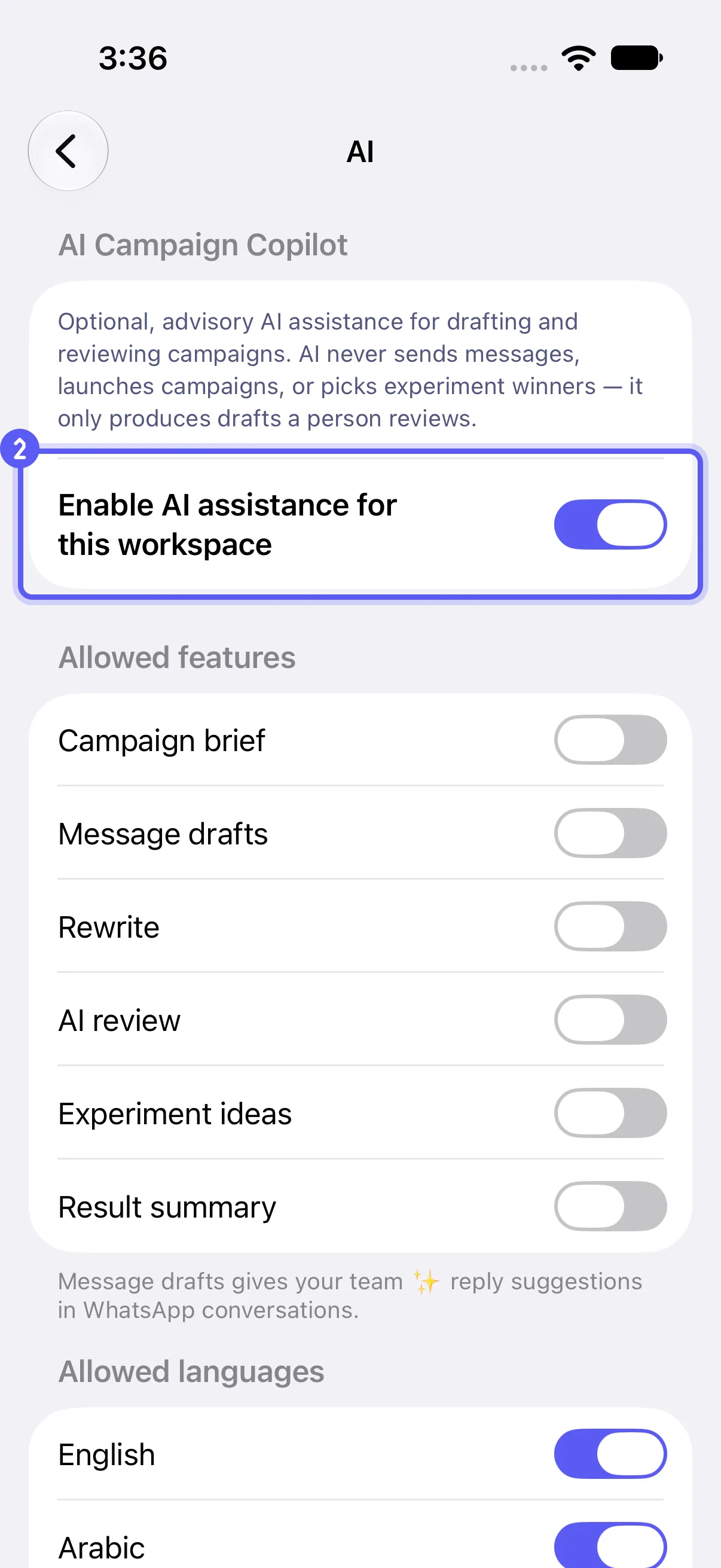
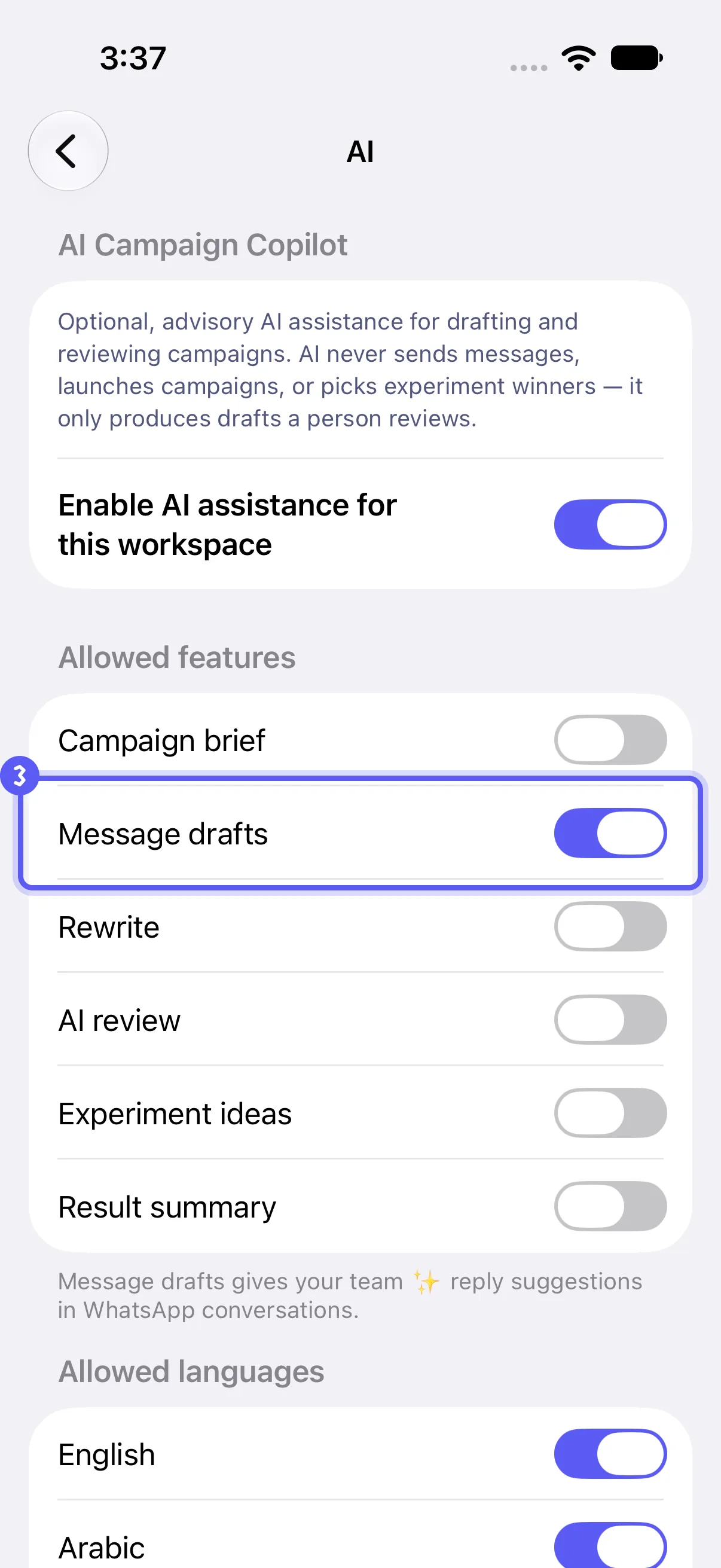
Under Allowed features, turn on Message drafts.
O que você deve ver: Message drafts is on. English and Arabic stay on under Allowed languages.
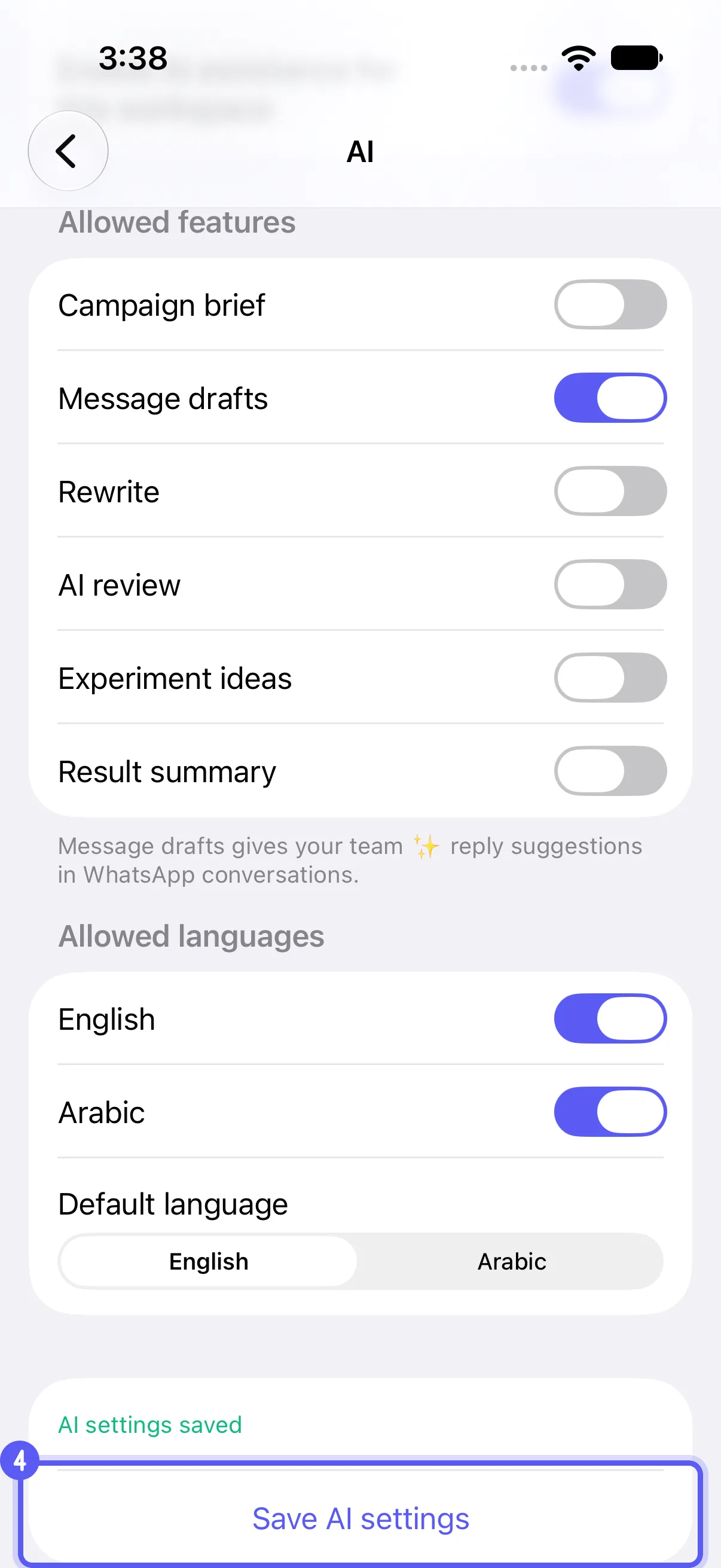
Tap Save AI settings.
O que você deve ver: "AI settings saved" shows above the button. Your team now gets ✨ in WhatsApp conversations, in the app and on the web.
Android
Open Settings and tap AI.
O que você deve ver: AI settings opens with Enable AI assistance for this workspace at the top.
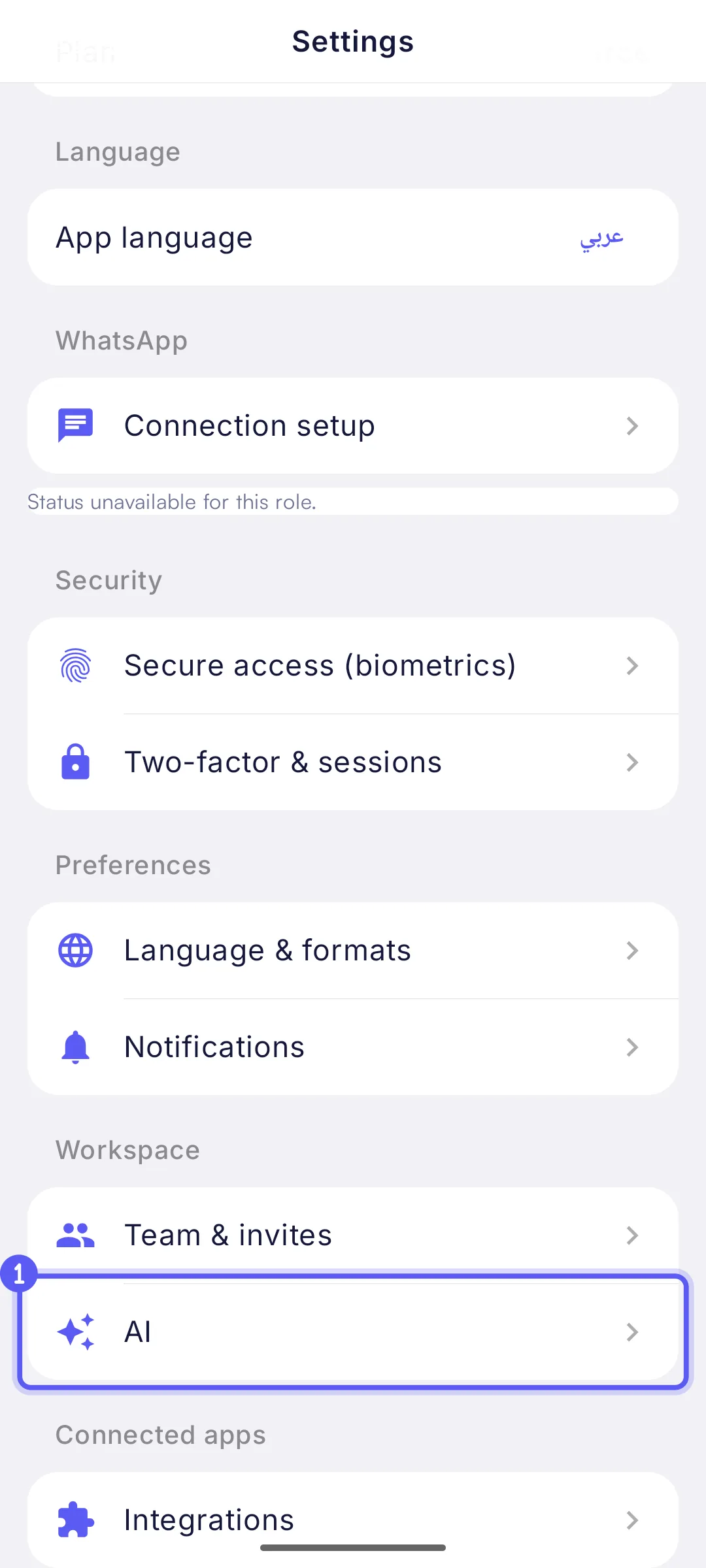
Turn on Enable AI assistance for this workspace.
O que você deve ver: Allowed features and Allowed languages become available.
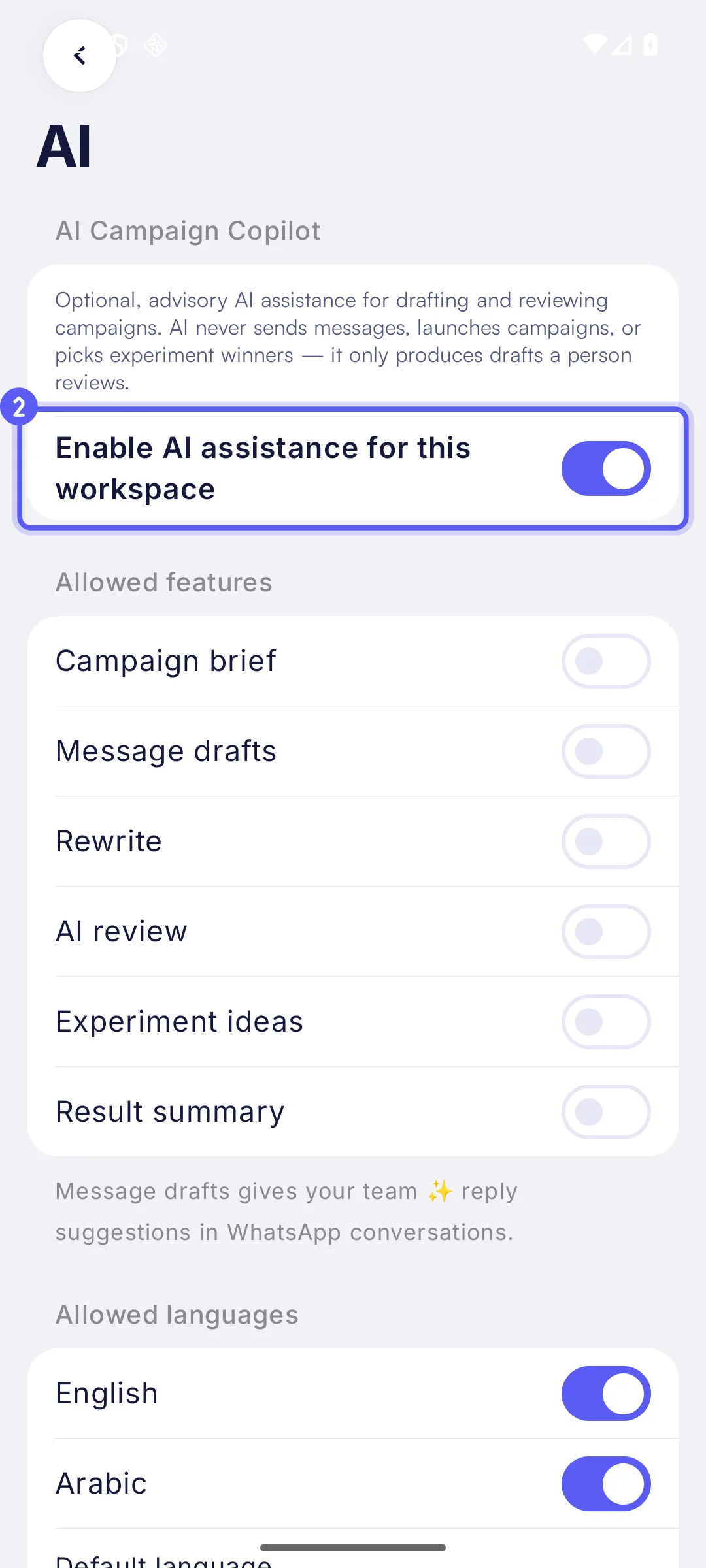
Under Allowed features, turn on Message drafts.
O que você deve ver: Message drafts is on. English and Arabic stay on under Allowed languages.
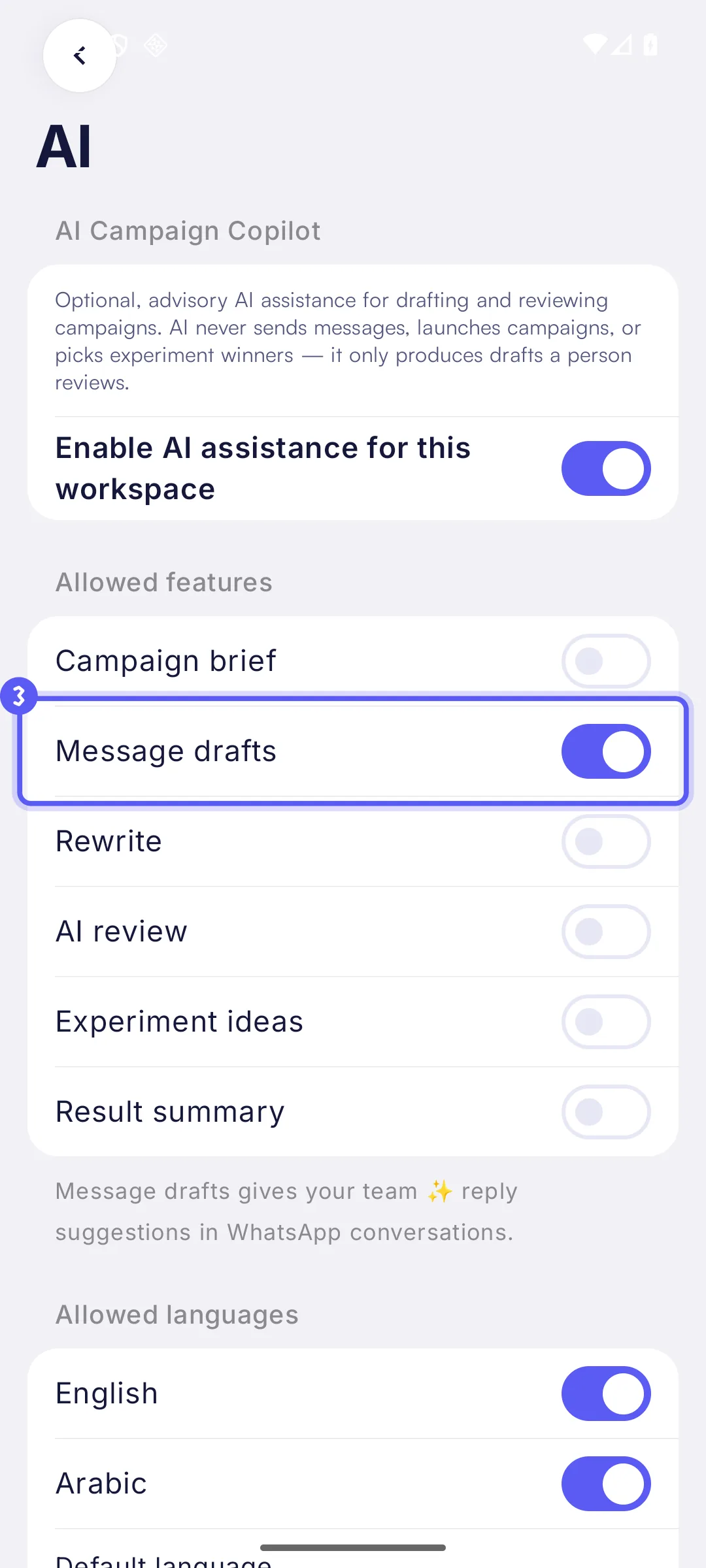
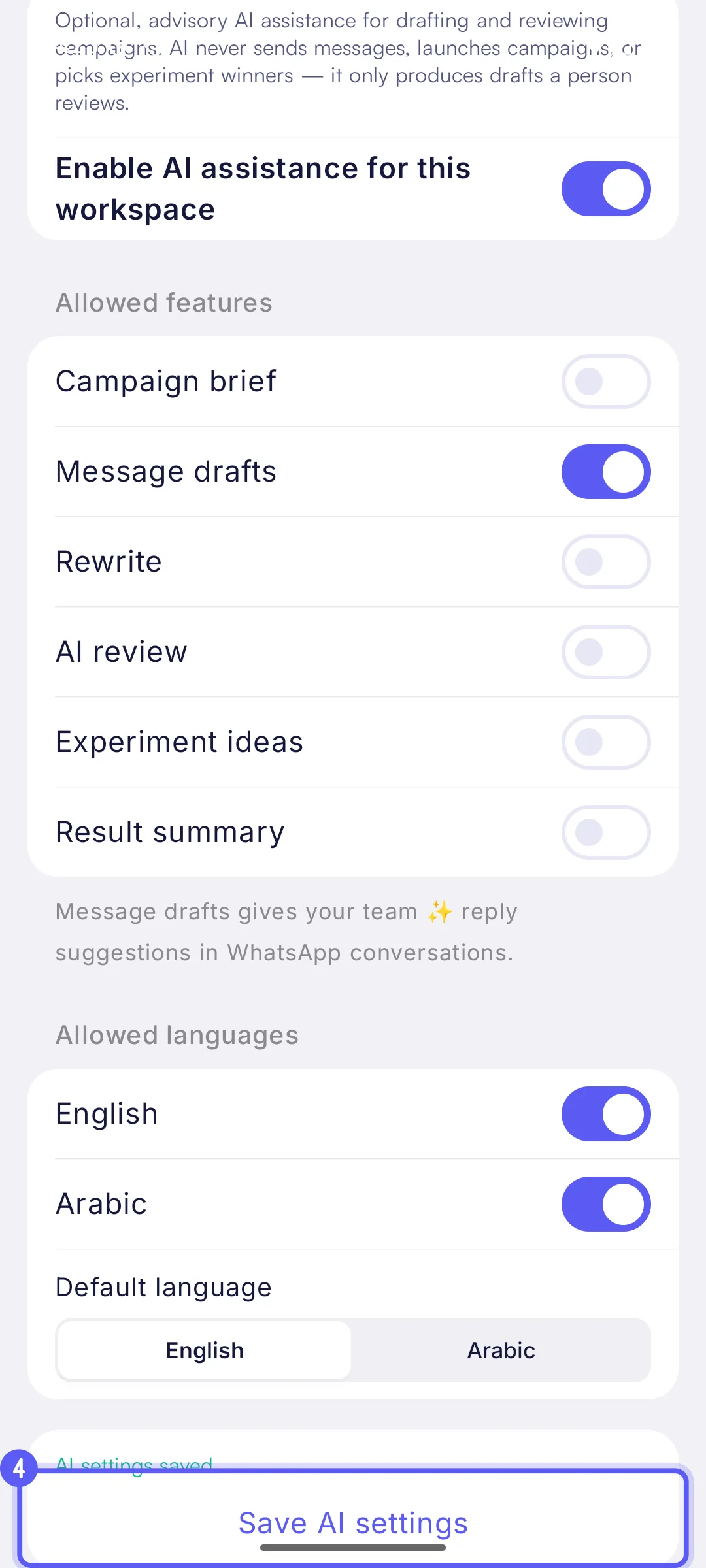
Tap Save AI settings.
O que você deve ver: "AI settings saved" shows above the button. Your team now gets ✨ in WhatsApp conversations, in the app and on the web.
Se não funcionou
- There is no AI Campaign Copilot card in Settings, or no AI row in the app's Settings.
- Only a workspace owner or admin can change AI settings. Ask one of them, or ask the owner to make you an admin. Settings → AI is available nos apps de iPhone e Android; until your app shows it, use the web app.
- I saved the settings but ✨ does not appear in conversations.
- AI help is a selected pilot and must also be available for your workspace. Ask us from Support in the app.
- ✨ is greyed out in a conversation.
- The customer's 24-hour WhatsApp window is closed, so a free-text reply cannot be sent. Use an approved template instead.
- "No suggestions right now — try again."
- Click ✨ again in a moment. If it keeps failing, write your reply yourself and tell us from Support.
Perguntas frequentes
Does AI send messages to my customers?
No. AI only writes drafts. A person picks one, edits it and clicks Send, or ignores it.
Which language are the drafts in?
The customer's language: Arabic when the customer's language is Arabic, English otherwise.
Can agents use ✨, or only admins?
Everyone who can reply to a conversation can use ✨ once an owner or admin has allowed Message drafts. Only owners and admins can change the AI settings.
Can I turn on AI drafts from my phone?
Settings → AI is available no app web e nos apps de iPhone e Android. In the app, open Settings → AI, turn on Enable AI assistance and Message drafts, and tap Save AI settings. It is the same setting as on the web.
Who can turn AI drafts on or off?
The workspace owner and admins. Untick Message drafts, or Enable AI assistance, and save to switch it off for everyone.
Artigos relacionados
Última atualização · Added: turn on AI message drafts from Settings → AI nos apps de iPhone e Android