
Reply to customers in the shared WhatsApp inbox
Conversations is your team's shared WhatsApp inbox. Every customer chat on your number lands here, and everyone with access sees the same list, so you can split the work, hand chats over and keep the full history.
O aplicativo Morasel e seus modelos de mensagem estão em inglês e árabe. Este site também está em português.
Este artigo está disponível apenas em inglês — leia em inglês
Abra esta página no app https://app.morasel.ai/inbox
Passos
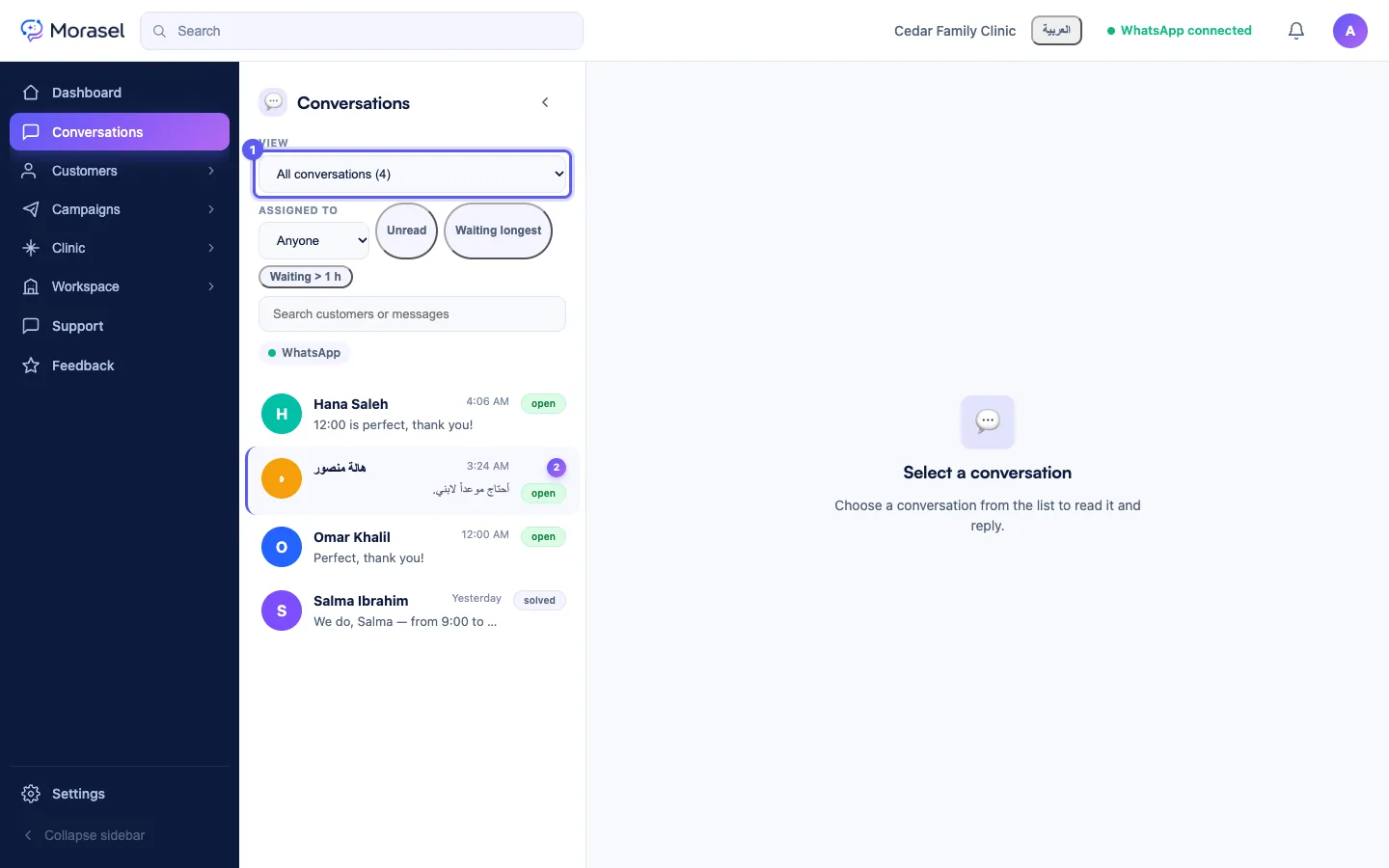
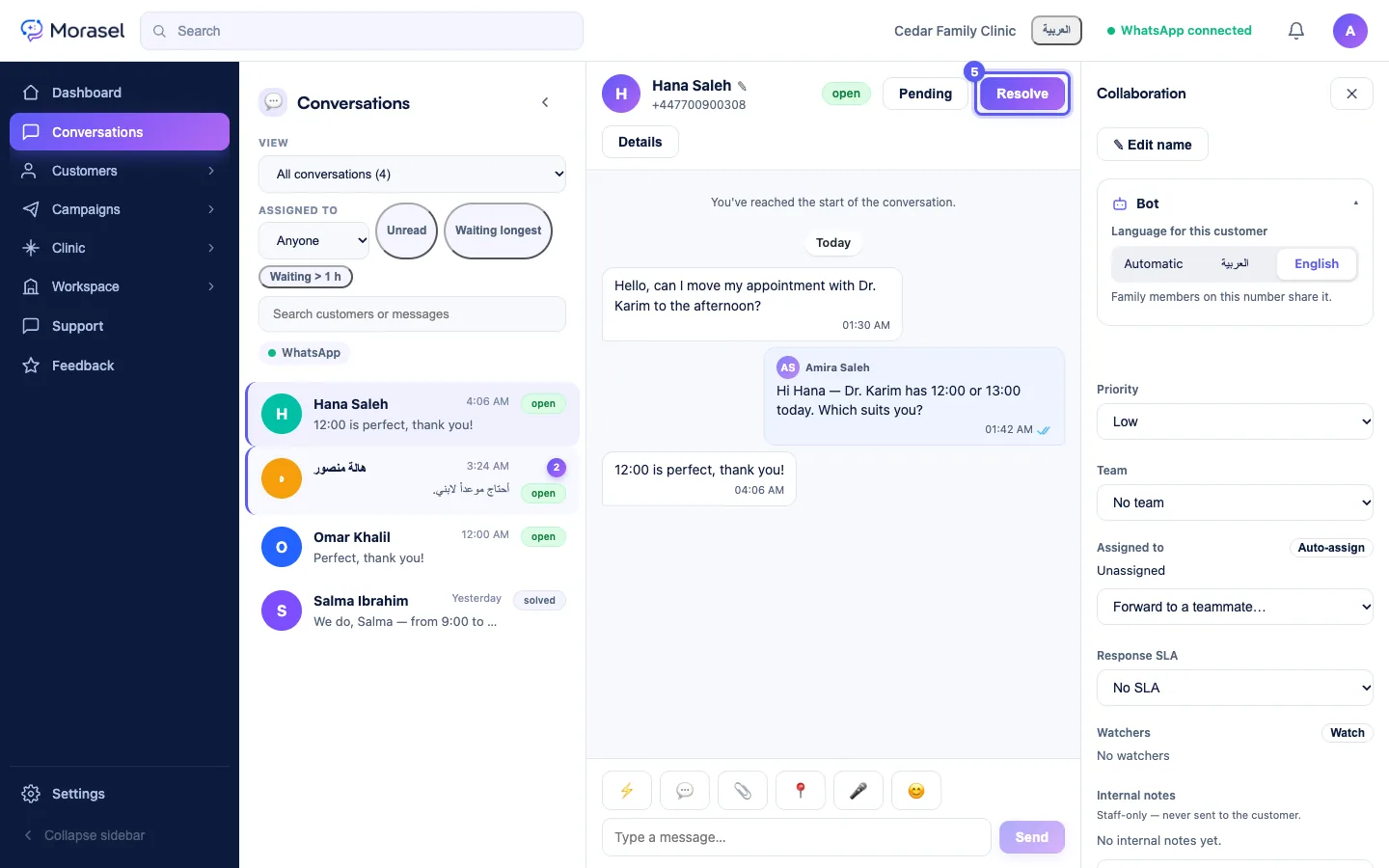
Open Conversations and pick a view in the View list: All conversations, Assigned to me, Unassigned or Solved.
O que você deve ver: The list shows that view's chats, newest first, with an unread count on chats that have new messages.
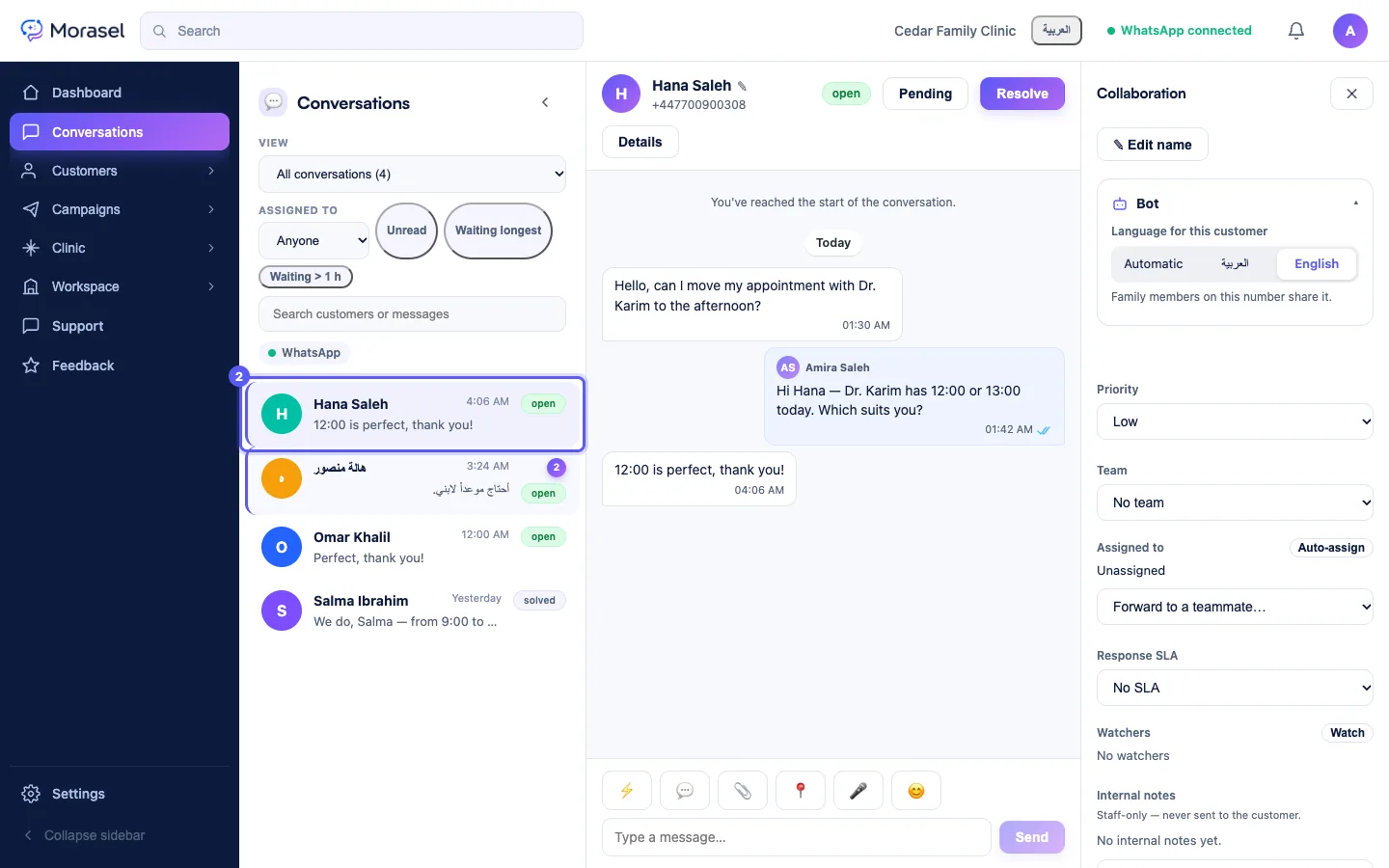
Click a conversation in the list.
O que você deve ver: The chat opens with the customer's name and number at the top and the message box at the bottom.
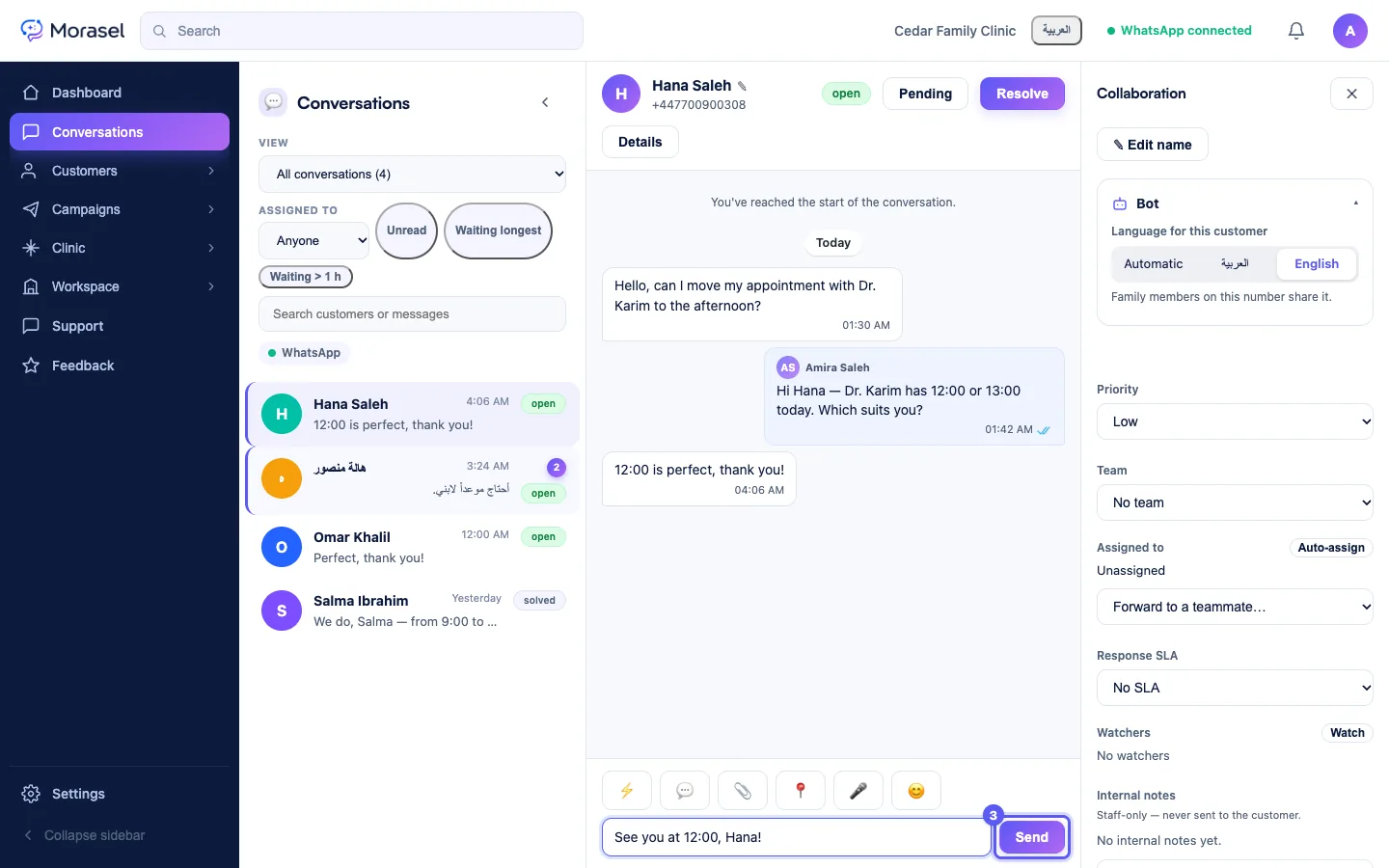
Type your reply in the message box and click Send (or press Enter). For a new line, press Shift+Enter; text you paste keeps its line breaks.
O que você deve ver: Your reply appears in the chat with ticks that show when it is delivered and read.
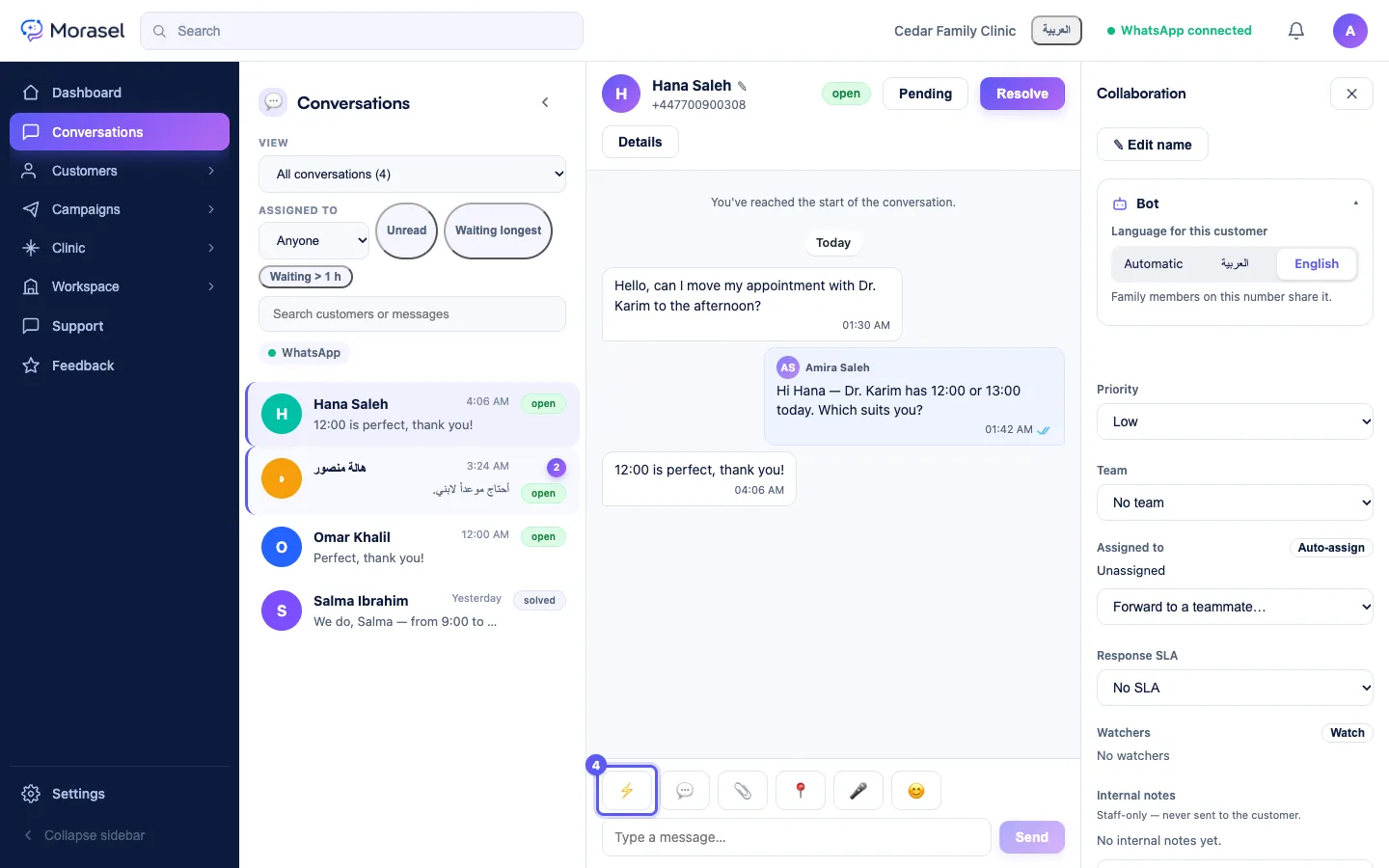
If the customer last wrote more than 24 hours ago, click ⚡ (Templates & quick replies) and pick an approved template instead.
O que você deve ver: The approved templates appear above the message box; choose one, fill in its details and send it.
When the customer's question is answered, click Resolve.
O que você deve ver: The chat moves to Solved. If the customer writes again, it comes back into the open list.


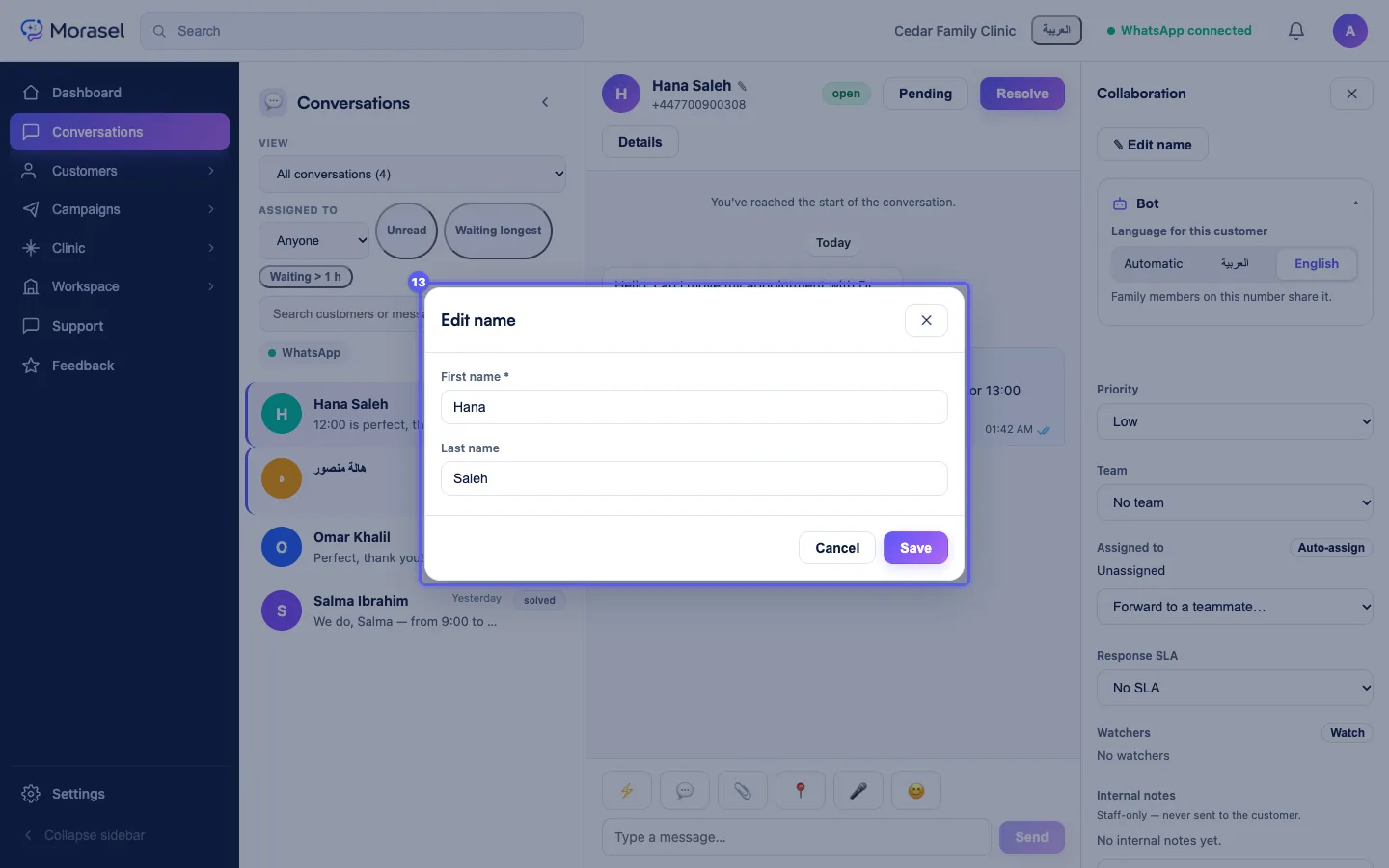
Fix a contact's name
Open the chat and click ✎ next to the name at the top of the chat (or Edit name in the chat's Details). Type the First name and Last name, then click Save.
O que você deve ver: The dialog shows "The WhatsApp name was:" and the name WhatsApp sent, when there is one. After Save, "Name updated" shows and the new name appears at once in Conversations and the chat, and in a clinic on the patient's profile and in the schedule too. A later WhatsApp message never changes it back. Anyone on your team who can reply to chats can do this. Edit name is also in the chat's menu nos apps de iPhone e Android.

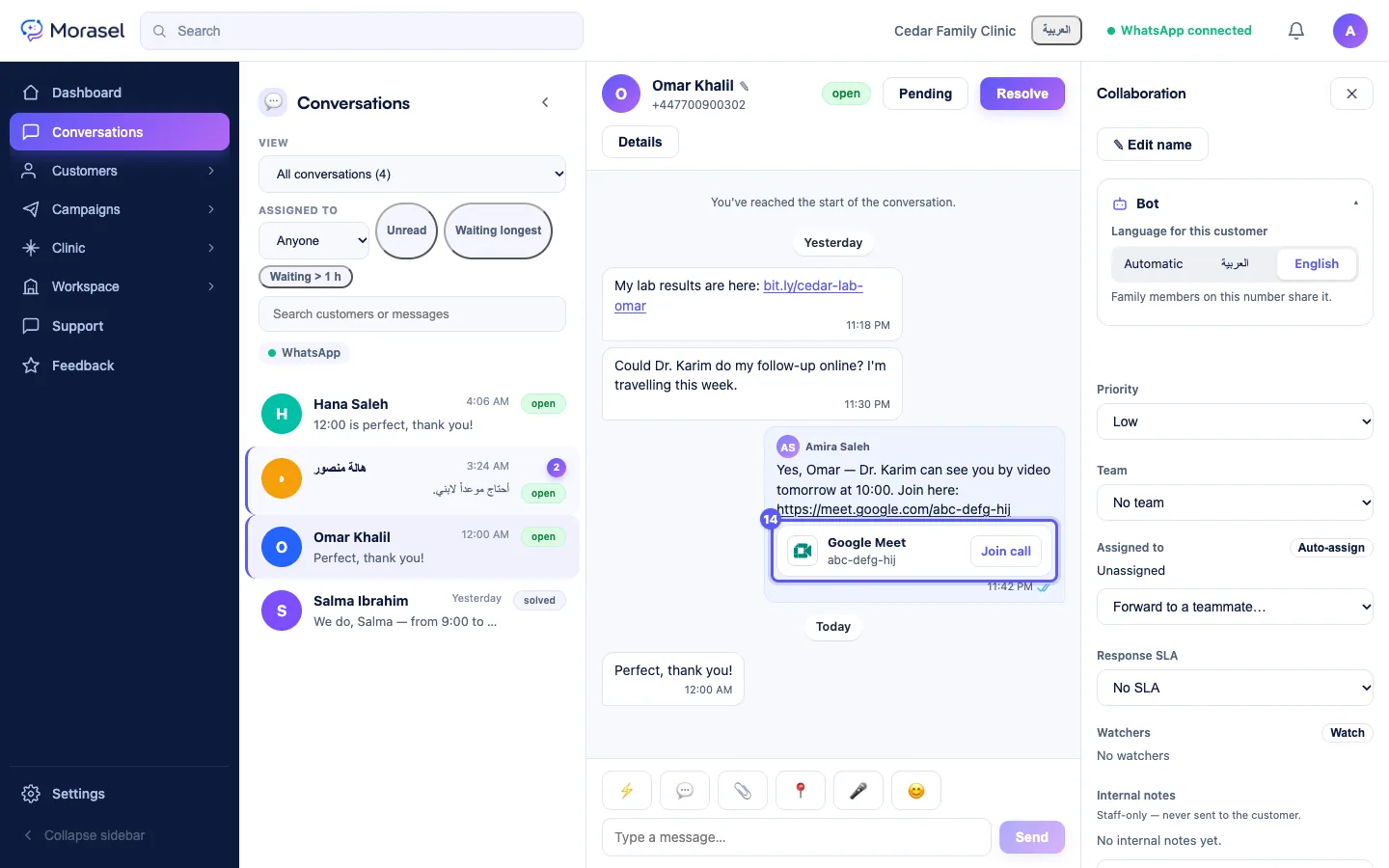
Links in messages
Open a chat that has a link in it, and click the link or the button on the card under the message.
O que você deve ver: Web addresses, phone numbers and email addresses in messages, captions, internal notes and a patient's notes are links: a web address opens in a new tab, a phone number opens your calling app and an email address opens your mail app. When Morasel recognises the link, for example a video call, a map or a courier's tracking page, a card under the message names it, such as "Google Meet" with Join call or "Google Maps" with Open in Maps. A message gets one card, for its first recognised link, and its other links stay clickable in the text. Morasel builds the card from the address alone and never opens the link itself. Links and cards come to chats nos apps de iPhone e Android.
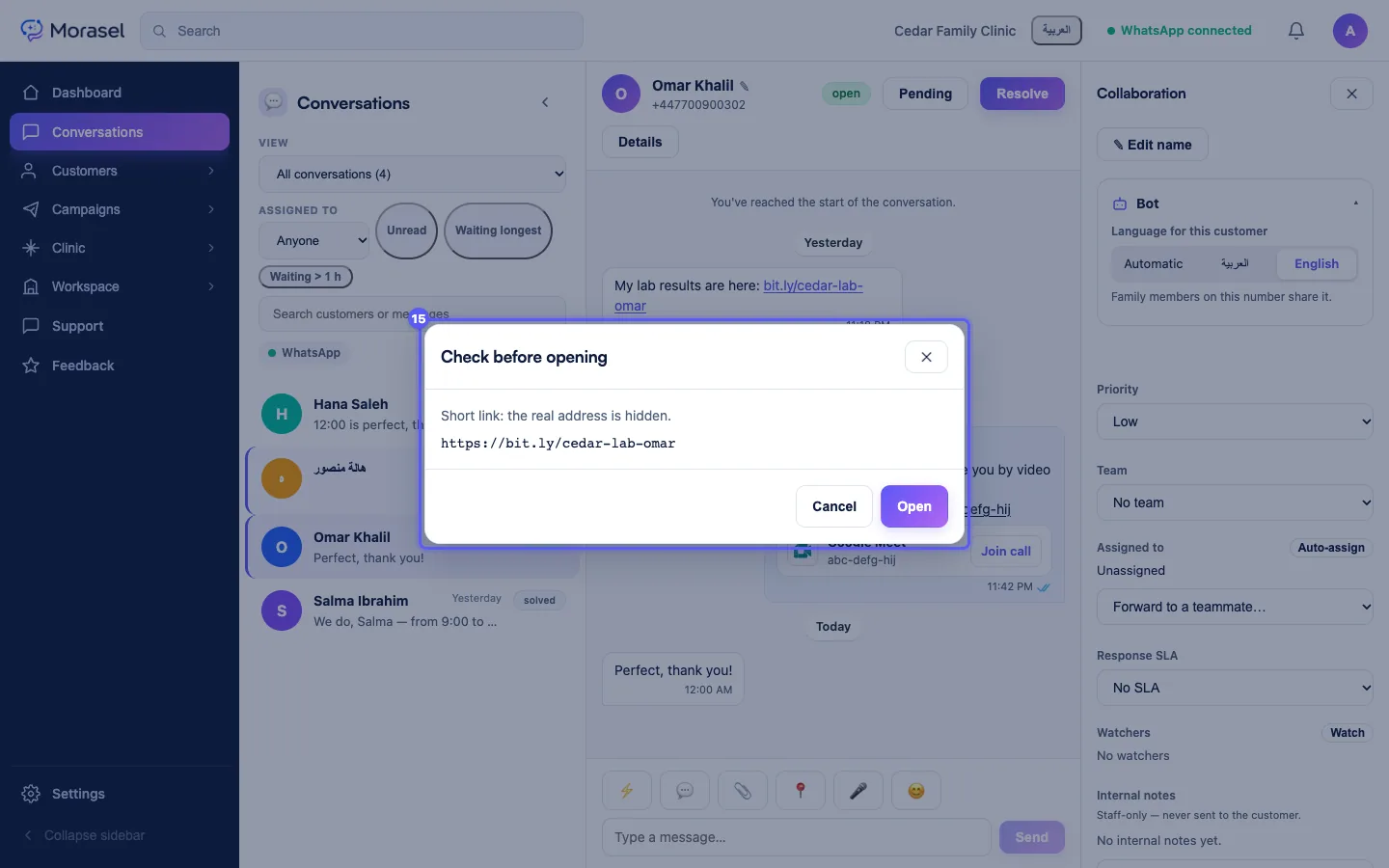
If "Check before opening" appears, read the address, then click Open to go there or Cancel to stay.
O que você deve ver: Short links (such as bit.ly), addresses that are only numbers, addresses with unusual characters and addresses that imitate a well-known name (such as meet-google.com) ask first. The window shows the full address and why, for example "Short link: the real address is hidden." These links never get a card.


Hand a chat back to the bot
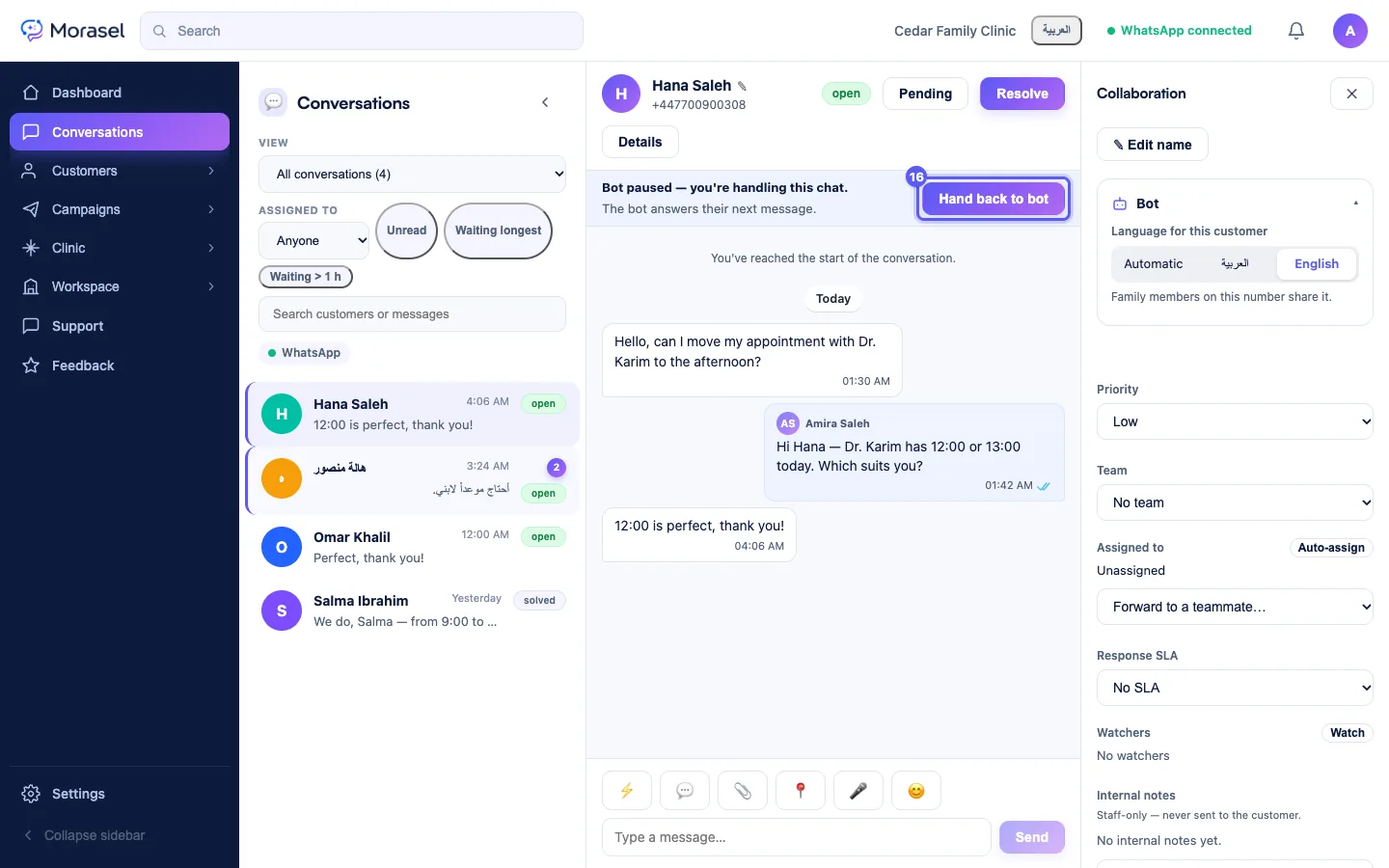
If the chat says "Bot paused — the customer asked for a person." or "Bot paused — you're handling this chat.", click Hand back to bot when you're done.
O que você deve ver: The line goes away and nothing is sent to the customer: the bot answers their next message. The bot pauses when a customer asks to talk to a person (or a guest taps a button such as Need help). In clinics, the WhatsApp assistant also pauses for 30 minutes after someone on your team replies from Morasel, and the Care assistant stays quiet in a chat your team has replied in until you hand it back. The first line shows before anyone on your team has replied, the second after.

Se não funcionou
- The message box says the 24-hour window is closed.
- WhatsApp only allows free replies within 24 hours of the customer's last message. Send an approved template with ⚡; once the customer replies, you can write freely again.
- A teammate can't see a chat.
- Check the view: Assigned to me shows only your chats. Choose All conversations, or type a name, a number or words from a message in Search customers or messages. A chat found through a message opens at that message, highlighted.
- No conversations appear at all.
- Your WhatsApp number may not be connected yet. Open WhatsApp setup and connect it.
- A message shows as "Message type not supported", "Poll", "View-once photo or video" or "Template message from a business".
- WhatsApp doesn't deliver some types of message to business numbers: polls, view-once photos and videos, and template messages (the ones with buttons) sent by another business. The chat shows what kind of message it was instead of its content. Ask the sender to send it again as a normal message.
- Send stays greyed out, or the chat says "There is nothing to send. Type a message or attach a file."
- A message needs something in it: type some text, or attach a file (a photo, video or document can go without a caption). A message made only of spaces or empty lines isn't sent, so nothing reaches the customer. Type your reply and press Send again.
Perguntas frequentes
How do I hand a chat to a teammate?
Open the chat and, in the Collaboration panel, choose the person under Assigned to → Forward to a teammate…. Assigned to me then shows it in their list.
Can I leave a note the customer won't see?
Yes. Use Internal notes in the Collaboration panel and click Add note. Notes are staff-only and never sent to the customer.
What is Pending?
Pending marks a chat as waiting, for example for the customer or a colleague, without resolving it.
Can I use the inbox on my phone?
Yes. Chats in the iOS and Android apps is the same shared inbox, with push notifications for new messages.
Can I add a message or a customer's location to their order?
Yes, in online stores. Hover the message, click ⋯ (More) and choose Add to order #N timeline, or Add to another order… to pick the order. A shared location, or a message that is only a maps link, is added as a location with Use as delivery location ticked, so drivers navigate to it. A toast says "Added to order #N" with Open order, and the message shows a "📎 Order #N" chip that opens the order. In the apps, long-press the message.
Why does a message from another business say "Shown from the sender's copy on Morasel"?
The sender is another workspace on Morasel. WhatsApp didn't deliver its template message to your number, so Morasel shows the text, and its buttons, from the sender's own copy. It arrives like any other message: unread, with a notification.
What is the line "Return #4117-R1 started by Nadia" in a chat?
In online stores, a teammate started a return on this customer's order. The line is for your team only, like an internal note: the customer never sees it, and Morasel sends the customer no message about the return. To start one yourself, click Customer orders in the chat, open the order and click Start return. See Start a return from a chat or an order.
WhatsApp shows an emoji, a nickname or only the number. Can I change the name?
Yes. Click ✎ next to the name at the top of the chat, or Edit name in the chat's Details, type a first name (and a last name if you like) and click Save. The new name shows across Morasel straight away, and a later WhatsApp message never changes it back. Anyone who can reply to chats can do it, no app web e nos apps de iPhone e Android.
Why does a link in a chat get a card, or ask me to check it first?
Morasel recognises common kinds of links from the address alone: video calls (Google Meet, Zoom, Microsoft Teams), maps (Google Maps, Apple Maps, Waze), courier tracking pages such as Aramex, DHL, FedEx and UPS, shared documents and forms, and your own Morasel booking page. The first one in a message gets a card with one button, such as Join call, Open in Maps or Track parcel. Short links and addresses that hide or imitate where they go open "Check before opening" instead, so you can read the full address first. Morasel never visits the link or sends it anywhere to build the card.
How do I get the bot to answer a customer again?
If the chat says "Bot paused — the customer asked for a person." or "Bot paused — you're handling this chat.", click Hand back to bot at the top of the chat. Nothing is sent: the bot answers the customer's next message. Anyone on your team who can reply can do it, no app web e nos apps de iPhone e Android. Marking the chat resolved hands it back too.
Who can change saved replies?
Owners and admins, in Settings → Quick replies (já no app web, e no iPhone e no Android numa atualização posterior do app): add, edit, hide or delete a reply, and the owner turns signing the first reply with the agent's name on or off. Everyone who can reply in the inbox can insert them in a chat with 💬 (Quick replies).
A message says "open WhatsApp on the phone to view it". Can I fill it in?
If the number is connected from the WhatsApp Business app, yes, for photos, voice notes and files WhatsApp didn't sync. An owner or admin exports that chat from the phone with "Include media" and uploads the zip on the web app (open the chat, click Details, then Import chat export). Morasel attaches the files that match, and the messages show "From chat export". Nothing is sent to the customer. See "Recover older WhatsApp photos from a chat export".
In a clinic, can I book an appointment or see a patient's visits from the chat?
Yes. Book appointment at the top of a WhatsApp chat opens the booking panel for the people on that number. The Patient panel beside the chat shows the person's upcoming and past visits and the staff-only notes about them; click Patient at the top of the chat if it is closed. In the iPhone and Android apps both are in the chat's menu.
Artigos relacionados
Última atualização · Added: in a clinic, Book appointment at the top of a WhatsApp chat and the Patient panel beside it